Search
-
Re: maya: select edges in crevices?
 not sure exactly what your asking, but I use the ctrl-rmb marking menu religiously, it has all the ring,loop, convert slections tools in it and makes selecting all the hard to get components much much easier, and it support multiple sets of selctions.(i.e. select random edges on different part of the model and…
 -
3ds Max 2013 - Unwrap UVW modifier, how to select by element?
 When I'm using the Unwrap UVW modifier, I'd like to select by object element but you can only select by vertex,edge,face. I'm not talking about UV elements, but the elements on the object. Like how you can select by element on edit poly modifier. I can do this but it's a several step process: * Collapse Unwrap UVW modifier…
 -
xsi to 3ds max-edge selection and deleting
Hello guys, I mainly use xsi and Im transferring to 3ds max. Does anyone know how to delete multiple edges properly. It seems that when I do delete edges in max, the vertices for those edges remain? Also how can I select multiple edges at the same time from one side to another, I'm not referring to edgeloop selection with… -
Select Using Constraint
I'm fighting with the polygon selection constraint to get the options for this command in Maya. I've selected the mesh, loaded Polygon Selection Constraint, set the Constrain to Current & Next and no options appear ? -
The Hard Surface and 3D Print Tools Pro - 4 Script Suite for Autodesk Maya
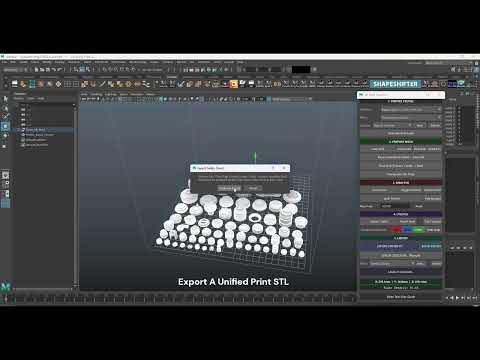 I’m incredibly happy to finally be able to share what I have been putting together over the past couple months, so with that i'm happy to present the Hard-Surface and 3D Print Pro Suite for maya A series of 4 Python scripts used for both hard-surface and 3D print prep pipelines. The Full Master Suite Includes: • Hard-Print…
 -
Re: Maya - selecting face behind face
 You can try selecting the visible ones. Then, hold down shift and drag a box over an area. That will inverse your selection. Maya's select tool by default will cover everything, even the non-visible ones completely covered by other things. You can change thins behavior by holding down q and left mouse button in viewport,…
 -
[3DsMax] rectangular selection tool hotkey
 Hey guys. I switched to max 18 and the button Q does not what I want and what I am used to from odler versions of max. I want Q to be the selection tool and "deactivate" tools like move, rotate or scale. I want Q to be the rectangular selection only and set Q as a hotkey for that. However, that does not work. Could you…
 -
Maya : selection region - need help
Hi guys, I am ashamed but I really need some help : in Maya, I can no longer select multiple egdes or vertices. I must have turned some region selection tool by mistake and now each time I select an edge all the object turn from yellow to red and I can region transform it. But there is no way to select multiple edges… -
[MAYA] Lattice point selection trouble
Heya, So I was trying to figure this out by googling a lot of stuff but no luck :( This USED to work great before for me, but all of a sudden it started behaving like this, so must be some setting I've accidentally turned on I think. So I go into Lattice Point component mode, I want to do a drag selection over the lattice… -
Vertex Selection in Blender??
 i remember in Maya you could select a vertex and pressing the arrow key, the selection moves to the next vertex either by pressing up, left, right, or down. Is there a way you can cycle through selecting vertices like this in Blender?
>15392 results