Search
-
Re: Modo to UDK
 Use Zoltan's ASE export script. It works most of the time. Sometimes it won't export smoothing correctly, but usually that means you need to restart modo. You also need to setup your units to match Unreal 1:1, meaning editing the script might be necessary(can't remember if I needed to or not). It can export skeletal meshes…
 -
Re: Dual Kinect Sensor Camera Calibration Demonstration Guide by Truebones.
 thatanimator.... it does allow people to do crappy-esque stuff by themselves... if they make their own program. you still have to buy a program to do all the stuff though. Ive been using this lately at work and its actually surprisingly good! Ive only done stuff with 1 kinect, which i found to be more smooth than 3 PSeyes…
 -
Re: 3d Max 9 morph targets using Zbrush
 Have you tried, exporting the original mesh from ZBrush and importing that? Have you tried, rexporting everything as another format and importing it back into 3dsmax. Have you tried: http://www.scriptspot.com/3ds-max/morphix Did you attach all the morphs to the box and then detach them one at a time? Reset Xform I think…
 -
Re: 3D Coat - have we done this yet?
 thanks pea, I cant wait to get some more time to play with this! there is a convert to polygons button on the voxel menu so that you can export a polygon version of the model or go ahead and sculpt it but it is rather high poly. There may be many good reasons to retopologise though but Im no expert, pior probably knows…
 -
Re: Normal map problem - Missplaced UVs/Cage (3Ds Max and xNormal)
 I'm not sure what's wrong on your end. It worked as expected for me. (I didn't realize the inner part was so long, from one of the pics I thought it was 2 separate pieces...anyways) I exported lp and hp to xnormal as obj's. (separated into 3 areas) I used the ray distance (cause I'm to lazy to make a cage for this) :P my…
 -
Cabbie gets mistaken for online music expert
 I stole this from ConceptArt.org, but it's too hilarious to miss, go to this thread: http://www.conceptart.org/forums/showthread.php?t=67959 Read the article, then watch the video ... his expression is priceless!
 -
Re: Answered: Quixel Suite 2 a big step backwards for me.
 Could you show me any error messages that you're getting with your mesh import problem? Also, perhaps showing your OBJ export settings would be helpful as well in troubleshooting this issue. May I ask what graphics card you're using? The materials I'm referring to are in the Smart Material browser. They're not an export…
 -
3ds Max custom cage issue with xNormals
 Hey PC I have some odd issue when exporting a custom cage from 3ds max and bringing it into xNormals. I've used this method countless times before and never had this issue. I've created a cage mesh using the projection modifier and exported both separately as objs and it claims that the vertex count is off. They have the…
 -
Default Zbrush Displacement issue - Not capturing detail (Smoothes map)
Hi i am having a slight issue i have tried to fix my self for few days now with trial and error with no solution and would be grateful with someones insight. the problem is - iam trying to export a displacement map (settings Attached) but it is smoothing out my details for some reason. the closest i have got to fixing this… -
Quadify Ultra — ML-Routed Retopology for Blender 5.0 | Tool Release

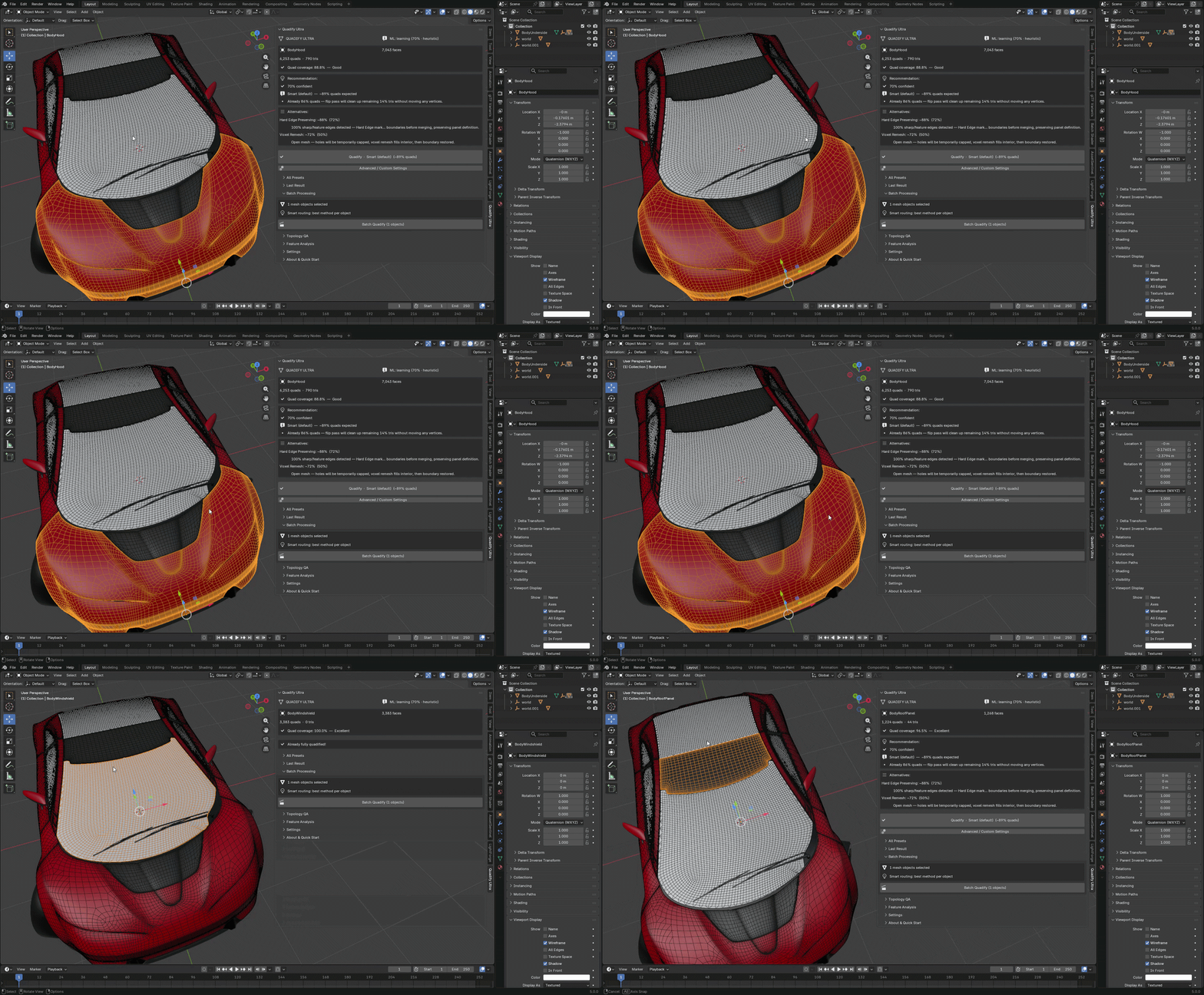 Hey Polycount, Releasing Quadify Ultra today, and wanted to share it here since this community has always been where serious topology conversation happens. https://youtu.be/1_7xRSyeLUc What it is Quadify Ultra is a retopology addon for Blender 5.0 with an ML routing engine. You select a mesh, hit Ctrl+Shift+Q, and it…
>17864 results