Search
-
Re: Painter - height / normal UV discrepancy

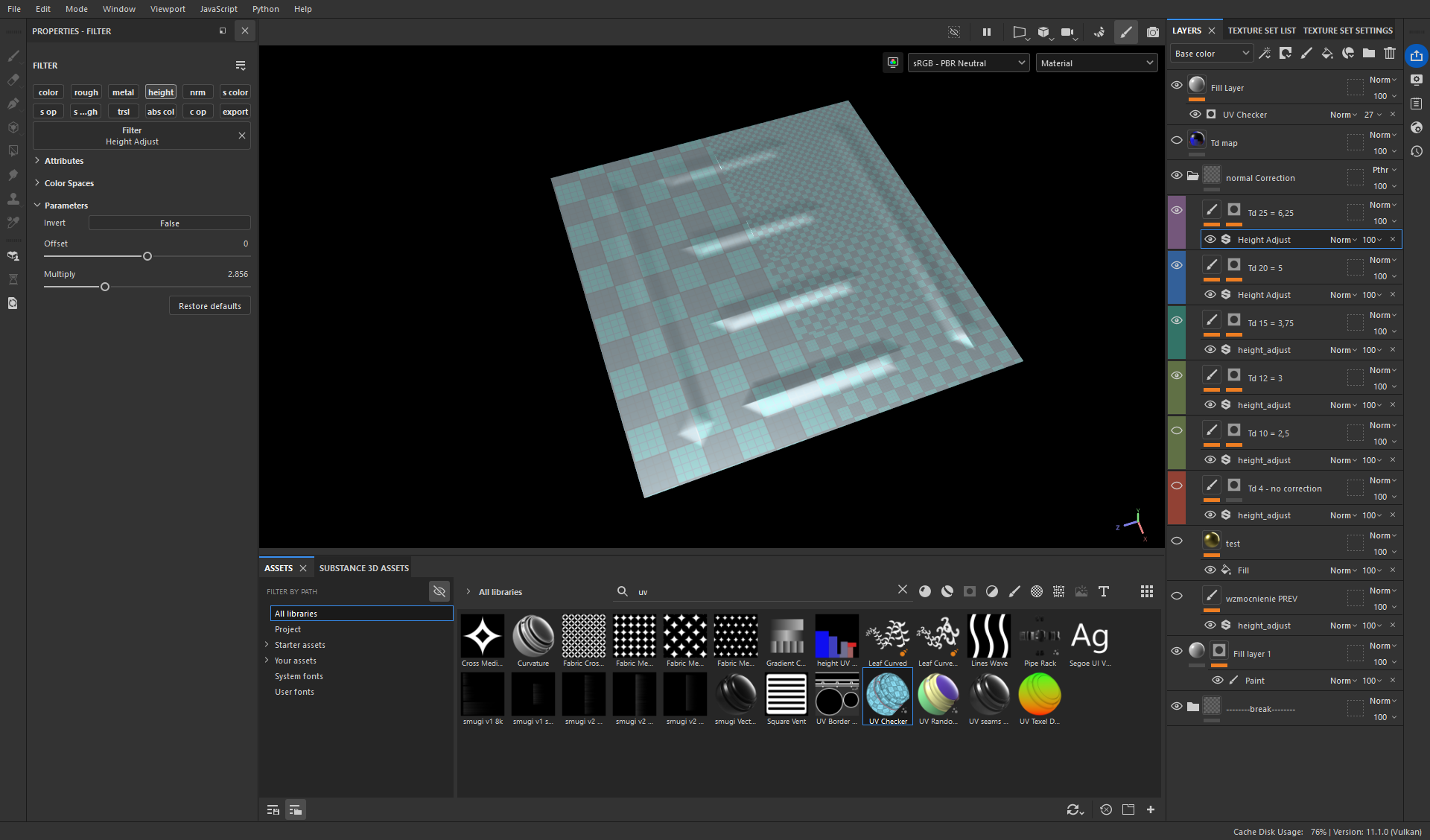 I have found a solution: 1. export the texel density map from RizomUV 2. use it to mask areas with variable Td in Painter 3. use a filter Height Adjust Now to properly set this filter I export a simple plane with all texel densities in my project: say I have 5 different Tds - then I divide this plane into 5 areas, unwrap…
 -
Re: Creating a basemesh for rocks (read: not single stones).
 Thats what I do usually, create like 2 or 3 rock pieces and then copy paste mash them together. The seams you can mask nicely by just adding dirt or moss in there when you are finalising. No need to voxel merge or whatever, you'll only end up creating more work for yourself imo :) .
 -
Mass FX questions
 Hey guys, doing some collapsing and cascading rock projects right now and hitting a few snags, wondered if I could get a little help. My major problem seems to be having a object that I hav dissect into cuts and pieces. I am really just looking for the the object to fall and obey gravity and hit the ground But I seem to…
 -
Re: Sketchbook: MrHobo
 Got all the basic materials blocked in. No texturing or masking yet just pure material and color more or less and the colors will shift a bit probably. Limiting myself to metals found in blood, Copper, Brass (combo of zinc and copper) and Iron. Leathers and basic wool/cotton for fabrics. Also for future me, nice way to fix…
 -
Re: Failed Riot Animation Test - Please Crit
 The attack doesn't feel floaty, but what's happening is everything is hitting at the same exact time. The timing to get the snappy feel, you have, is going in the right direction.. though the spacing for most of other body parts, including the torso, is matching his arm spacing. They don't have a separate feeling of mass…
 -
Re: Ring of fire springing to life?
Bravo Mark. I can always expect a good "humorous" read from you. I need to build my safety kit back up. All I have is some water, iodine pills, and a gas mask (which will suck when I'm walking in the streets with thousands dead from a Nuclear meltdown/disaster?) -
Re: Have anyone figured out how new Curvature Smooth node works in Designer?
it's a bit beyond what you can do with a stateless pixel shader effect afaik. standard curvature is doable with a sobel (like) filter but this needs to consider a much larger range if you want to mask by a specific normal direction though - just dot(normal, other normal) -
Re: Would you mix translucent and solid objects in the same texture map for production?
 "I've read somewhere that translucent textures and solid textures should have separate texture maps. " Well, the way you are phrasing this doesn't make much sense, and the terms used suggest that you are confusing things. Even the use of the word "translucent" is odd. Now it's totally ok to not know something - but here in…
 -
AO maps don't work in UE5
 Hi guys, I'm new to UE5, and I'm encountering an issue with AO maps. Here are my troubleshooting steps: I adjusted the AO inside the PPV, and added these scripts: 1. Ambient Occlusion - Post process fix: r.Lumen.DiffuseIndirect.SSAO 1 r.Lumen.ScreenProbeGather.ShortRangeAO 0 It works with overall AO of the scene but not…
 -
Re: Polygon hair modeling techniques?
 well, you could create a small selection of hairstrips for the strands that cover the skull and ones to cover the ponytail. at least two different texture-snippets for each for the sake of variety. geometry should be pretty wide - you don't want to add tons of really thin strips to cover the skull. then lay out splines…
>40567 results