Search
-
Re: Trying to bake very seemingly simple Normals in SP2, weird notches and lines on edges appearing??
 @Shrike "Now thinking about it, Max only has smoothing groups but no smoothing splits right? So can you split this properly at all in max?" Yeah absolutely, you could split it with a single button click in Max. Also, I do remember seeing your previous thread. Regardless of syncing tangents and having it shade correctly…
 -
Re: making normal maps and texture for a tileset?
 Depends. It's a tradeoff between better texture resolution with having 4 times repeated same texture (forces you to be more subtle with details, unless you want it to be visible) and lower polycount with lower-res less repetitive textures. For smoothness? If you meant smoothing groups (smooth/ flat shading in blender), you…
 -
Re: [WIP] District 9 inspired weapon
The messed up edges in the picture you linked are when you have two different smoothing groups that aren't on seperate UV islands. The one way I know to fix that if you want to use those smoothing groups is to just break them apart on the UV. Most people seem to prefer using as few smoothing groups as possible however… -
Re: Tangent Normal map issues
 It looks like your edges are at or above 90 degrees. these will need to be lessened, (like 80 degrees or less) or they'll need to be hardened and the uvs split along those edges. If you look below, the boxes on the far right have a similar issue to what you have, smoothing issues because the angle of the low poly's edges…
 -
Re: XNormal Normal map issues!
 First off, you'll need to break up your mesh smoothing wherever you have a UV seam or hard edge. That's where those nasty gradients are coming from on both your low poly model and normal map bake. Generally wherever there is a 45 degree angle you'll want a hard edge and split UVs, use your discretion; if you're seeing…
 -
Landscape seams
 I've been stuck on this for a while, there are seams that running down parts of my landscape that I can't get rid of no matter what I do. So far I have tried: Changing the amount of light bounces in the lightmass settings. Deleting the landscape and trying again. Deleting the dominant directional light and creating a new…
 -
Vertex normal problem in Maya.
 Hi, I am using Maya 2013 and this is the first time I notice this problem. I would like to get a nice average of all the normals of my model in order to get a nice shading. The "original" model has all its vertex normal pointing out or smooth and a nice shading. When I try to replicate the same in maya on a copy of the…
 -
Please small help for begginer

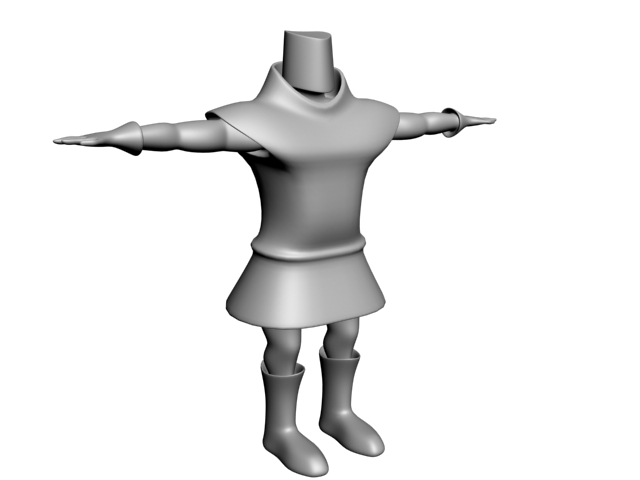 Hello everyone, My name is Milos and I started learning about 3d modeling about one year ago from online tutorials. In last period I'm trying to overcome technique for organic modeling. So I created that knight that you can see on pictures but I have some uncertainties about topology. Namely I plan to try to animate that…
 -
Blender Addon - Blend2Unity
 Hi I came up with this addon while working on my recent project. "Export to FBX" button allows to export models to FBX with proper transformation and preserved smoothing groups. It also sets the pivot on the lowest vertex and provides the possibility to export as one file or multiple files. "Convert map only" button…
 -
Re: Struggling to model blade in Plasticity

 @sacboi : well, the double lines on the red model are simply fillets. IMHO this issue isn't so much the CAD execution, looking quite good here ; but rather the fact that the *design* itself features a so-called impossible transition from an angular piece (top view) to something close to a perfectly smooth surface (blade in…
>15014 results