Search
-
UV Squashing in Borderlands 2 on masks for color tints.

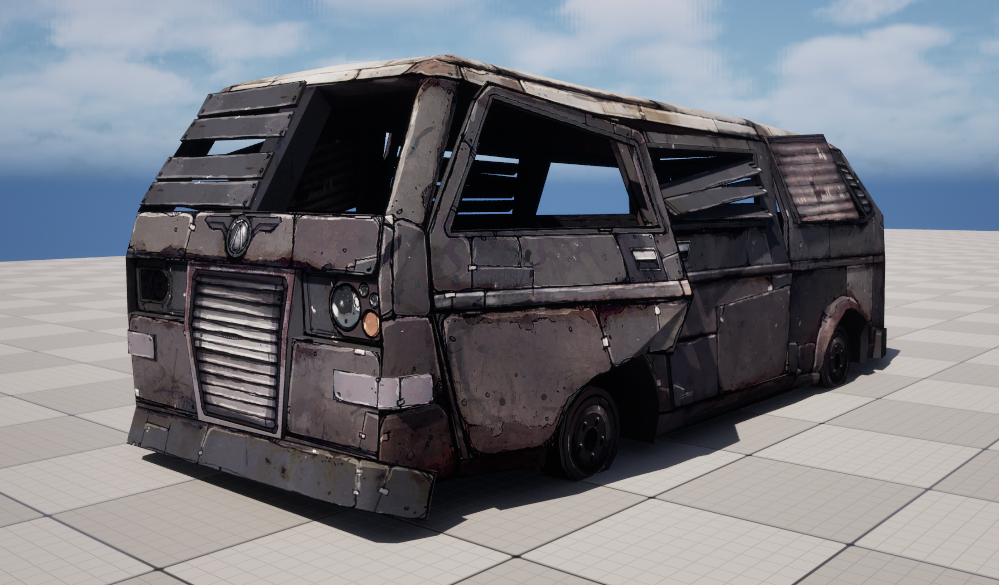 I wanted to share something I came across while looking at models and textures from Borderlands 2. There is a 3D model called WreckedVan that is used all over the game. It comes with a 2048 diffuse map and a second packed mask texture. The size might seem large for 2012 but given that it was standard practice to give…
 -
3Ds Max - Creases where there is no edge after using shell modifier on polygons?

 hello, can anyone help me figure out why I am seeing creases in my polygons after using the shell modifier or what I can do to avoid this? I need those polygons to look flat after I apply the shell modifier. Thanks in advance!
 -
Re: The Bi-Monthly Environment Art Challenge | March - April (101)
 Yeah the multiple meshes thing is what I would think it would be set up like. Maybe like 3 states. A clean, A damaged, and a really damaged. Id imagine that in actual production they would have a mesh swap and hide it with some vfx smoke and other particles, like how they do their building destruction. I interpreted it as…
 -
Getting weird edges when adding quad chamfer and turbosmooth on gasoline pump model

 This model getting weird when adding turbosmooth and quad chamfer, we know n-gons and triangulated models can be a problem when we trying to smooth, is there any way to fix this? or do I need to create a high poly merely based on quads?
 -
Re: Unreal 5.8 Substrate Retroreflector Mat
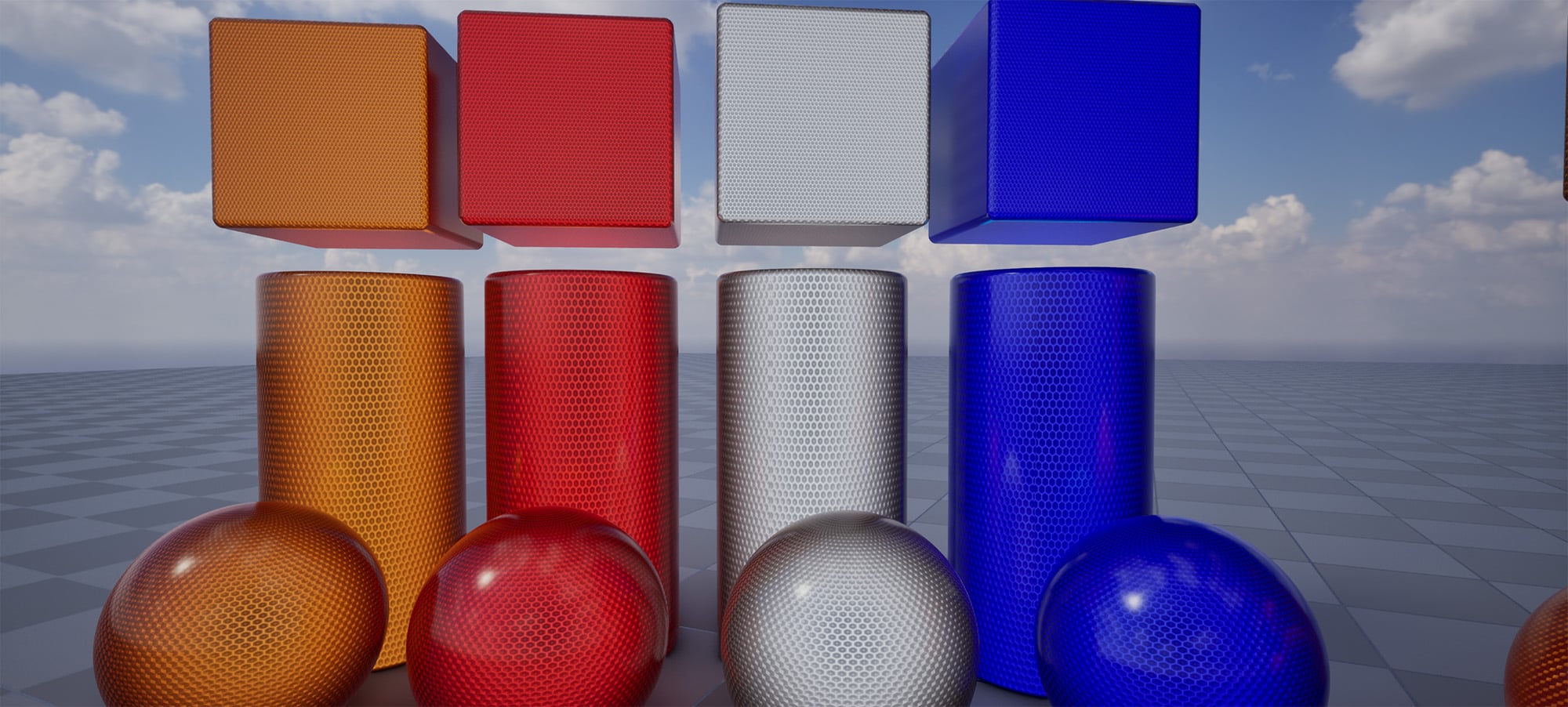 I will absolutely look into doing clear-coat when I try to optimize this down. Thanks for the replies! I am back with an update. I spent most of yesterday refactoring my previous result, with a refocus on pushing PBR and trusting it over curating a certain look. I also dug an old reflector out of the garage and studied it,…
 -
Biorganic Kamen Rider — WIP
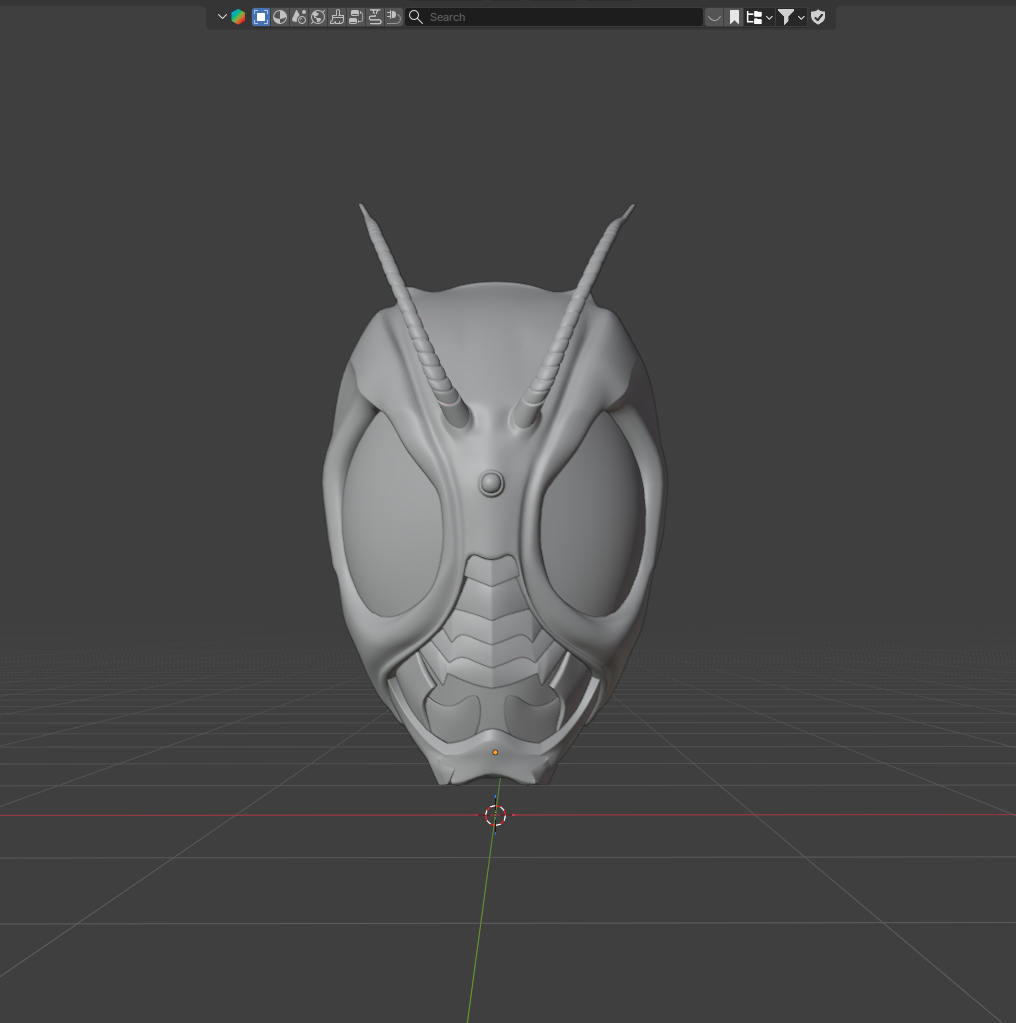 Hey everyone! I'm ABR, a self-taught 3D artist about 4 months into learning Blender with roughly 1 month of actual sculpting experience. This is my first major project and I'd love any feedback or critique from people more experienced than me. A bit about me: I'm actually more of a topology person than a sculptor — which…
 -
MODO - symmetry based on edge (as center) when object is off world center position?
Hey modoers! I'm running 902, and I heard that there is a feature to get symmetry working by topology of the mesh, how does one access it? With this, does it mean I no longer must have my objects centered in world position for this to work? I'm going a bit mad with the symmetry here :S -
Re: Blender Meshmachine Offset Cut geometry import 3dsmax problems
 Max resolves Ngons differently to Blender. Moving the vert works because it changes how the hidden edges are resolved. If you want to get rid of the problem, you have to manually add edges so that Max doesn't do any weird guesswork with the hidden edges.
 -
Elf Female [Edge flow help needed]
 Hello all! I'm new at this forum and 3D as well. This is the first character I ever try to do from scratch (on my own at least) and I'm not sure about the correct order of the animation loops. There seems to be no real standard on how many poles are allowed in the face and more importantly where to place them. At least…
 -
[HELP] Human - Animation - Edge and loop flow
 I've got a model here that I need to optimize for animation, I've had tutorials on ultra low poly stuff but now I'd prefer help along the lines of quality animation over, efficient animation. The model is not for a game but rather for fast rendering, I want animation to be smooth and as deform / glitch free as possible.…
>27981 results