Texturing a road with a tile

polycounter lvl 17
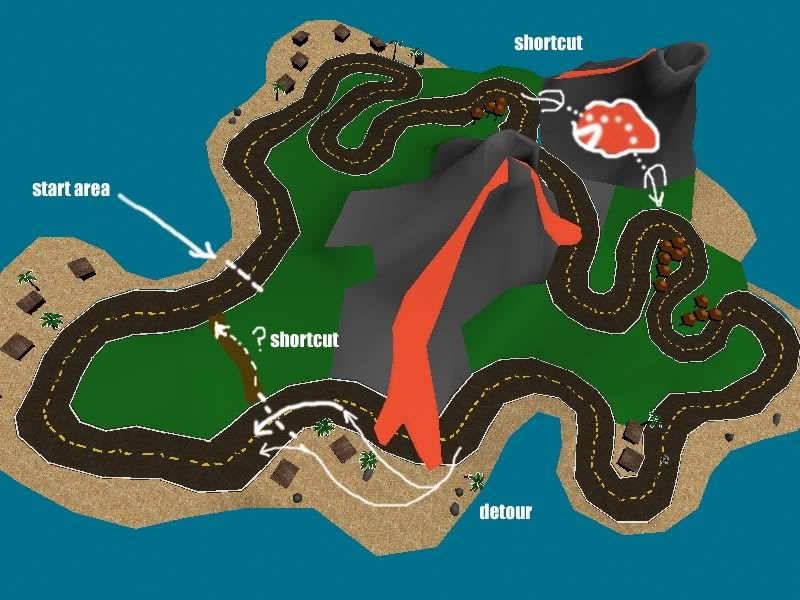
Working on a map for Zero Gear. I'm sure you're all familiar with it from the pimping thread.
Anyway, just having fun working on a different style project than I've ever done before. Building complete game level geometry in Max has it's own unique challenges. The one that's really getting me now is getting a good texture (with as little work as possible) on my road.
Basically I'm just using one 256x256 tex with white lines on side and 3 yellow stripes in middle.
I uvw mapped it using 'faces', then went around using unwrap and rotated misalignd tris 90* so they'd line up. I haven't done any fine tuning but it got me a basicaly layout pretty quick. As you can see (looking at yellow lines) I still need to go back and do some manual alignment. I thought about getting rid of yellow lines so it wouldn't be as noticable, but I think in game when you are down close to pave it will be easy to see mis-alignment anyway.
I'm just wondering how you guys would've gone about textureing the road with one tiledable tex.
Anyway, just having fun working on a different style project than I've ever done before. Building complete game level geometry in Max has it's own unique challenges. The one that's really getting me now is getting a good texture (with as little work as possible) on my road.
Basically I'm just using one 256x256 tex with white lines on side and 3 yellow stripes in middle.
I uvw mapped it using 'faces', then went around using unwrap and rotated misalignd tris 90* so they'd line up. I haven't done any fine tuning but it got me a basicaly layout pretty quick. As you can see (looking at yellow lines) I still need to go back and do some manual alignment. I thought about getting rid of yellow lines so it wouldn't be as noticable, but I think in game when you are down close to pave it will be easy to see mis-alignment anyway.
I'm just wondering how you guys would've gone about textureing the road with one tiledable tex.
Replies
I made my road with the lines tool, drew the outside, then drew inside, connected...
I might try doing it that way too. Gotta redo it but it should tex better and it's good practice. Thanks for the tip
--Edit., yeah working like a charm
It'll probably be awhile before I get to try it in game so I'm gonna leave it as is now and finish up the rest.
I don't even have pelt tools
But I did find a link to a good freeware pelting tool for max,maya (and XSI I believe), gonna try that tommorrow.