Watermill Environment - No Rest for the Wicked

polygon
For my final project, I have been thinking a lot about the style I would like to adapt, as I like both stylized and realistic environments. I finally decided on an evironment inspired by the game No Rest fro the Wicked, which has a very specific painterly look, inspired a lot by the traditional baroque art by artists such as Caravaggio, characterized by their strong light and shadow contrast.

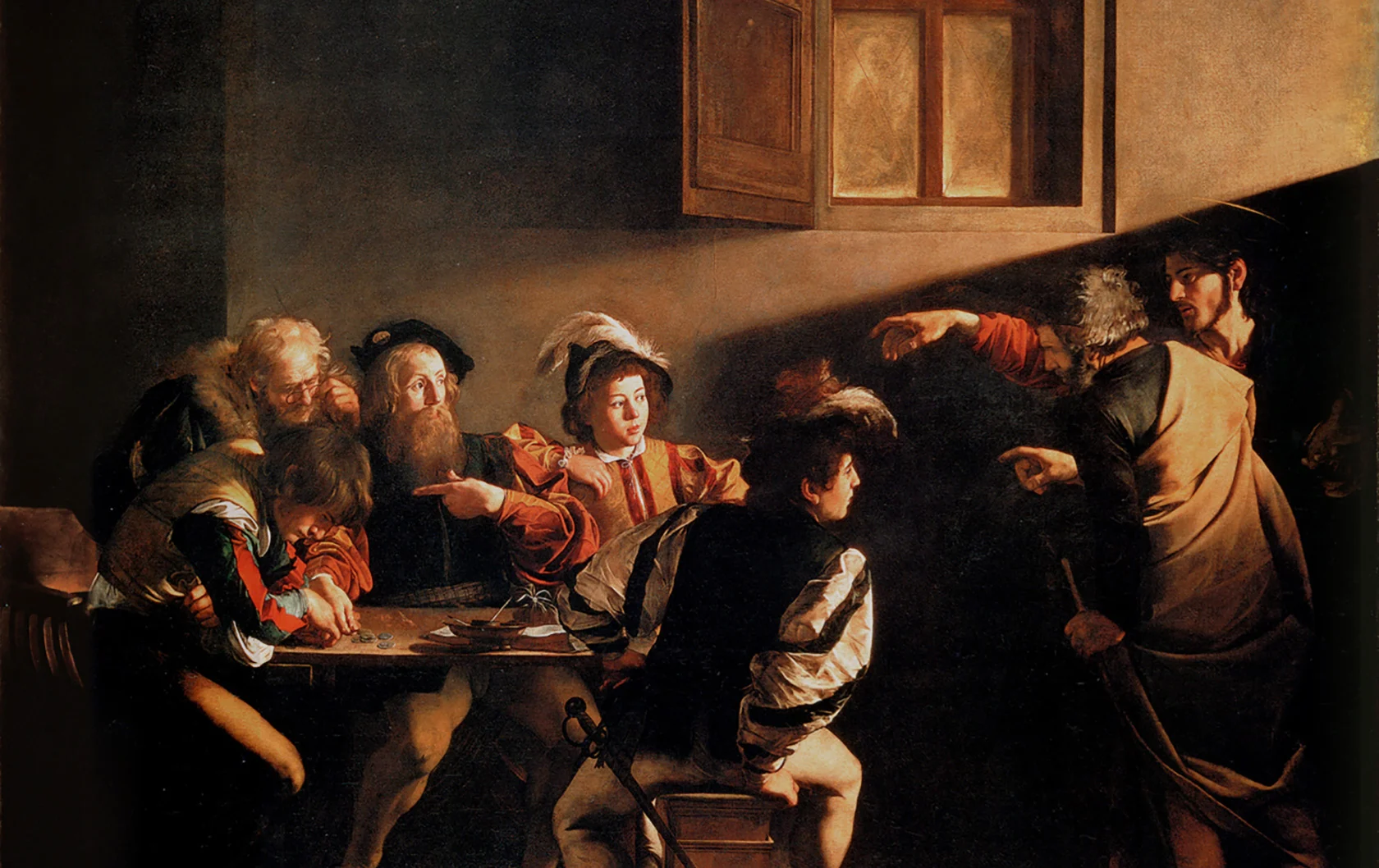
These are some of the main concepts that I would like to follow. Obviously, the overall shape of the building will be different as I will try to adapt the style of the game as close as possible, but these will serve great for some composition ideas.
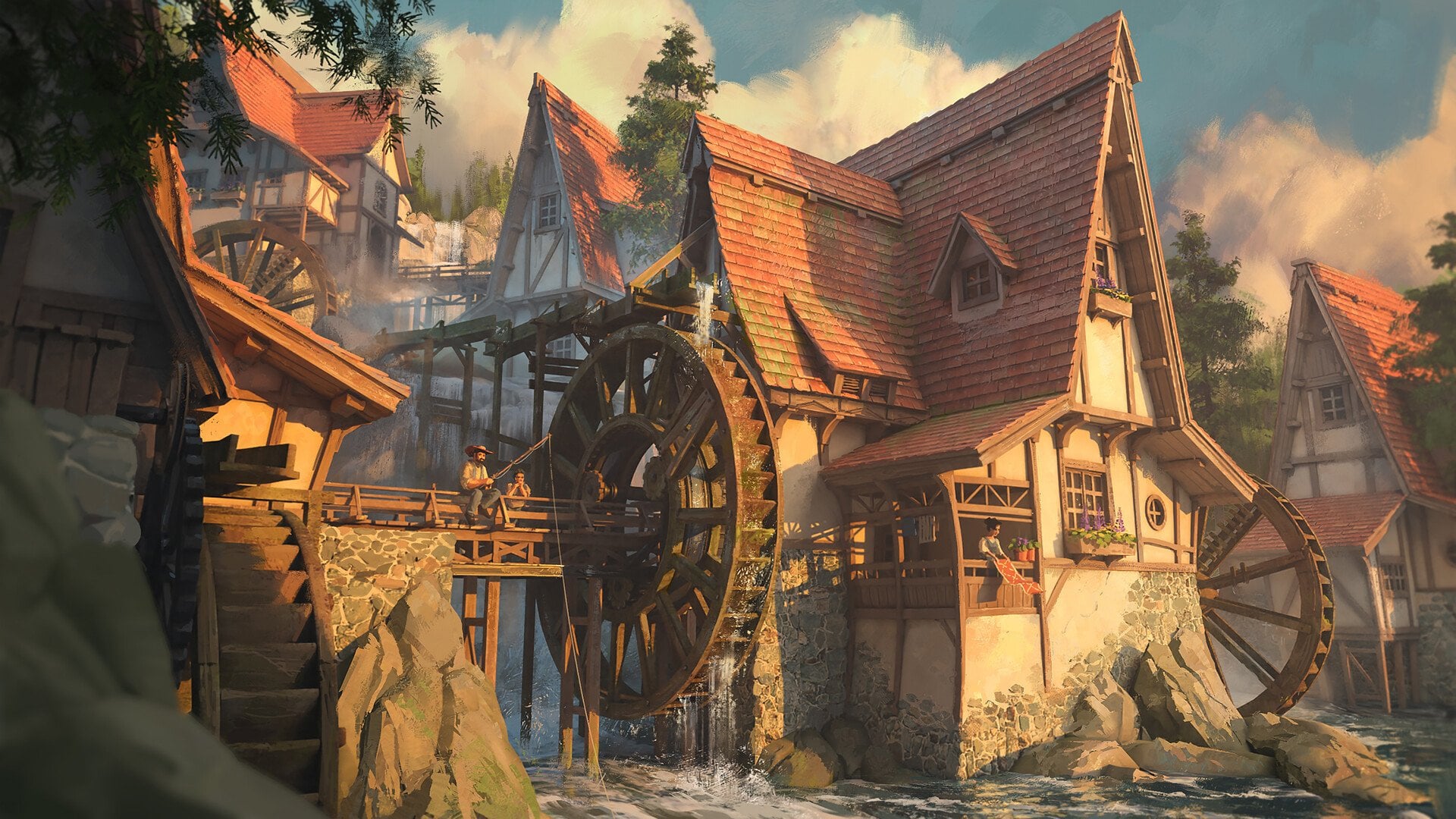
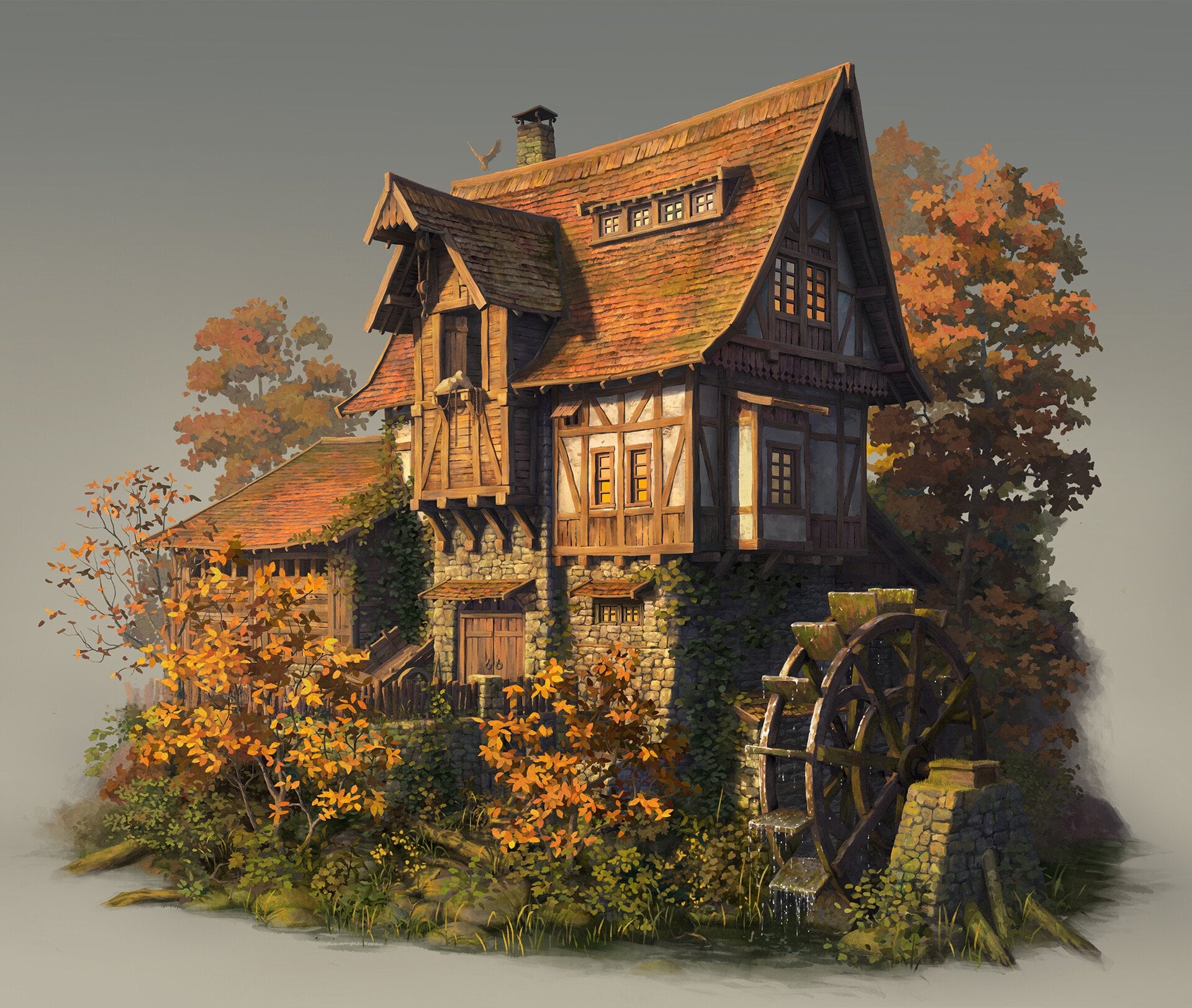
These are some of the main concepts that I would like to follow. Obviously, the overall shape of the building will be different as I will try to adapt the style of the game as close as possible, but these will serve great for some composition ideas.
Replies
Love the mood boards, looking forward to your progression!
My first approach is to create several different modular roof assets and kitbash them together in Unreal. To speed up the modeling process, I created a simple Geometry Nodes setup in Blender that generates roof assets by instancing tiles onto a simple plane. Using curve and deform modifiers, I can also quickly adjust and experiment with different roof shapes.
My low-poly roof tiles are made from a high-poly version that I dynameshed in ZBrush. I merged all the tiles together, smoothed the gaps, and then decimated the mesh. This is the same approach used by Michael Khinevich, who created an environment in a similar style and wrote a whole 80 Level article about it.
The downside of this approach is that there are currently visible seams on the roof where you can see the individual assets. However, I think I can fix this through better asset placement and by making the roof pieces snap together more effectively (which might be a challenge since the roof is supposed to look quite messy), or by covering certain areas with elements such as moss.
https://youtu.be/BtbiQsftEJU (Roof asset test)
My other approach I have been experimenting with is Nanite Tessellation, which is quite time-saving but still has some challenges. I created a tileable texture from my roof asset, which I then quickly baked in Painter and used to create similar textures.
This was just a first test, so my material doesn't have any color variation yet because I was mainly testing the displacement in Unreal. I am using the Easy Mapper plugin, which offers many material adjustments and even supports vertex painting, which might be quite useful in the future.
At the moment, the tessellation doesn’t work well in areas with seams and tends to break along the edges of the mesh. One possible solution would be to model a roof tile piece that I could simply line up at the end, but I’m not sure if that is the right approach.
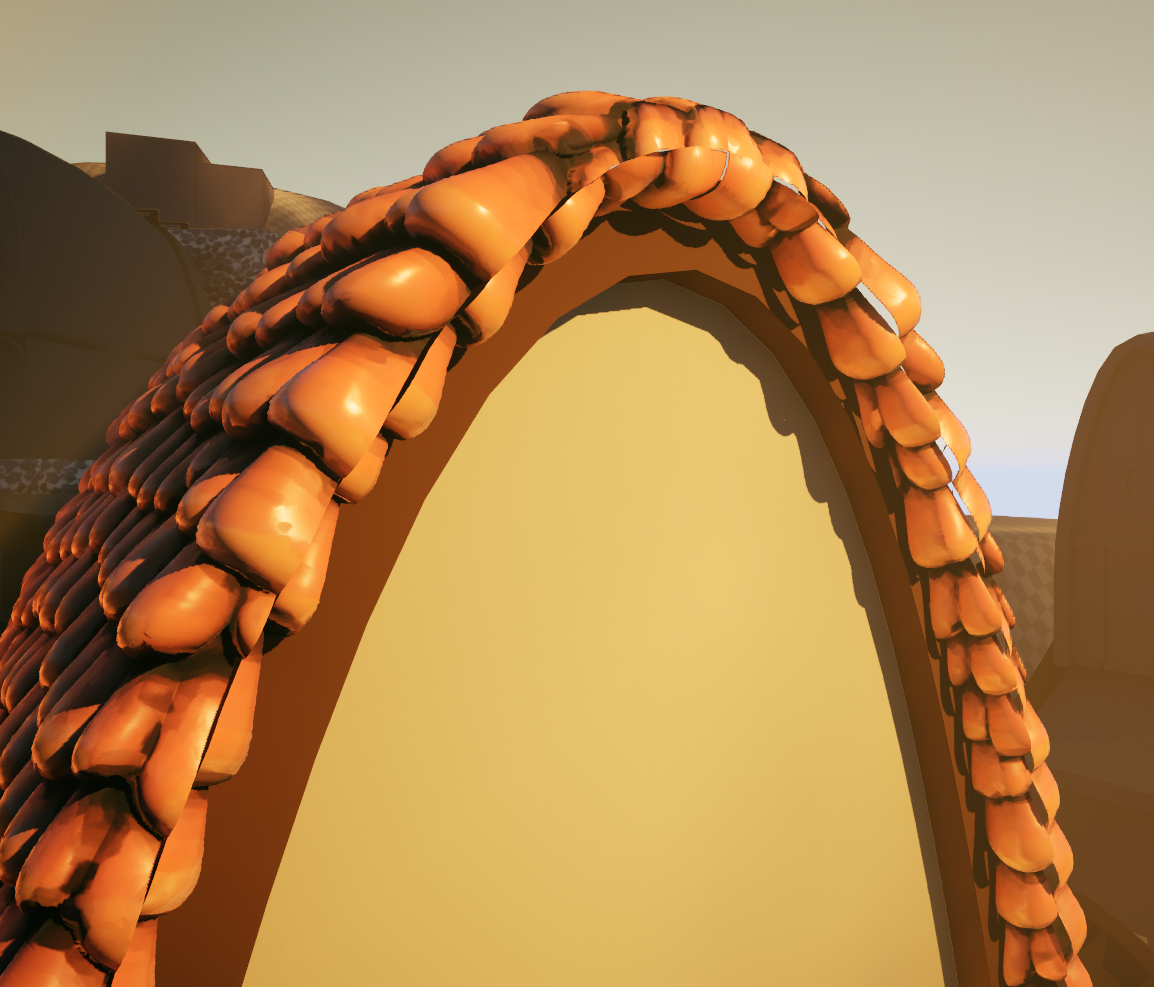
https://youtu.be/v-MMil0fdN8 (Nanite Tessellation Test)Thanks for the tip! I tried that, and it’s definitely better. I might still use some roof assets to add a bit of extra variation along the edges.
I’m also working on a trim sheet for the wooden parts, such as beams, pillars, etc.
Wood in No rest for the Wicked:
I’m not a very good painter, but I’m trying to replicate the style of the game, so I’m keeping the colors quite desaturated and just adjusting the tint in Unreal. I’m still working on the trim sheet, so I’ll post an update when it’s finished!