Home Coding, Scripting, Shaders

Unreal 5.8 Substrate Retroreflector Mat

polycounter
Offline / Send Message
sketchem polycounter
I wanted to create a convincing safety reflector material for a future project. I spent a weekend toying around with it in the latest version of Unreal. 
Electric Bike Reflectors - GOTRAXcom EBE2 - Rear Reflector
Here is a description of how retroreflectors work: 


QA How Bicycle Reflectors Work  SKY LIGHTS

These reflectors are cast in transparent plastic with a prism pattern geometry on the back surface, usually 3 planes of a cube (cube corner) or spheres. Light enters this pattern and gets redirected back towards the light source as parallel rays. This effect is purely a result of the surface geometry. I suspected a shiny foil or polished surface behind these reflectors but that is not the case. It's all total internal reflection, similar to what happens inside a fiber optic cable. 

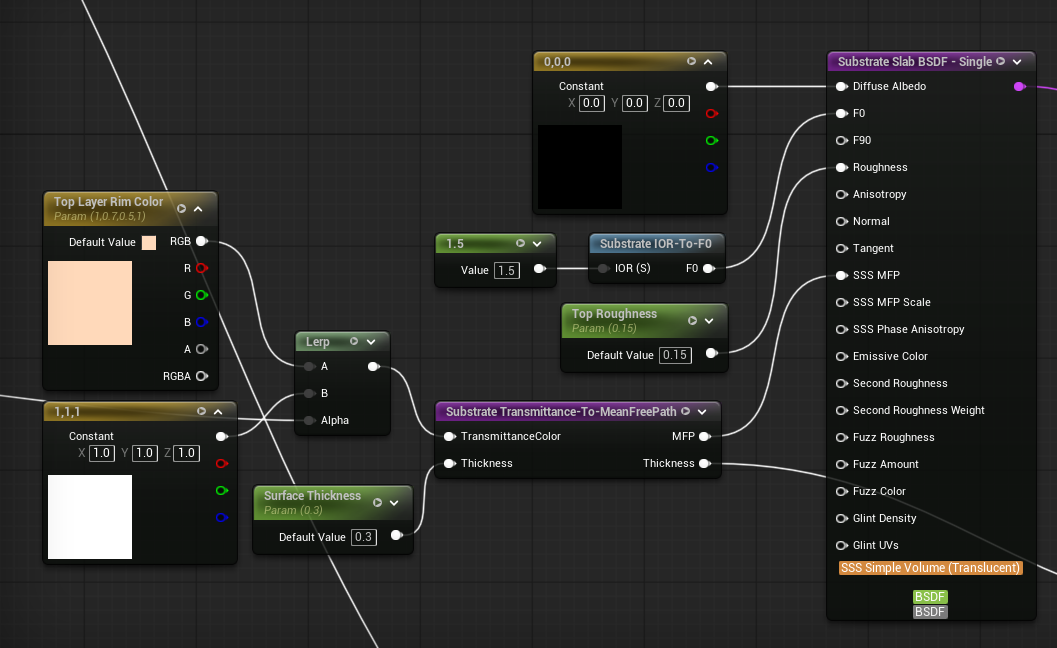
Since this is purely a surface material, I'm not trying to model the corner cube prism pattern, shade it as transparent plastic, and then shining light through it to achieve this effect. Instead I'm using two Substrate slabs in a vertical stack, one for the prism pattern surface and one for the transparent polished plastic surface. 

Bottom layer (I'm using Fuzz because it's actually a RR effect that helps create stronger directional highlights): 
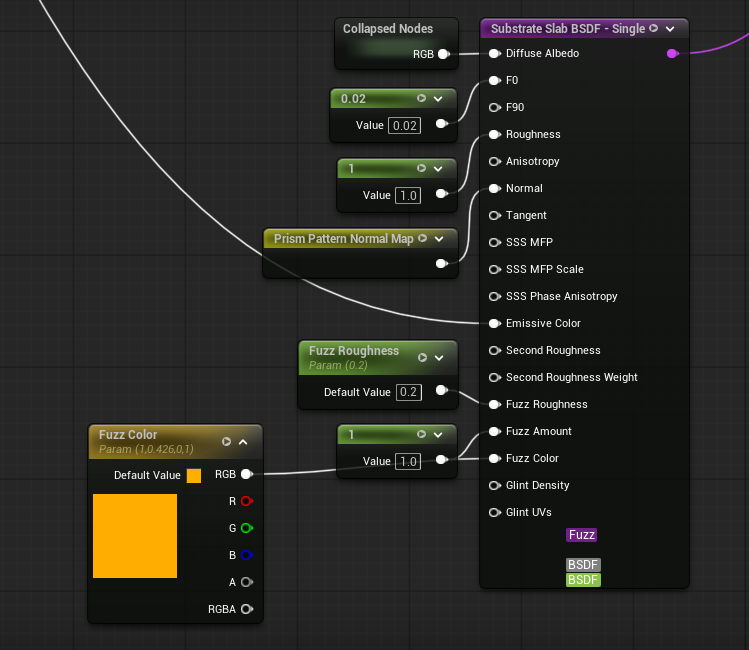

Top layer:


The shading calculations for this effect are dead simple. Specular bounces off the surface, about the surface normal, equal but opposite the angle of incidence. So light comes in at 60 degrees to the surface normal, it bounces away at -60 degrees to the surface normal. Unreal does this natively. With retroreflectivity, the light doesn't bounce away at -60 degrees, it stays 60 degrees. Its the same light calculation but you don't negate the angle of incidence. This calculation can be done in HLSL or the material graph. However, you can't access the per-lighting information to get the direction of each light in a scene. The material gets processed before the lighting so there's no way to access that info without modifying the engine. 

Here is where I split the effect into two parts: strong RR and weak RR. Strong RR is activated by the level's sun, or any designated directional light. I can access a level's sun (designated directional light) in the material graph. Weak RR is just a visual effect where ambient diffuse lighting causes a mild form or retroreflectivity (like the picture above). This lets me art direct both aspects separately as well. 

Weak RR:
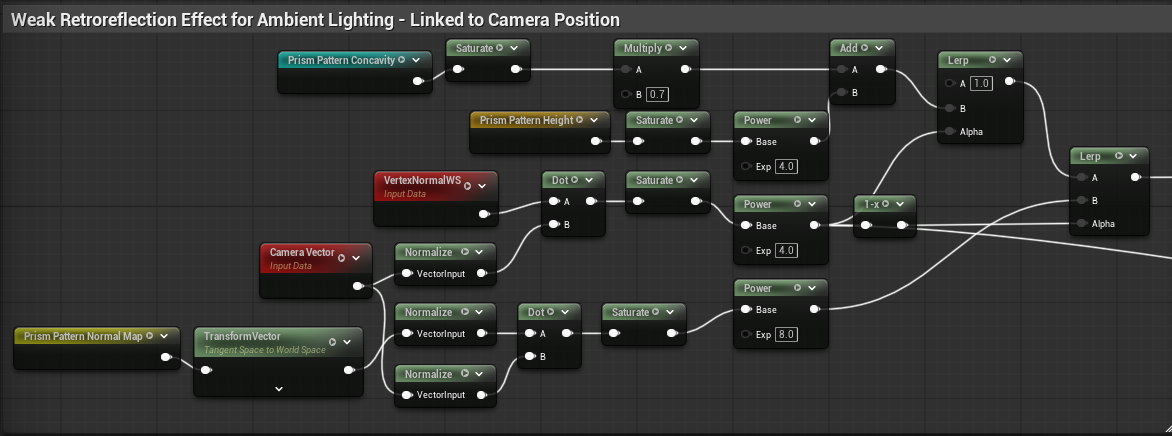


All I'm doing is layering effects with lerps. When you view these reflectors perpendicular to their surface normal, and you're not in the same direction as a strong light source, you can see down into the prism pattern. As the surface becomes parallel to the viewer under these conditions, you get some mild RR. Above is just 2 layers blending these effects.

Strong RR:
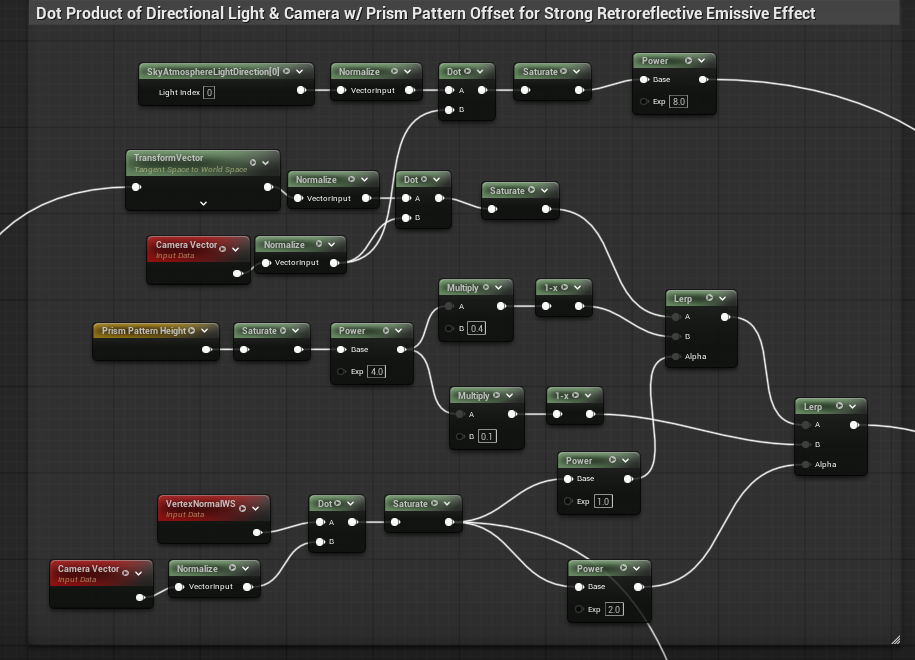


Same thing but linked to a designated directional light in the scene. Slightly different artistic composition in the texture. Way stronger contribution to emissive since RR act as light sources at their peak. 

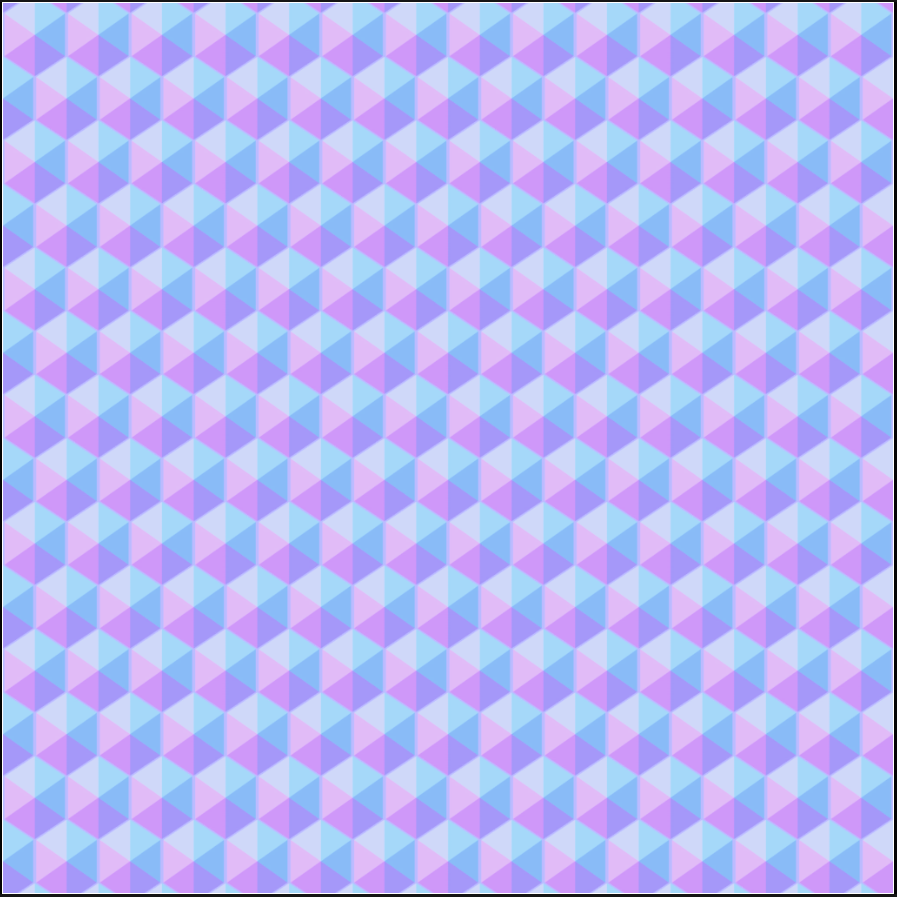
Prism Pattern Texture: 
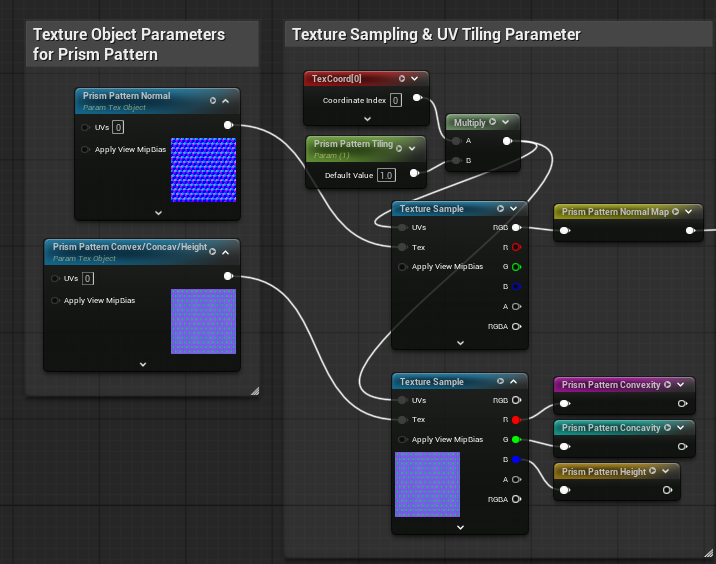


(No gamma on my normal, it's just the unreal texture view making it look washed). I started out with a simple corner cube texture that matched the actual geometry but it looked too simple and stylized. I needed the extra faceting to better approximate the reference images. 

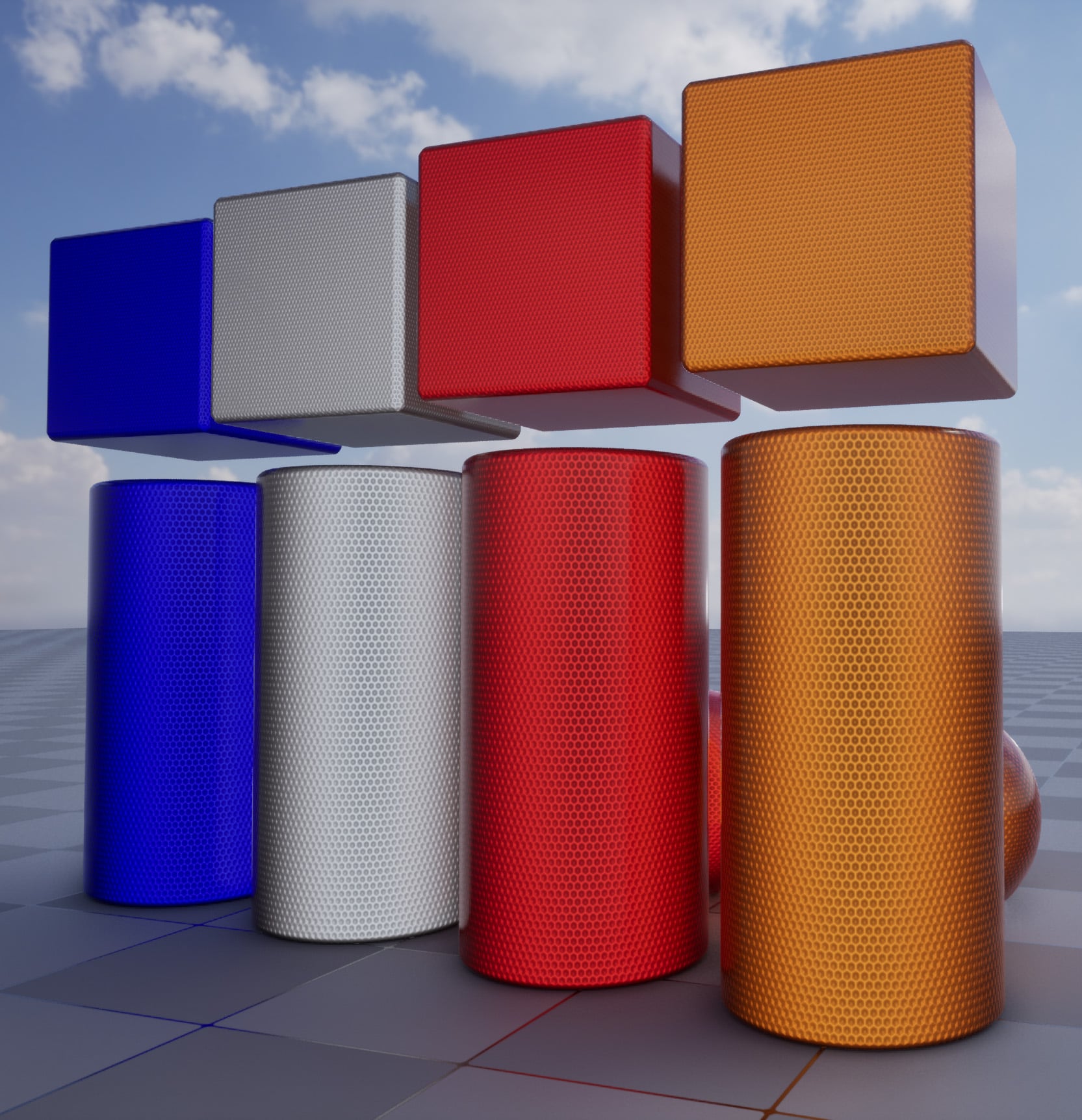
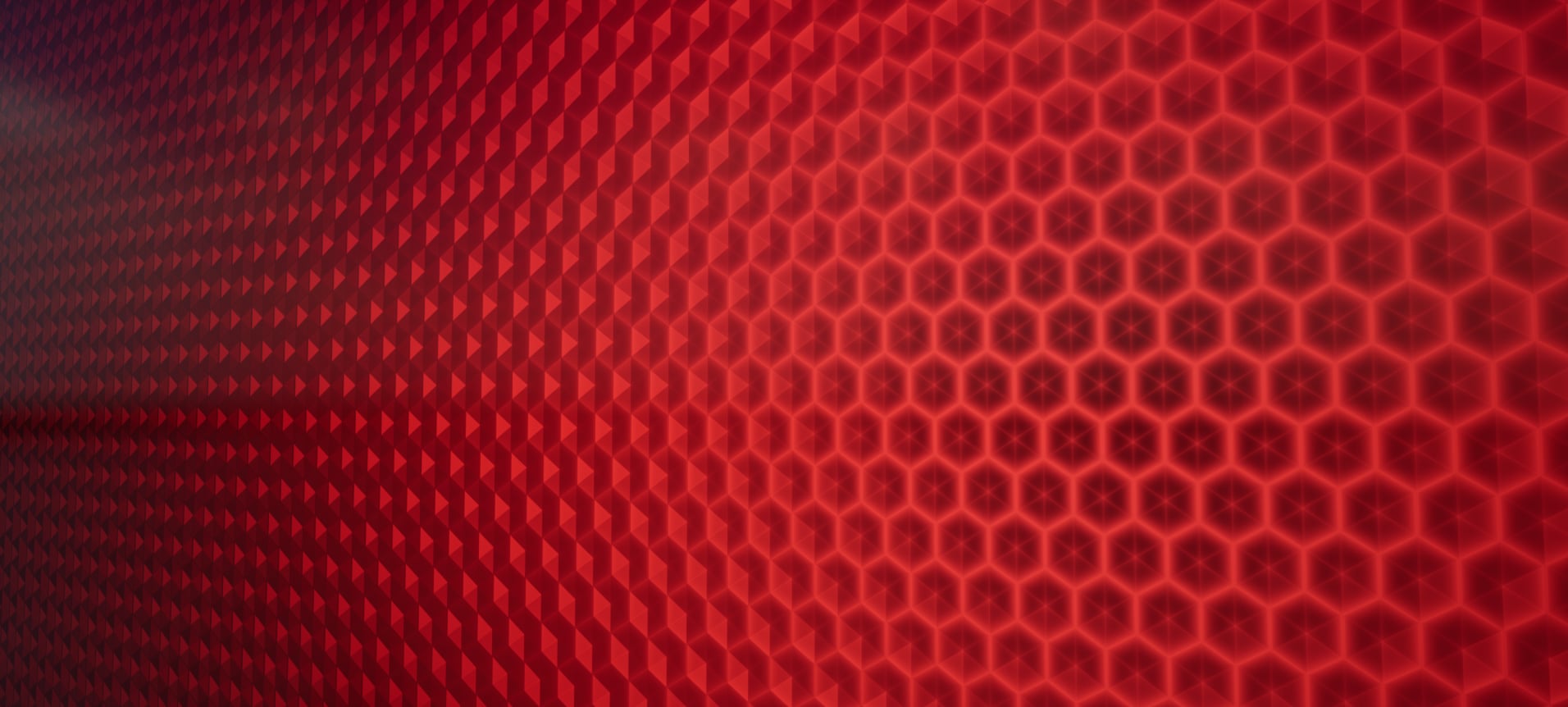
Now the semi-final images:

Weak RR: 


Strong RR:
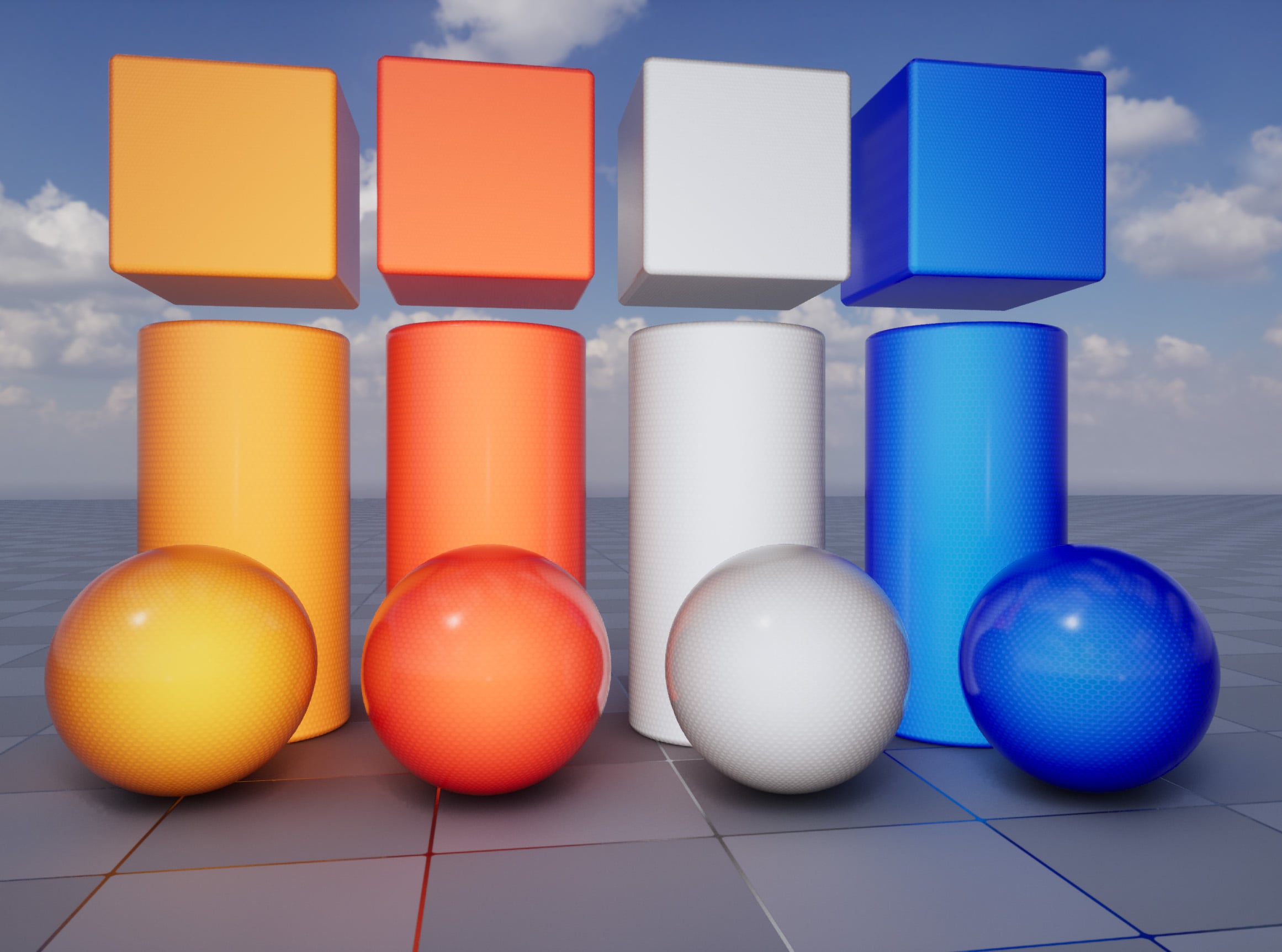


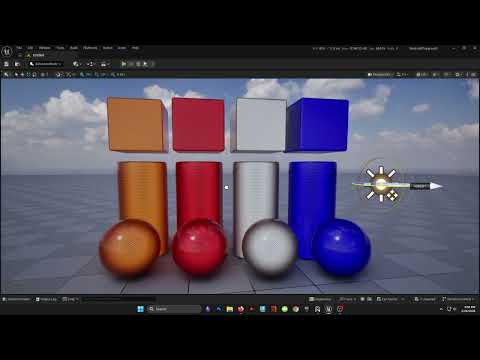
Video of the effect: 

My goal is to keep tweaking it until it looks fairly close to the real thing. I need to work on the strong RR more right now it looks a little too stylized. I also need to document/organize my mat graph better. Once I have this down I'm going to optimize it and try to replicate it with only a single layer slab. 


Replies

  • Eric Chadwick
    This is really cool, love seeing shader efforts to replicate non-traditional surfaces like this! 

    I wonder if you could leverage a clear coat layer to handle the shiny clear plastic cover?
  • iam717
    Offline / Send Message
    iam717 ngon master
    this is cool, congrats neat little project.
  • sketchem
    Offline / Send Message
    sketchem polycounter
    I will absolutely look into doing clear-coat when I try to optimize this down. Thanks for the replies!

    I am back with an update. I spent most of yesterday refactoring my previous result, with a refocus on pushing PBR and trusting it over curating a certain look. I also dug an old reflector out of the garage and studied it, which is much better than reference images. I think I'm much closer to the real thing now. 

    Old:

    New:


    I also kept my graph cleaner and better commented this time: 

    My maths and maps:

    I went on a whole side adventure with textures. On my very first attempt I used a cub-corner normal map as proper. When I made my previous post, I had switched to an inaccurate hexagonal tile pattern just because I thought it looked better, rather than any empirical justification. I went to revisit the proper corner-cube pattern and thought Substance Designer wasn't creating the proper height: 


    Without investigating further I jumped to building a corner cube pattern in 3D where I had to figure out the rotation (arctan of the square root of 2) to make the tiling planar, and then compensate for a hexagonal grid not translating into a square grid: 


    Turns out I was just being stupid and didn't realize I had the rotations wrong in SD. I didn't realize the sliders on the height cube were of different ranges. The X rotation being 0 to 180, the Y being 0 to 90. So after some math (this time I needed the arctan of the reciprocal of square root of 2), I was able to also generate a suitable corner-cube pattern with proper depth transitions between corners:
    But by this point I had already baked out several textures as well. Both methods had their pros and cons. With the bake I had a real thickness map but my curvature was awful since the "high res" geometry was just simple corner cube facets with no bevels. With the SD generated height my curvature was better but I could only approximate thickness by inverting height. Similarly I had trouble with cavity. I couldn't use both since the 3D tiling and adjustment to fit the 2D grid couldn't be replicated in SD. I decided to use the baked height to generate normals, curvature, etc in SD. I used the baked AO as the cavity map and generated a separate AO in SD should I need one (I didn't). So that way it's kind of the best of both worlds. 

    Anyways back to the graph with my Diffuse Albedo term. I'm changing the saturation based on plastic thickness and relation to camera. Basically looking at the edges = looking through thicker plastic = more saturated. Thicker plastic = more saturated. I also, very gently, modulated the luminosity. I separated the saturation from the luminosity so I could work them independently of hue. Obviously with PBR you don't want shading in your diffuse so I kept it very subtle. 
    F0 and Roughness. F0 for the bottom layer took me forever to work out. Reflectors are plastic and therefore should have an F0 for plastic. The problem is that it's not quite that simple. The back surface of the reflector touches air. So when you view it from the front you get an IOR change from air to plastic but then then change from plastic to air at the back is what helps create the mirror effect that enables TIR and therefore the RR effect. It's kind of like being submerged in a pool and if you look up to the surface, it can sometimes look like a mirror at certain angles. Therefore the specular reflection associated with metals is present. I started out lerping it between 0.04 and 0.15 but got the hunch to keep pushing it. At 0.5 to 1 I started seeing greater similarity to the reflector I have on hand. Going higher for the low end starts to look worse. 

    The truth is that there is a volumetric effect at play. We're using a normal map to approximate real geometry. We're using flat math rather than actually sending rays through a plastic volume. With my real reflector the facets of the corner cube act like little mirrors and you get some of the star/cross patterns you can see in photos. That's the bevels of the plastic, undergoing refraction, being reflected by the face of the corner cube. I just can't re-create that look using these tools. But we can try to get close. 

    Then my emissive term. On my previous post I was using 3 different colors to drive different things in the material. I also was splitting the effect into two parts. The strong effect, where you're under strong directional lighting and facing the same direction, then the weak effect which is just mild RR under ambient lighting conditions. At this point with the refactored material, I had achieved something like weak RR without touching emissive. This was a huge win imo. I only had to focus on creating the strong RR effect, which was done quite similar to the previous attempt. This time though I'm only using a single color for the entire material. Having fewer things to tweak is so good. I also did the same thing of separating the saturation and luminosity to adjust them separately.  


    Here you can see what I mean. I turned down my HDR skylight and you can see that the new material on the left doesn't glow for the weak RR effect, while my previous attempt does. I think this makes the new material more realistic. The old material feels way more stylized in comparison. 


    Then if we look at the strong RR effect, I think the new material (right side) handles it better than the previous attempt (left side). In a real reflector, the strong RR flattens the object so you only get a sense of orientation through silhouette and specular highlight. From a distance, it's like a flat bright light emitter. The previous attempt, again, feels more stylized in this regard, retaining shading. 


    I'm really trying to maintain a sensible PBR value for emissive on the new material as well. With higher emissive you start to lose chrominance because you're fighting Unreal's tonemapper. I decided to abide it and just try to get close to what I was actually seeing in real life with my reflector. I don't have the energy to try to add AGX to Unreal right now. I think with some exposure and bloom tweaks, the new material is plenty bright and would look even better. 

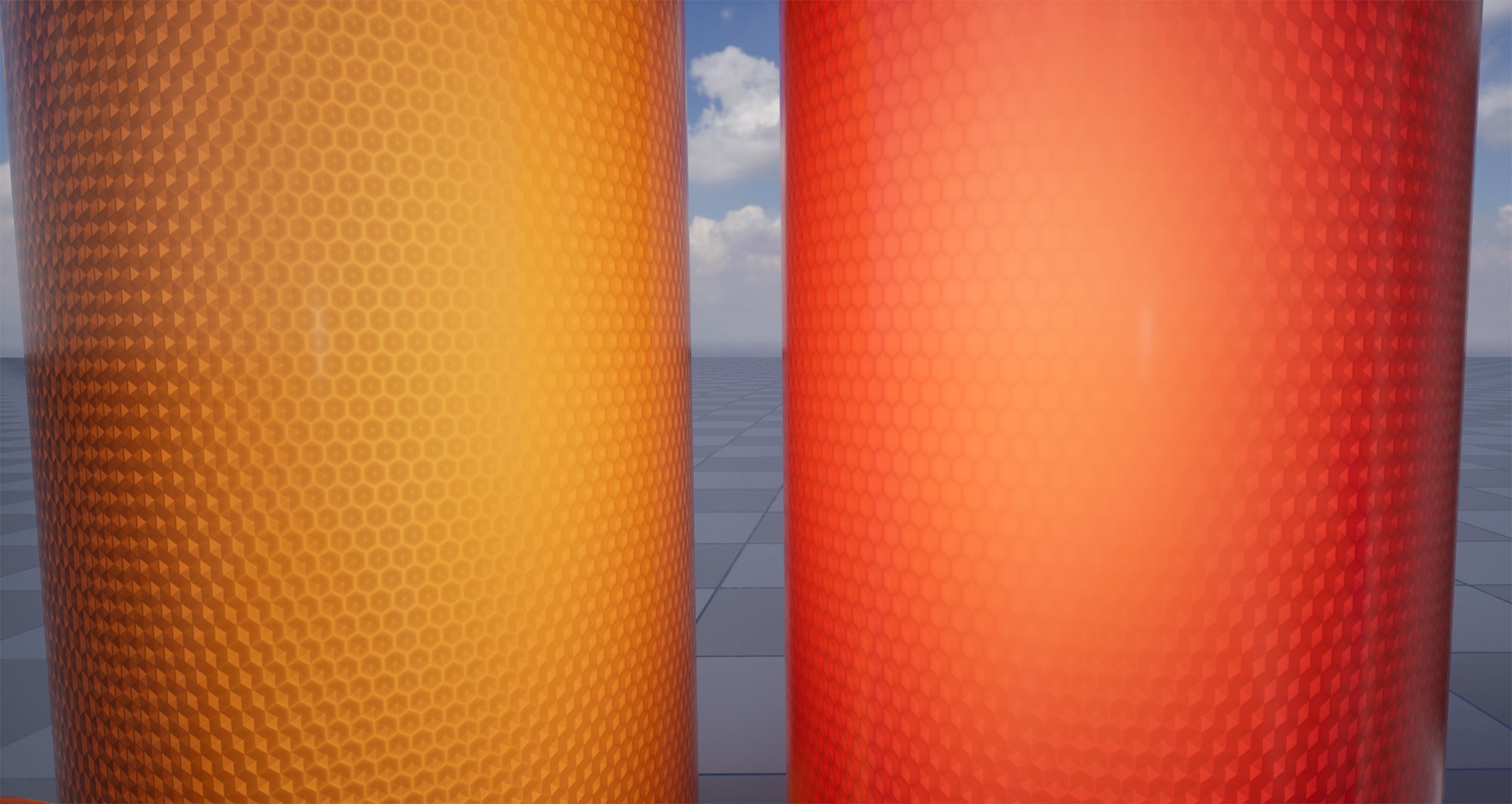
    Up close of the new blue reflector: 


    Those crispy little facet highlights are exactly what I see on my real reflector, which let me know treating the bottom layer with high F0 was the right call. I think when I optimize this for a game-ready material, i'm just going to hack it in an emissive map rather than play around with this substrate stuff. 

    Just a shot of the surface under ambient lighting conditions: 

    As for performance the previous attempt is using 52 bytes per pixel with 2 closures. The new is using 48 bytes per pixel with 2 closures. As suggested I can use clearcoat on a single slab to knock out a whole closure. I also need to reduce the resolution of my maps, consolidate textures to get rid of unused maps. Doing all that should help the stats. 

    And video (I need to setup some cameras so I can pan and zoom): 


  • iam717
    Offline / Send Message
    iam717 ngon master
    Appreciate the video, i just saw the name & was like, have a son if not already & name him ash, & you'd have a pokemon trainner, irl.
Sign In or Register to comment.