Unreal 5.8 Substrate Retroreflector Mat

polycounter
I wanted to create a convincing safety reflector material for a future project. I spent a weekend toying around with it in the latest version of Unreal.

Here is a description of how retroreflectors work:

These reflectors are cast in transparent plastic with a prism pattern geometry on the back surface, usually 3 planes of a cube (cube corner) or spheres. Light enters this pattern and gets redirected back towards the light source as parallel rays. This effect is purely a result of the surface geometry. I suspected a shiny foil or polished surface behind these reflectors but that is not the case. It's all total internal reflection, similar to what happens inside a fiber optic cable.
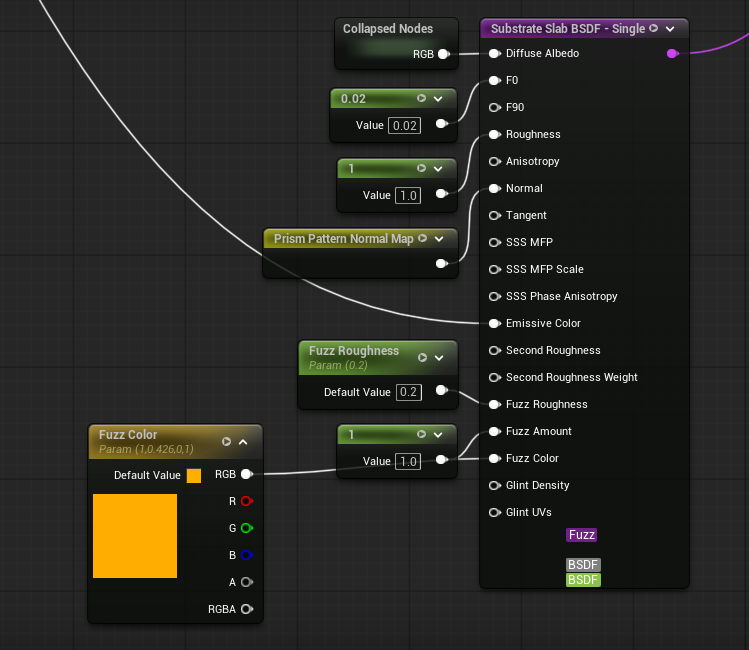
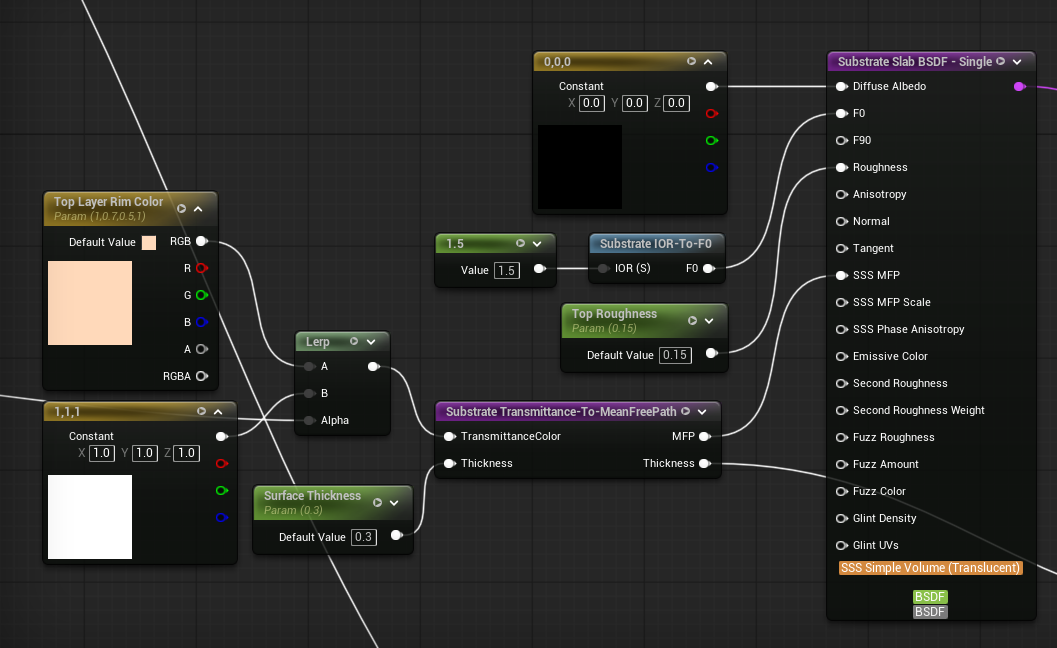
Since this is purely a surface material, I'm not trying to model the corner cube prism pattern, shade it as transparent plastic, and then shining light through it to achieve this effect. Instead I'm using two Substrate slabs in a vertical stack, one for the prism pattern surface and one for the transparent polished plastic surface.
Bottom layer (I'm using Fuzz because it's actually a RR effect that helps create stronger directional highlights):
Top layer:
The shading calculations for this effect are dead simple. Specular bounces off the surface, about the surface normal, equal but opposite the angle of incidence. So light comes in at 60 degrees to the surface normal, it bounces away at -60 degrees to the surface normal. Unreal does this natively. With retroreflectivity, the light doesn't bounce away at -60 degrees, it stays 60 degrees. Its the same light calculation but you don't negate the angle of incidence. This calculation can be done in HLSL or the material graph. However, you can't access the per-lighting information to get the direction of each light in a scene. The material gets processed before the lighting so there's no way to access that info without modifying the engine.
Here is where I split the effect into two parts: strong RR and weak RR. Strong RR is activated by the level's sun, or any designated directional light. I can access a level's sun (designated directional light) in the material graph. Weak RR is just a visual effect where ambient diffuse lighting causes a mild form or retroreflectivity (like the picture above). This lets me art direct both aspects separately as well.
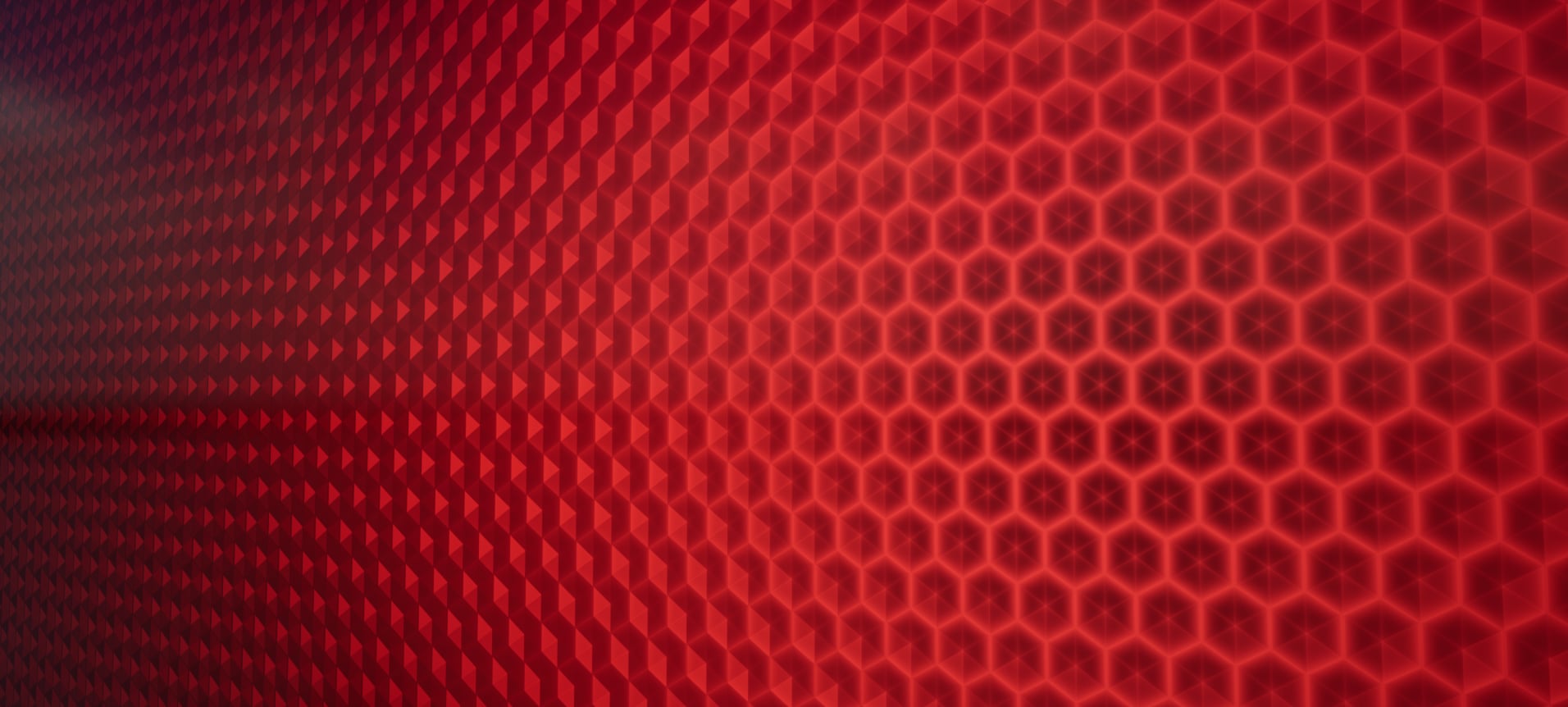
Weak RR:
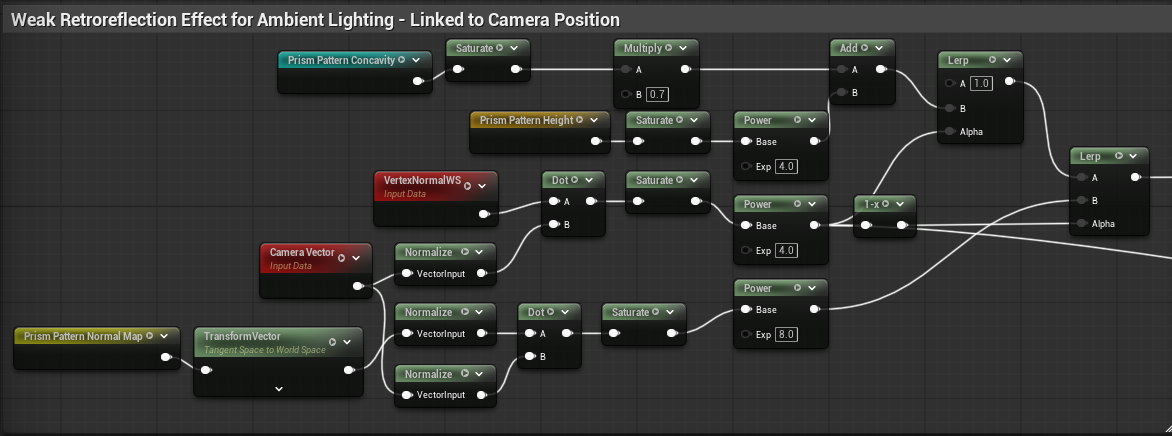
All I'm doing is layering effects with lerps. When you view these reflectors perpendicular to their surface normal, and you're not in the same direction as a strong light source, you can see down into the prism pattern. As the surface becomes parallel to the viewer under these conditions, you get some mild RR. Above is just 2 layers blending these effects.
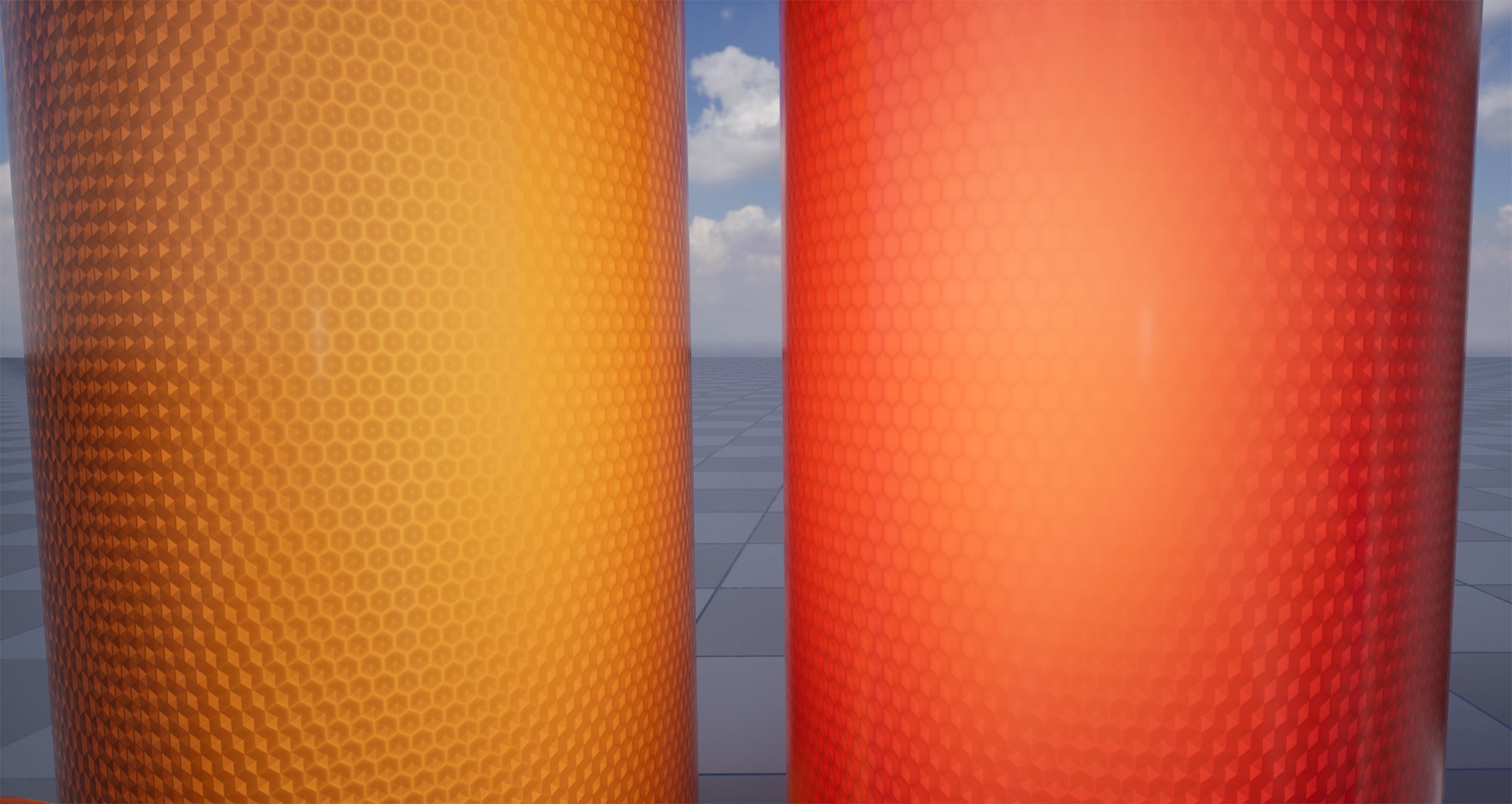
Strong RR:
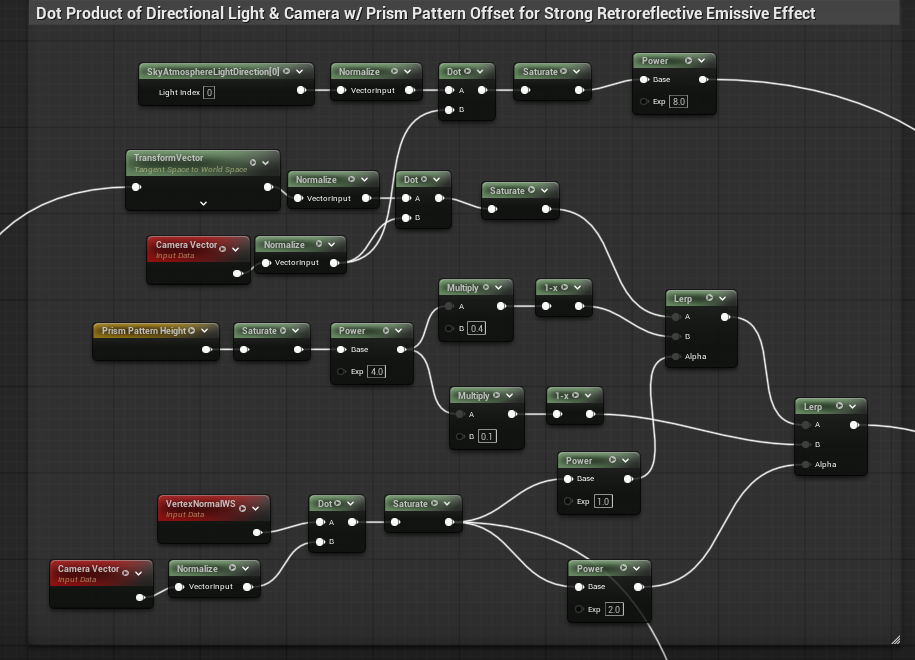
Same thing but linked to a designated directional light in the scene. Slightly different artistic composition in the texture. Way stronger contribution to emissive since RR act as light sources at their peak.
Prism Pattern Texture:
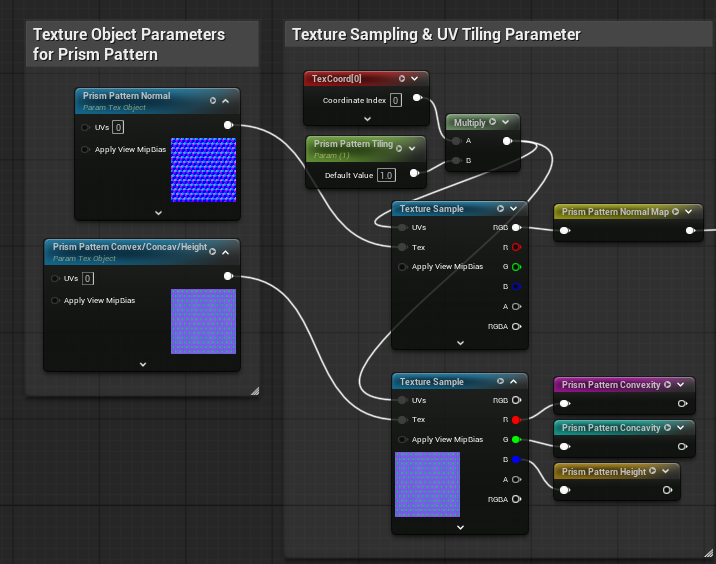
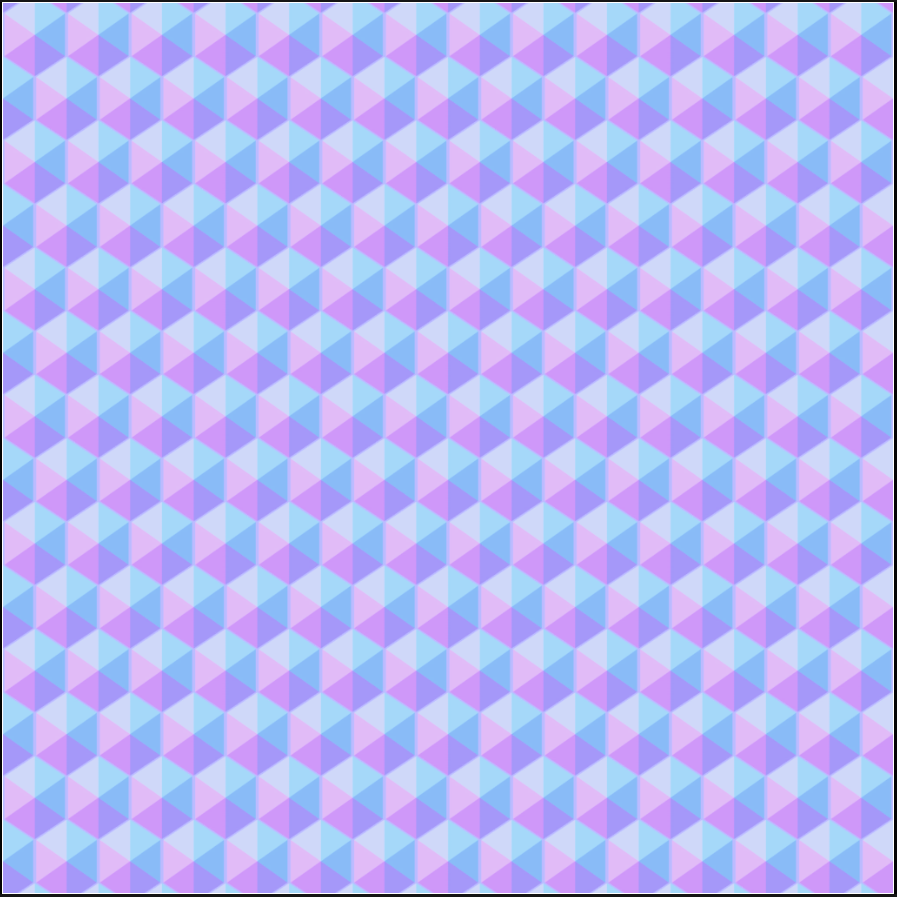
(No gamma on my normal, it's just the unreal texture view making it look washed). I started out with a simple corner cube texture that matched the actual geometry but it looked too simple and stylized. I needed the extra faceting to better approximate the reference images.
Now the semi-final images:
Weak RR:

Strong RR:

Video of the effect:
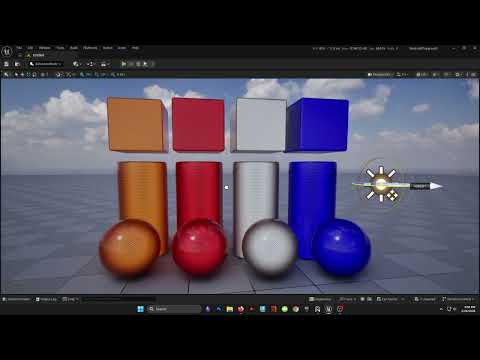 https://youtu.be/mAZ1ZGPZLs4
My goal is to keep tweaking it until it looks fairly close to the real thing. I need to work on the strong RR more right now it looks a little too stylized. I also need to document/organize my mat graph better. Once I have this down I'm going to optimize it and try to replicate it with only a single layer slab.
Replies
I wonder if you could leverage a clear coat layer to handle the shiny clear plastic cover?
https://github.com/mklefrancois/glTF/tree/ext-materials-retroreflection/extensions/2.0/Vendor/EXT_materials_retroreflection
Some math and implementation details, maybe it helps.