BlenderMCP Pro — AI pipeline tool for Blender (asset validation, batch export, game engine prep)

Posting this here specifically because Polycount's audience cares about pipeline more than novelty, and that's the actual use case I built this for.

Context
I run Anvil Interactive Solutions — we ship Blender/UE5/Unity tooling (Quadify line, BlendUnreal, BlendUnity, a few others). BlenderMCP Pro came out of needing to do the boring parts of asset prep faster: decimation passes, UV checks, naming convention enforcement, batch export to engine-specific formats. The AI chat interface is the front end, but the actual value is in what's behind it.
What it actually does for pipeline work
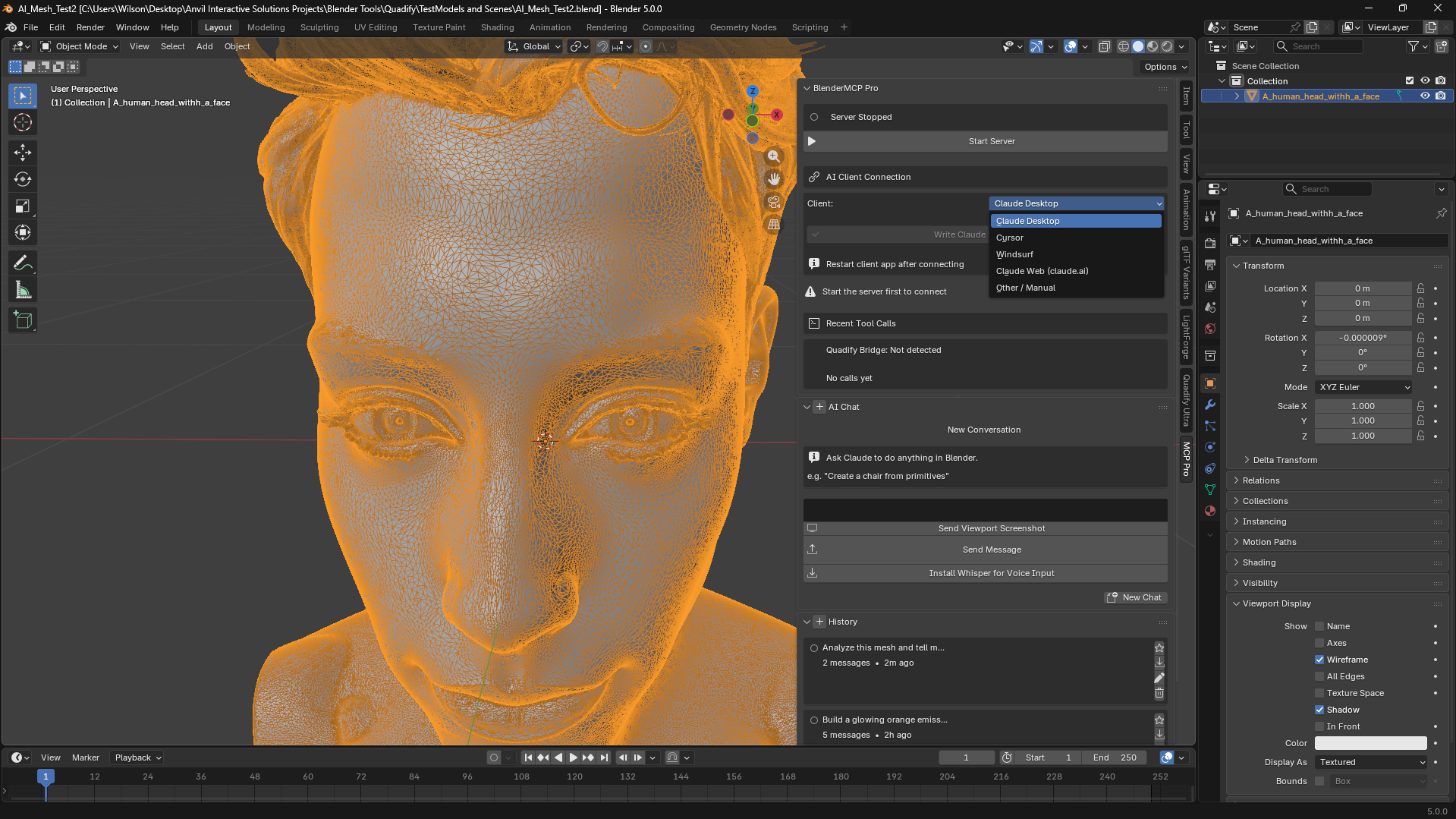
Asset validation against real constraints. validate_asset checks polygon budget, UV overlap, and naming convention in one call, returns a structured pass/fail/warn report. You can ask it to validate every mesh in the scene and get a readable summary instead of clicking through each object's stats panel.
Batch operations across folders. batch_decimate and batch_export operate on entire folders of .blend/.fbx/.obj/.gltf files — set a target face count or pick an engine target (UE5/Unity/Godot) and it processes the lot, exporting in the right format with the right settings (triangulated for UE5, etc.).
MCP server, not just a chat gimmick. This is the part I think matters most for this audience: it's a real Model Context Protocol server running on localhost. That means it's not locked to a chat UI — Cursor, Windsurf, or any MCP client can connect and call these tools programmatically. If you've got your own pipeline scripts or want to chain Blender operations into something larger, the JSON-RPC endpoint is right there (/mcp, standard JSON-RPC 2.0, full tool schema at /tools).
Extensible. Third-party addons can register their own tools into the same MCP toolset via a one-call Python API. If you're maintaining internal tools, you can expose them to the same AI interface without touching BlenderMCP Pro's code.
Where this sits relative to what's out there
The honest comparison: most "AI in Blender" tools right now (BlenderGPT and forks) generate raw Python and execute it blind. That's fine for one-off scripting but it's not something I'd trust in a pipeline — no validation, no undo safety net, no structured error handling.
BlenderMCP Pro's tools are purpose-built functions with proper error handling, not generated scripts. When something fails, you get a structured error back, not a stack trace and a half-broken scene. Every tool call also pushes an undo step, so a bad AI call is a Ctrl+Z away from gone.
It also has a sandboxed Python execution fallback (execute_python) for cases the built-in tools don't cover — but it's the fallback, not the primary mechanism, and file I/O / subprocess / network access are blocked in that sandbox.
Concrete example
Asset prep pass on a folder of 40 hero props before handoff:
"Validate every mesh in C:/project/props against a 15000 face budget and a 'SM_' naming prefix, then batch export anything that passes to FBX for UE5"
That's a validation report plus a batch export, structured and logged, in one prompt instead of a manual pass through 40 files.
Current limitations (worth knowing before buying)
- Rigging tools exist (
create_basic_rigbuilds a proper biped/quadruped armature) but Claude doesn't always reach for them correctly yet versus falling back to primitive meshes — actively being tightened. - No real-time collaborative session locking; this is single-user per Blender instance.
- License enforcement isn't live yet (free tier gating exists in code but isn't currently active) — full toolset is open for now.
Specs
Blender 5.0+, no pip deps, $29 on Superhive, Anthropic API key required for the built-in chat (pay-per-use, ~$0.05–0.15/session).
If anyone wants to see the tool schema or has specific pipeline use cases they want to know if it covers, ask here — happy to check against the actual tool list.