[WIP] 7UP Gun

polycounter lvl 2
I have managed to land an internship and immediately started working, which has led to me wanting to learn a new software, Plasticity. My job role is to be a Hard Surface Artist so using CAD is my next step in evolving in that role and to learn that program, I wanted to re-create this concept from ArtStation by "IWSE Zhang" in 3D:
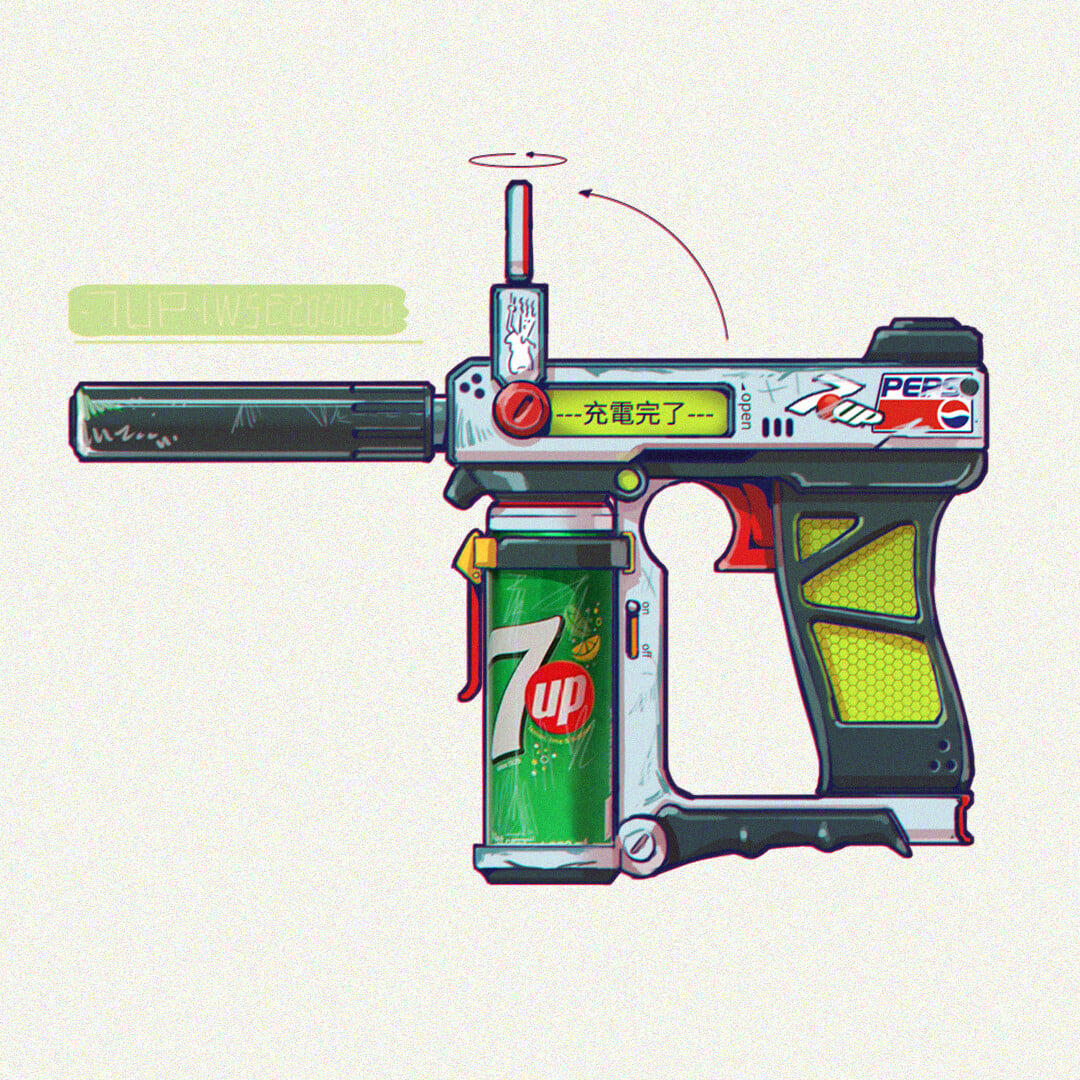
There aren't too many organic shapes in this piece so I thought it could be a good starting point for learning CAD modeling. I want to make this into a portfolio piece but my main focus is to learn the ropes and navigate Plasticity firstly.
I started with blocking out - using the concept as a direct reference - and familiarizing myself with the controls.

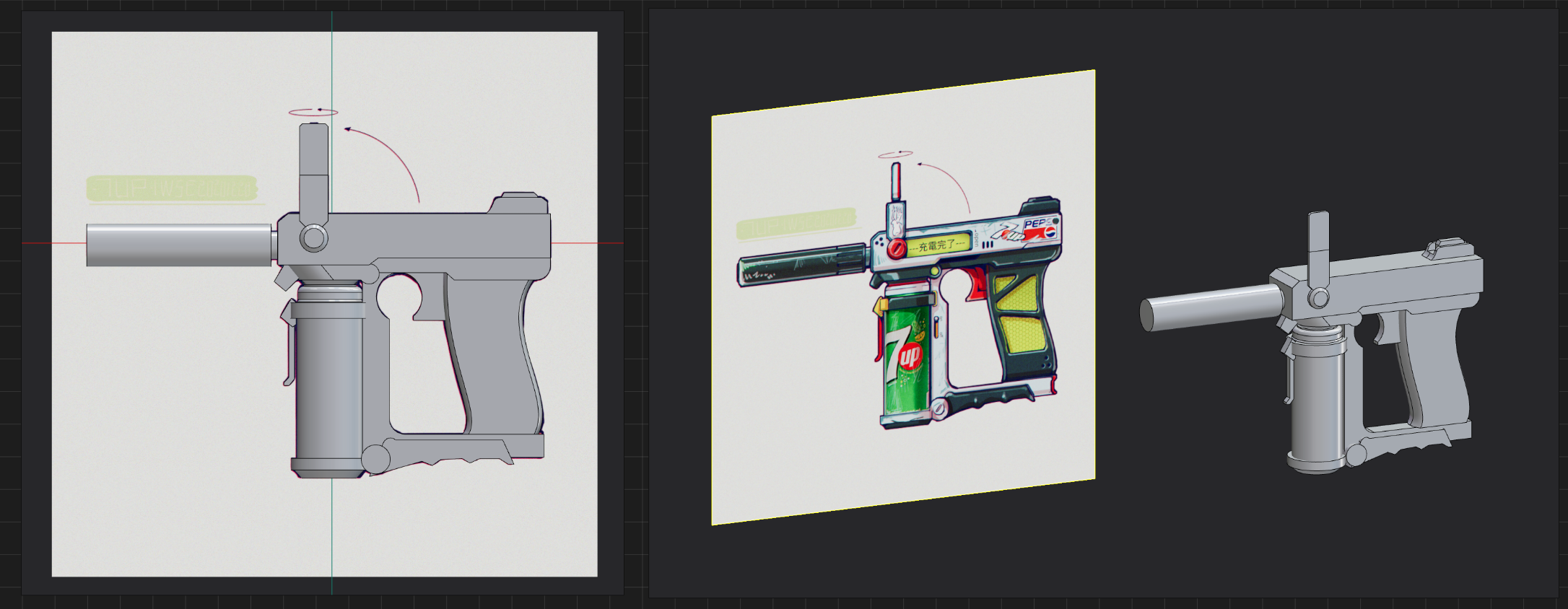
I put the blockout in blender and scaled it down to match a normal human hand to see if there needed anything changed to its design.
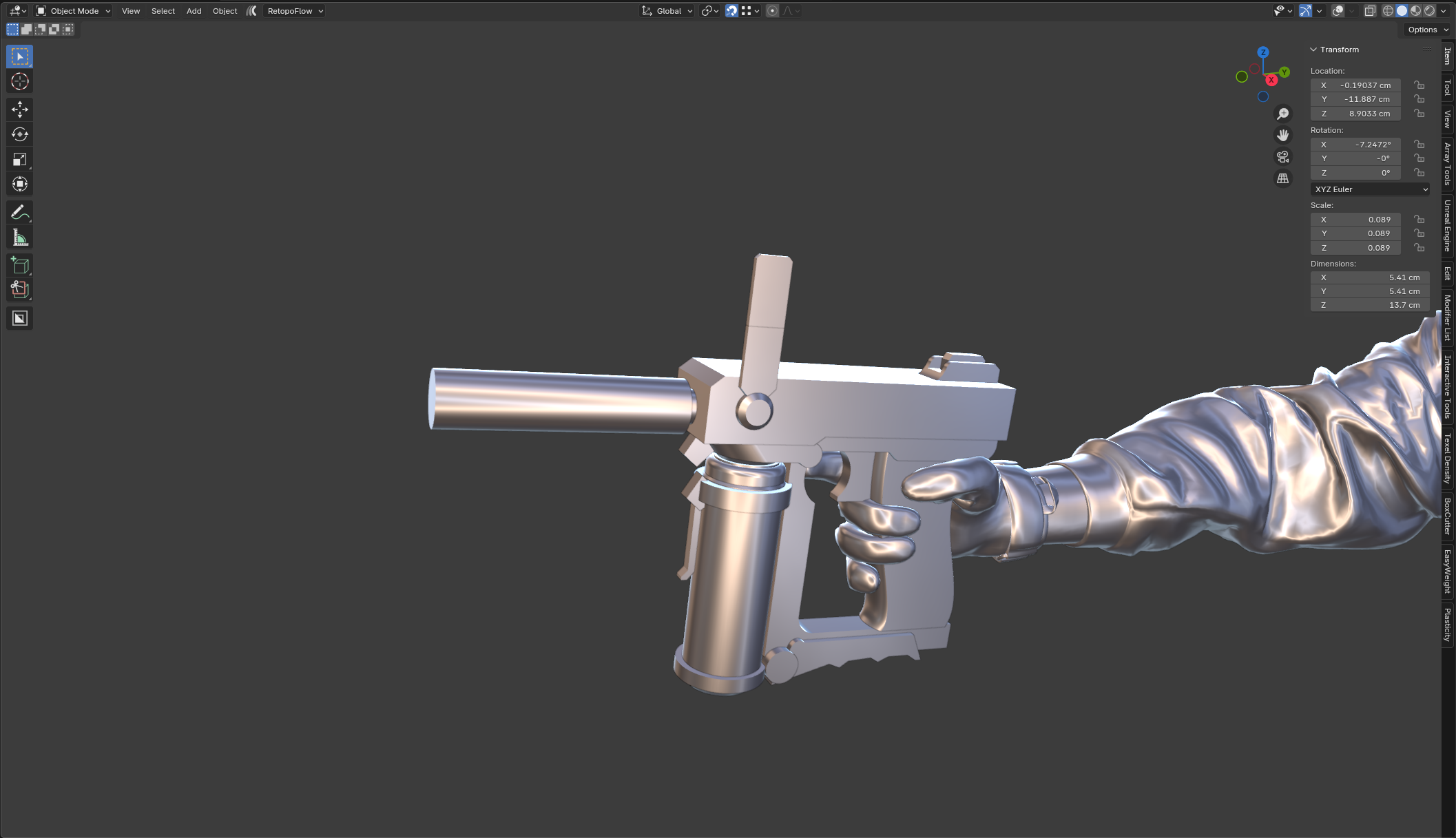
After I was happy with the blockout, I went ahead and started modeling the entire thing.
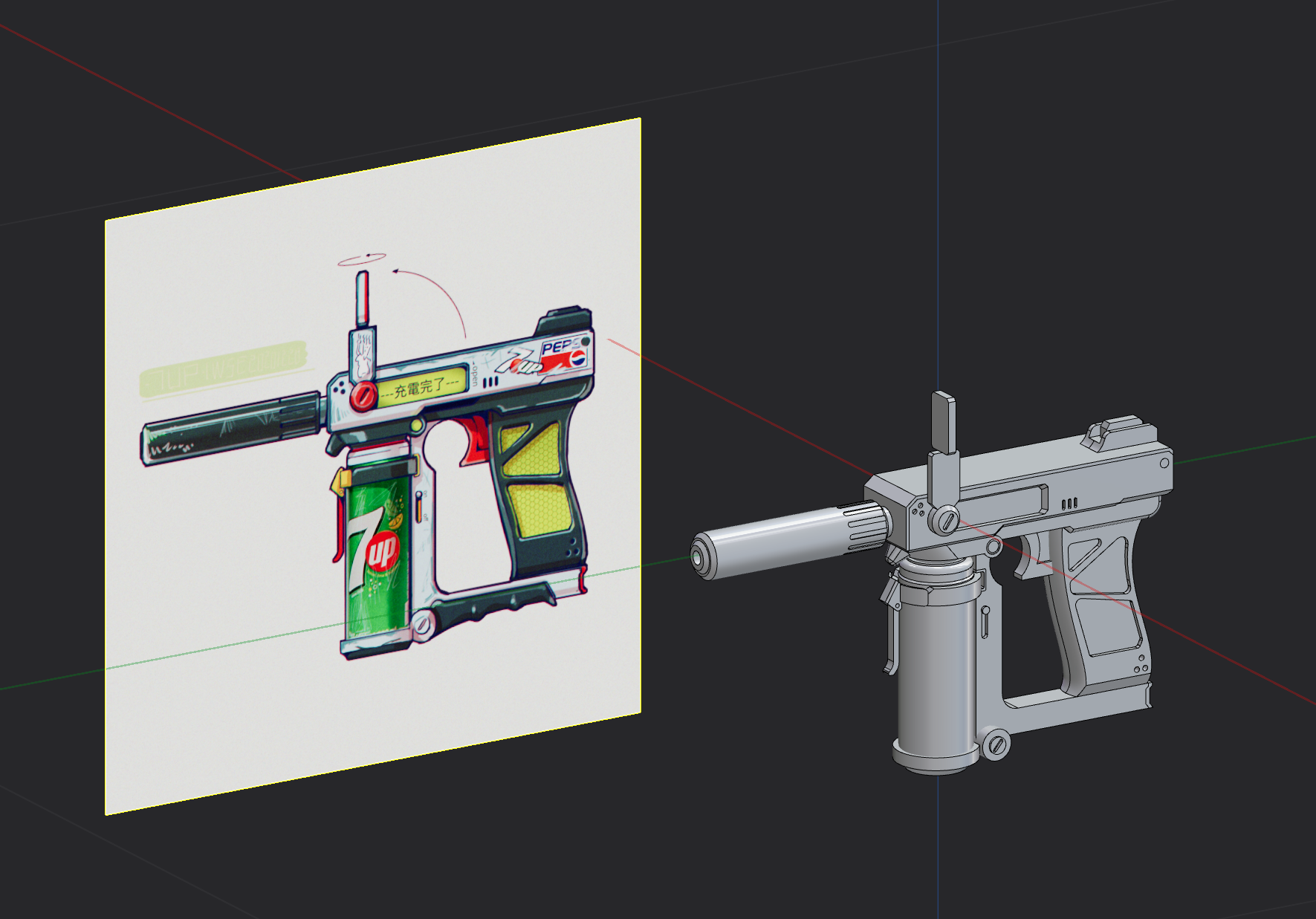
Since I only have two images as main reference, I felt that I needed to make a few changes to the scale of certain parts to make its design match more of a real gun.
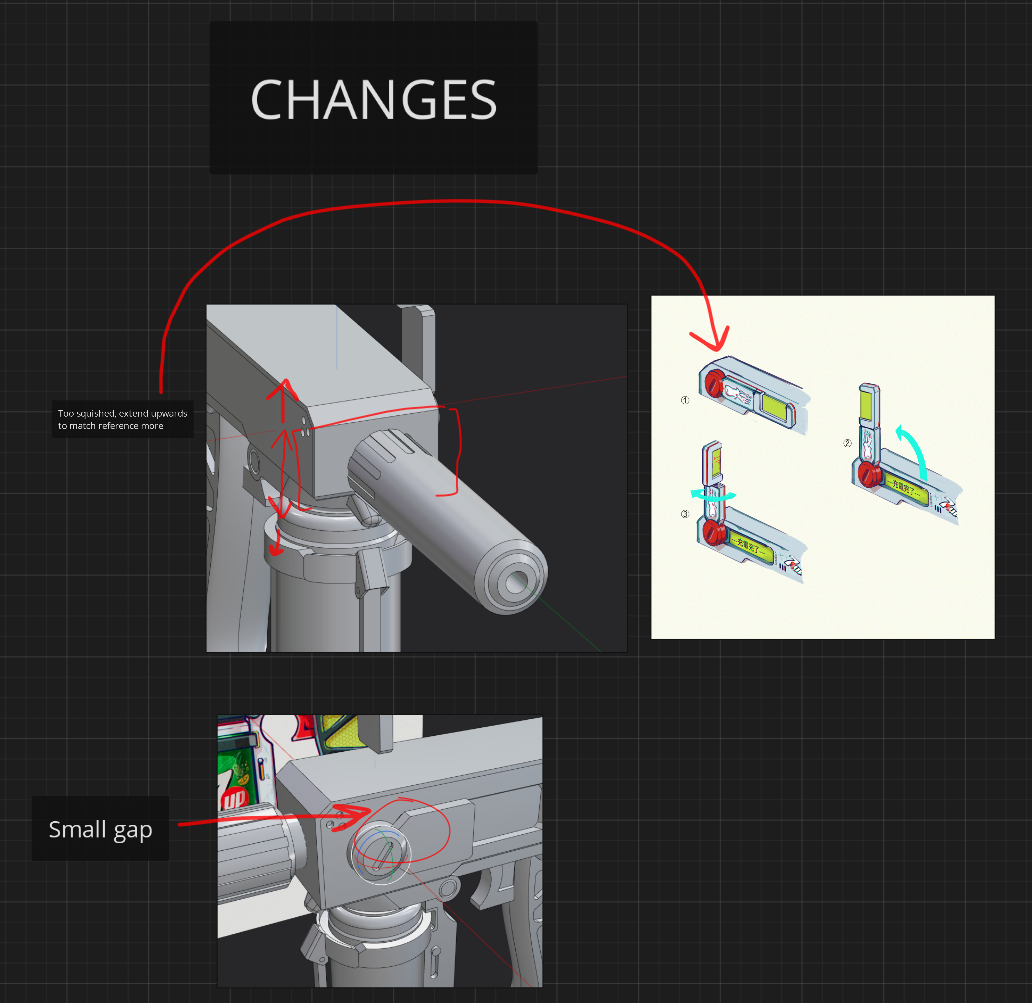
I used real life references from other guns to add to the design in areas where the concept didn't show.
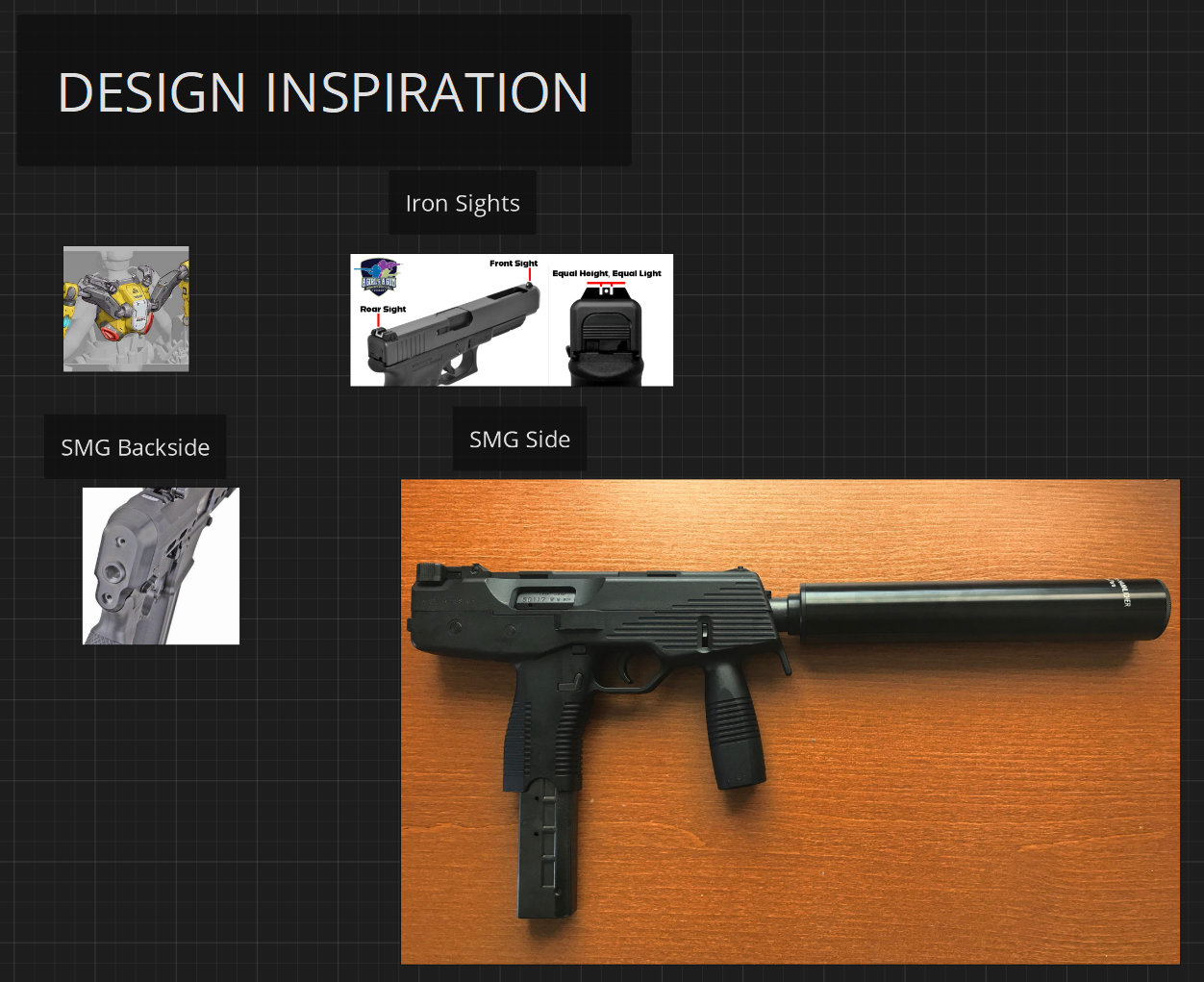
I didn't want to deviate from the main concept too much so I made sure to not overdo the additions.
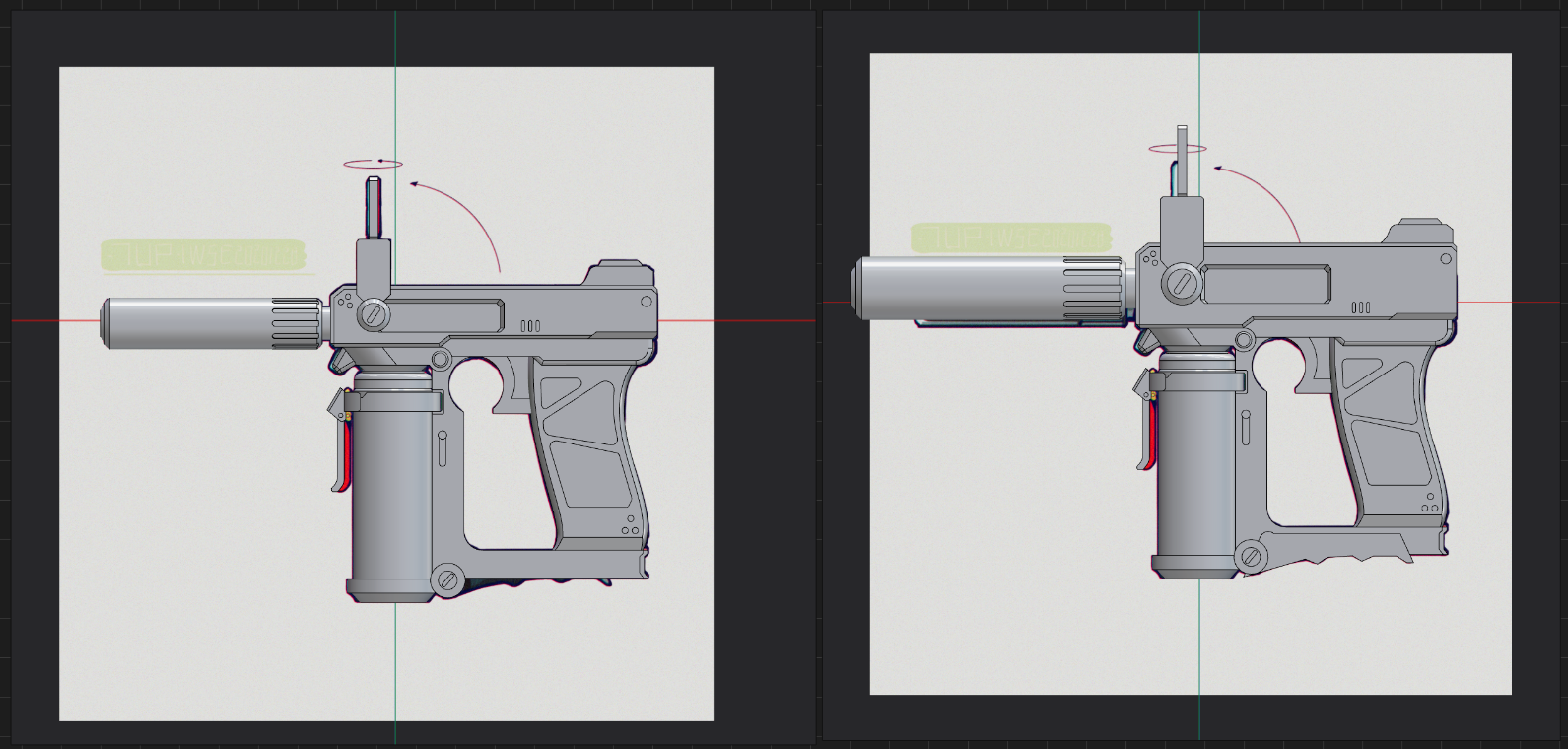
The end result of the design:
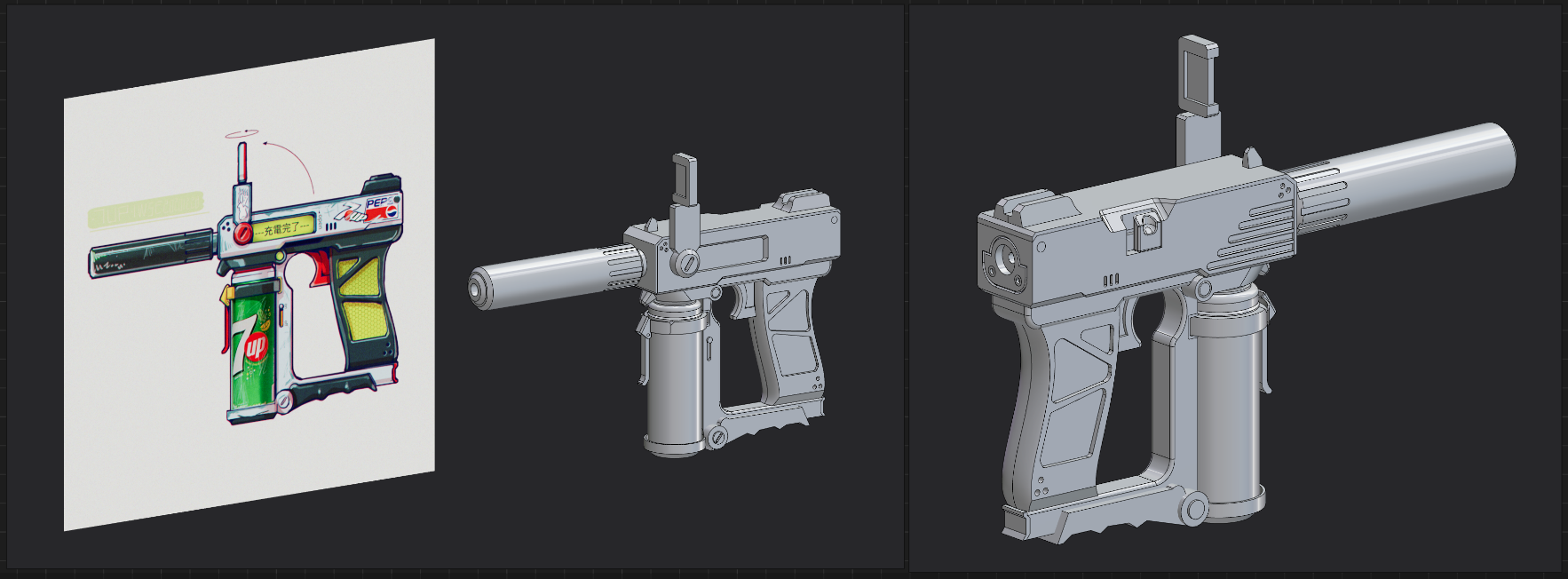
The biggest problem was to make the grip at the bottom, surfacing is not easy to tackle in this program so I'll have to learn that some other day.
I then went ahead and exported a very dense high poly and exported it to Blender where I would smoothen out the edges. I mainly use Blender for modeling so I have to kind of mesh together a workflow using that and Plasticity. It looks something like this written blog by Howel: https://www.artstation.com/blogs/howelg/DVvKL/plasticity-x-blender-voxel-remesh-workflow
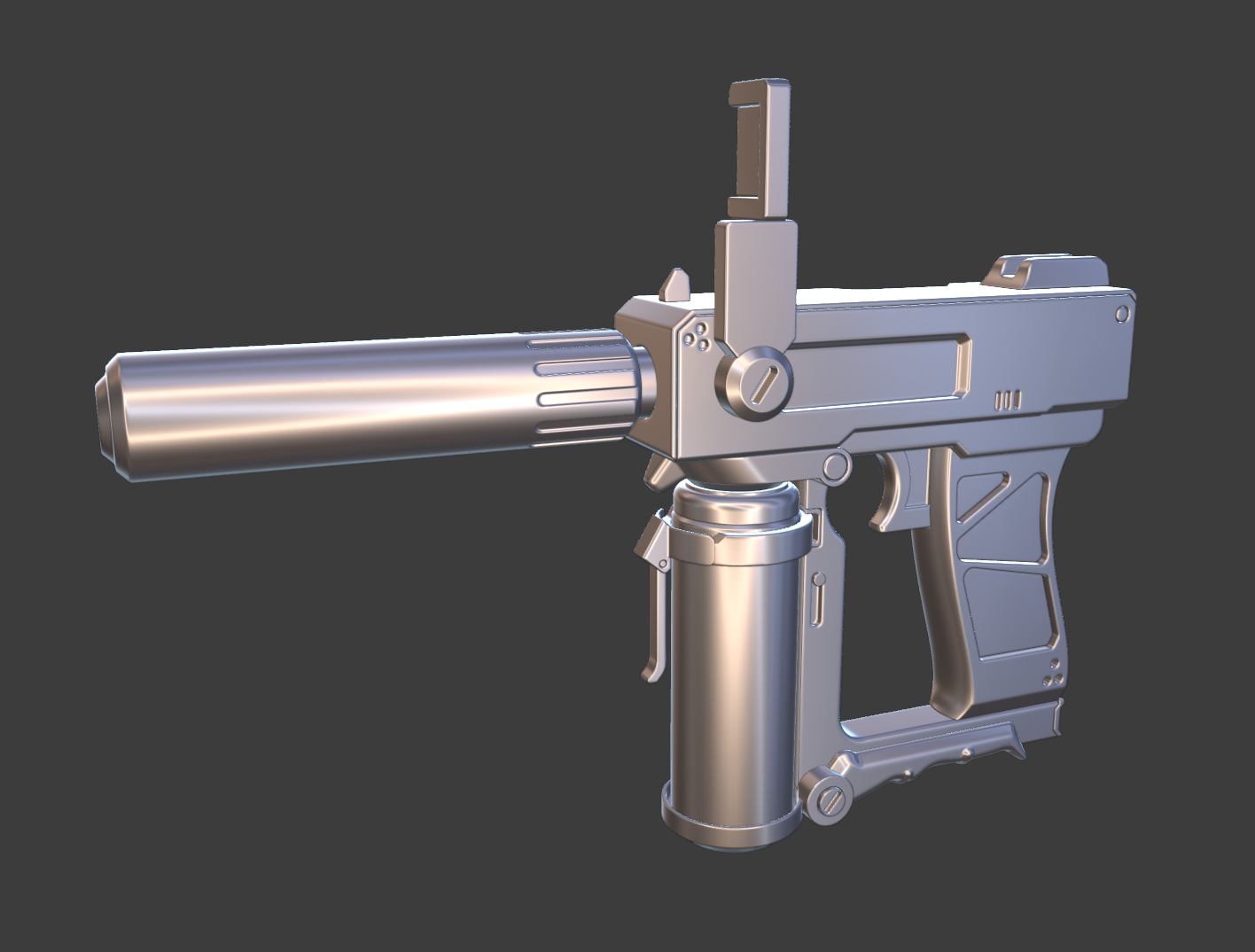
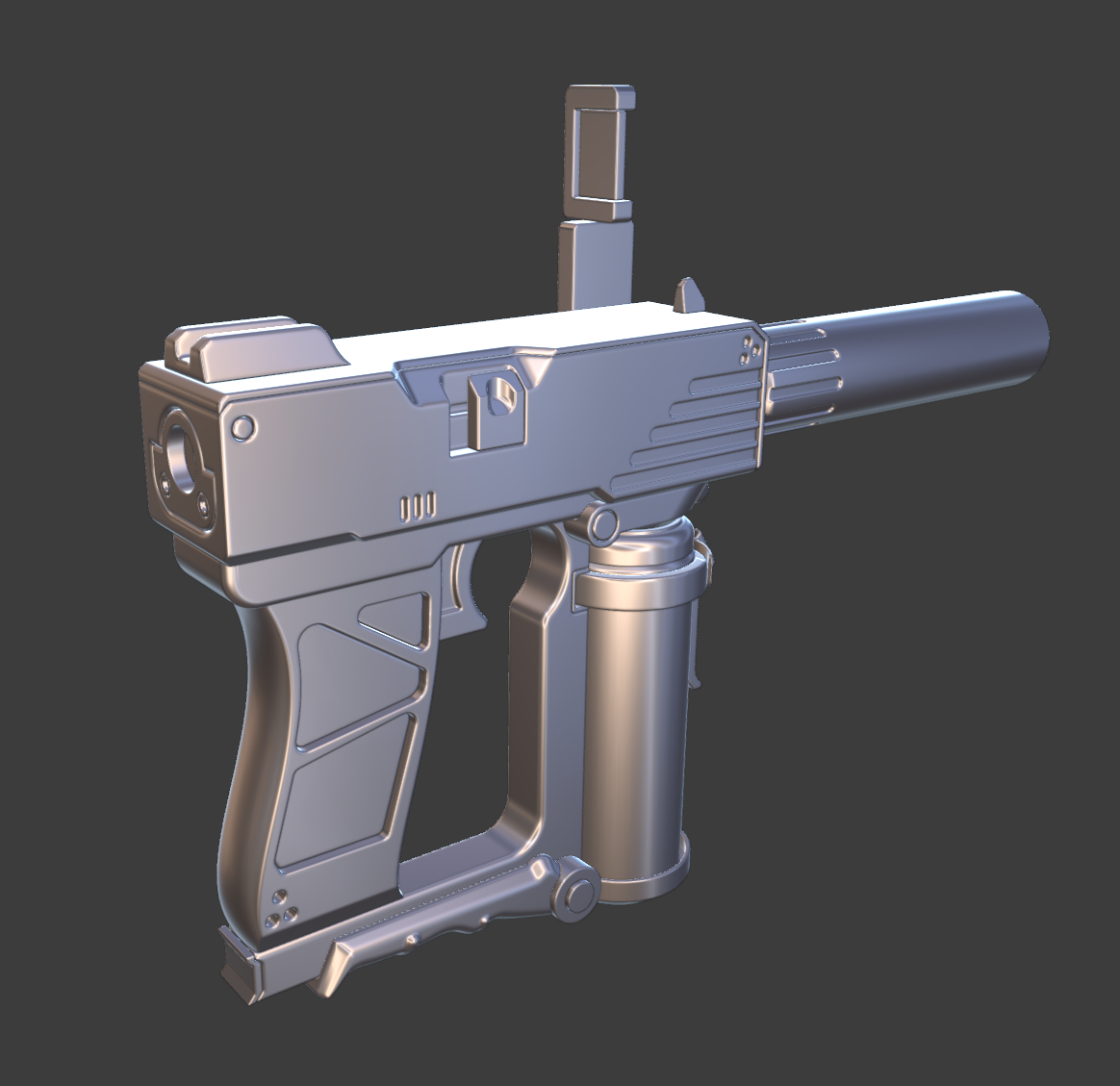
Overall, I'm happy with the high poly results. I'm now on the low poly stage and the manual retopping is a pain in the ass, will have to look for a better way to handle this part of the process.
There aren't too many organic shapes in this piece so I thought it could be a good starting point for learning CAD modeling. I want to make this into a portfolio piece but my main focus is to learn the ropes and navigate Plasticity firstly.
I started with blocking out - using the concept as a direct reference - and familiarizing myself with the controls.

I put the blockout in blender and scaled it down to match a normal human hand to see if there needed anything changed to its design.
After I was happy with the blockout, I went ahead and started modeling the entire thing.
Since I only have two images as main reference, I felt that I needed to make a few changes to the scale of certain parts to make its design match more of a real gun.
I used real life references from other guns to add to the design in areas where the concept didn't show.
I didn't want to deviate from the main concept too much so I made sure to not overdo the additions.
The end result of the design:
The biggest problem was to make the grip at the bottom, surfacing is not easy to tackle in this program so I'll have to learn that some other day.
I then went ahead and exported a very dense high poly and exported it to Blender where I would smoothen out the edges. I mainly use Blender for modeling so I have to kind of mesh together a workflow using that and Plasticity. It looks something like this written blog by Howel: https://www.artstation.com/blogs/howelg/DVvKL/plasticity-x-blender-voxel-remesh-workflow
Overall, I'm happy with the high poly results. I'm now on the low poly stage and the manual retopping is a pain in the ass, will have to look for a better way to handle this part of the process.
Replies