Best workflow for cleaning up a mesh that has been exported from Rhino into Zbrush

node
I have exported an obj from Rhino and the resulting mesh in Zbrush is very messy. I would like to add fine detail to it in Zbrush but am struugling to find a good workflow.
This is what I have done so far:
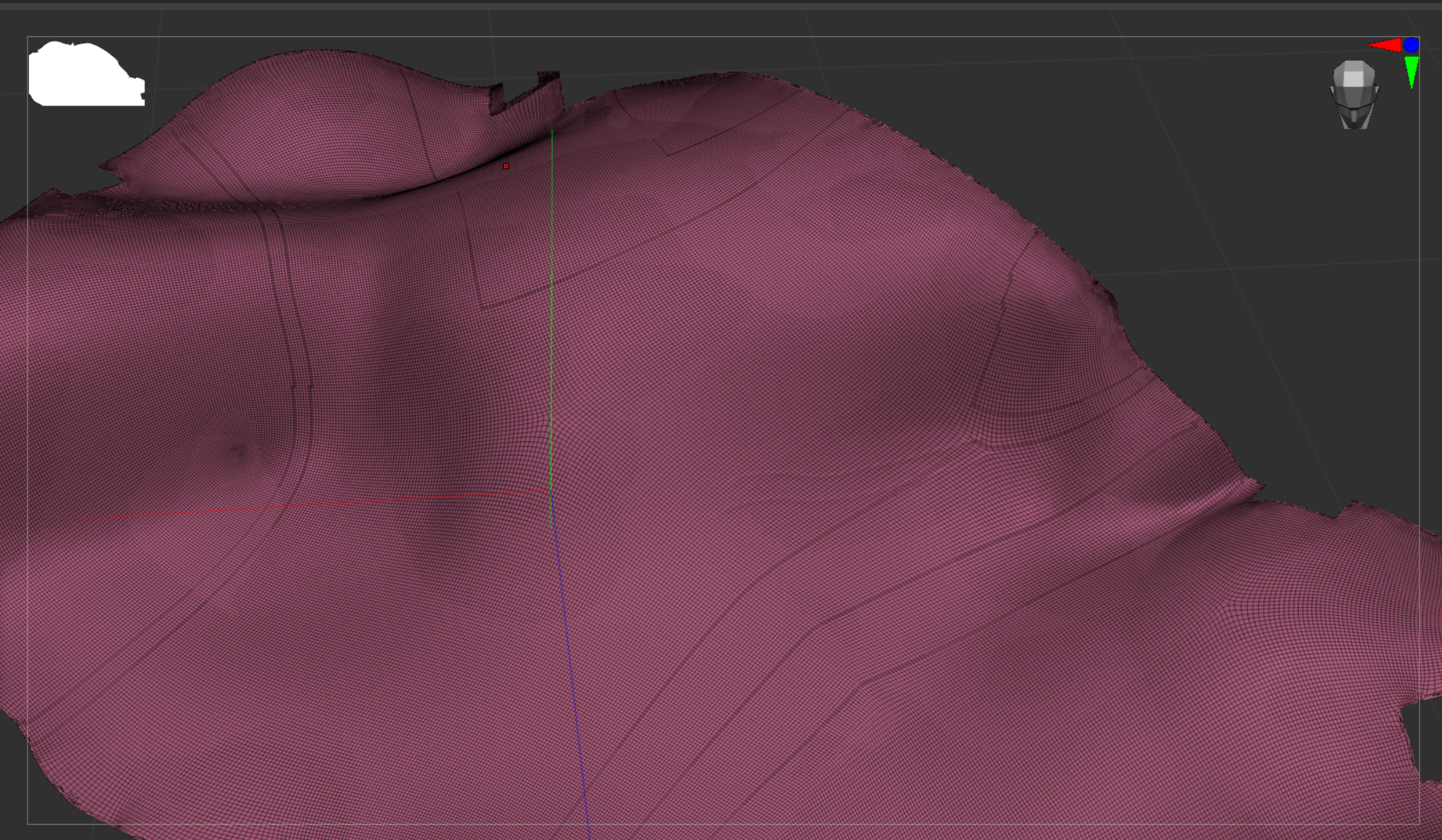
Exported an obj from Rhino with Polygon Mesh Objects and points welded. I then imported this into Zbrush with quads and triangle checked. Next I ZRemshed it with freeze border checked and target polygons at 30. I am using the standard brush for the detail with z intensity upped to 23 and draw size at 4.
As you will see the detail is blocky so the polycount needs to be upped. I would also like to see the 3 pieces of the Rhino mesh joined into one mesh.
Any help would be much appreciated. There is no option here to upload the obj.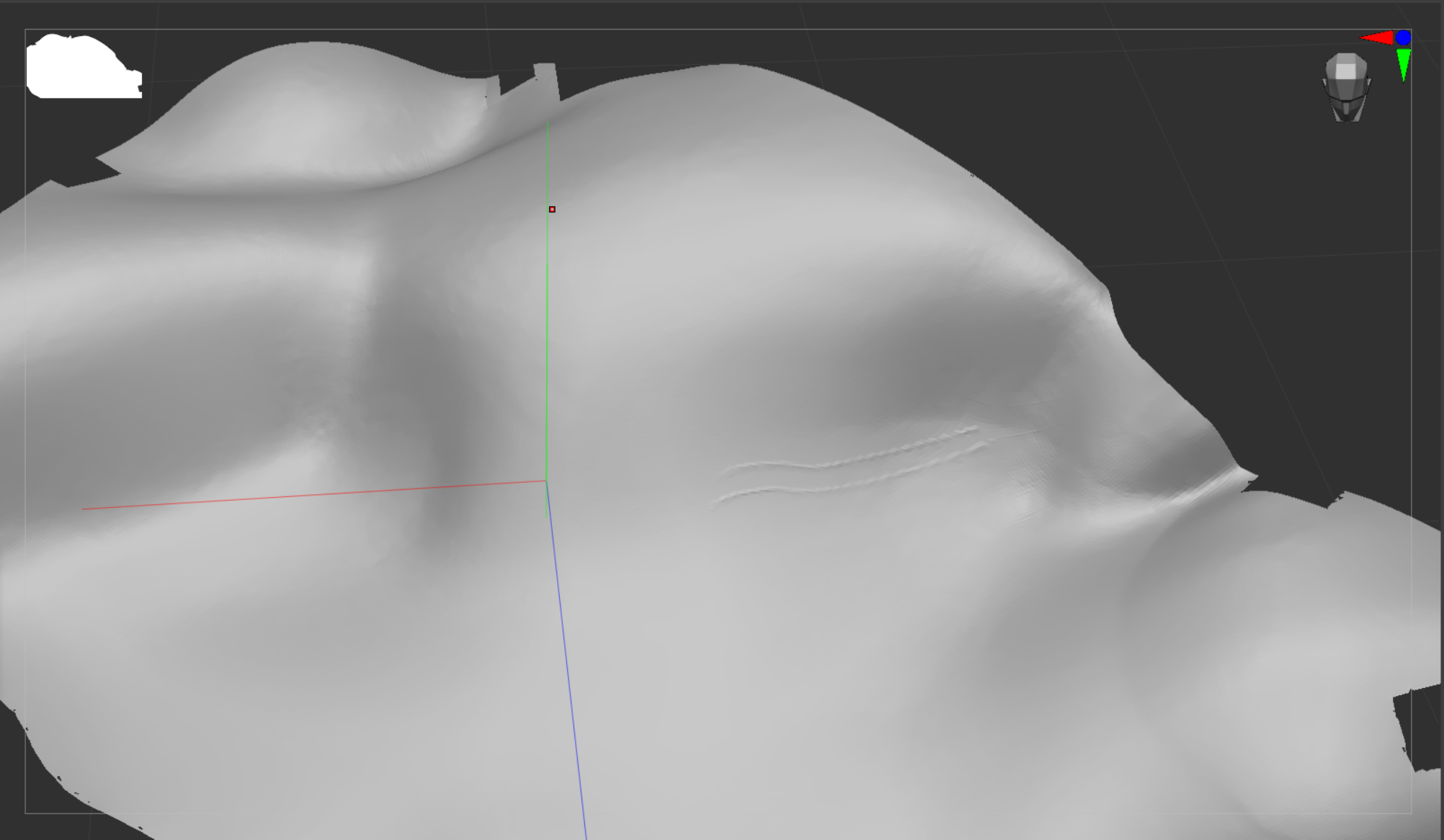
Replies
You write you 'need the border remain exactly as it is' - so no cleanup? Looking at the mesh attached, its border could use some fixing up in my opinion (fringes, holes), to make for a mesh that's easier to work with.
To make the mesh continuous, an option would be projecting a dense, subdivided plane onto the original mesh. This projected plane could then subdivided further and detailed. If you extracted the border as a mesh, added some thickness, it could be used as a cutter to re-apply the original border.
When you want to add detail but are limited by resolution and subdividing isn't an option, perhaps Sculptris Pro editing mode is of use. As I understand, it can increase mesh density in the area that's sculpted in a destructive way, probably making it incompatible with other functions/ brushes that rely on topology staying consistent.
If you haven't done so already, the first step isn't to worry about how to convert things to OBJ, but rather to get in touch with the CNC operator who's going to take care of your job. The CAM (that is to say : the machining prep) could be done in many different ways, using many different kinds of software, either directly from a surface data (hence exportable directly from Rhino), or from dense polygon data.
You want to take the time to fully understand their usual pipeline, what they can and cannot do, and what they are willing to experiment with if your project is different from their usual.
Also : your model imports as 20071 units wide, and is off-center of 95884 units on the Y axis. Since machine shops likely operate in mm, that's 20 meters wide and 95 meters off from the work center ... hence obviously not fitted for CNC machining in this current state. It is not up to the machine shop to do the scaling and centering for you. This goes back to the need to get in touch with the shop first and foremost to clearly lay down all the technical requirements and exchange some test files.
(Source : I've personally participated in building a 2.5D CNC machine from scratch at a makerspace, and processed a few polygonal models for machining in PU foam and wood.)
Now, about the OBJ conversion in and of itself : this is rather trivial based on the model you've provided. Just a matter of doing some cleanup, extrusion, and remeshing. You have some flipped normals though.
Other than that, converting this surface to something workable in Zbrush for added detailing really is just a matter of doing the few Blender steps shown above : just extrude the surfaces, and remesh them together at a density that suits your needs.
(2D/2.5 CNC is really quite interesting and fun to learn even just for the sake of it. I hope you'll be able to get to the end of this project !)
- Step 1 shows the manual cleanup to patch holes, using regular polygon modeling techniques.
- Step 2 shows the individual thin chunks of terrain being extruded down to create thick slabs. The box under them was just used as a negative Boolean to even/flatten their bottom side, but this could be done with just scaling on Z.
- Step 3 shows the Blender remeshing grid, used to define the desired level of density for the output mesh combining all thick slabs. Various 3D software have their own equivalent and terminology but "remesh" is quite universal.
I refer to Blender since it is open source and free hence a reliable bottom line, but all of the above is quite straightforward and available in most 3D software. You'd have to research how to perform these individual steps, and then combine them.
I believe all of the above could probably be done directly in Zbrush too, but this would likely be a bit frustrating given the way Zbrush operates.