Search
-
Re: zbrush 4R6 now with magic retopo
 with the latest service pack the results from mudbox should be cleaner... also if you lower the seeting for uniform and use a hard constrain in the center line... but its clear zbrush is the winner here...! the topo looks in some places like hand crafted... great job pixo...
 -
Re: High poly generation for normal maps
 It depends. It depends on how I want the model to work - is the model a free sculpt where I build the LRmesh afterwards, or am I constrained to reusing pre modelled, prerigged models. I'm unsure what errors would prevent you from baking though?
 -
Re: Loss of Motivation
 Yeah I don't know you so it could be a number of things. There is always that "postpartum depression" with many big things in your life, be it school or shipping a game. Hopefully not, but possibly subconcoiusly you have that feeling like you've made it or more likely should have made it. I know people like this from my…
 -
Move vertices in Zbrush retopo
 I've seen posts where it's said that there is no solution to this problem. I want to move vertices on my retopo mesh, with them being constrained to the original hi-poly model. They actually fly away in the outer space. Does anybody found a wayout to this?
 -
Re: Sketchbook: RenderDock

 This tank diesel engine animation was made a while ago and later became a part of T-72 disassembly project. Sure thing that the most problematic was to make the move of all numerous pistons, shafts and valves sinchronised. Animated with 3ds max tools. Some constrains were used.
 -
Re: Question regarding Rigging a character.

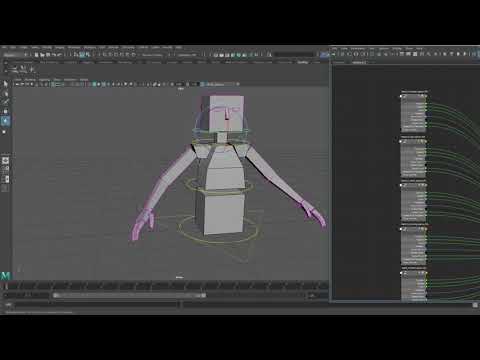 I don't have Malcom handy right now to check his, but it's a generic concept called Space Switching. The basic idea is that you have something constrained by multiple sources, connected to a custom attribute that toggles the weights for each source. https://www.youtube.com/watch?v=a4QlD7oPf6E
 -
Re: Pack overlapping uvs -blender
 Is there a way to maintain aspect ratio of the uvs as you scale? I noticed with constrain to image bounds, while scaling the uvs now move in the y axis when it touches the uv edges in the x direction. Is there a way it can lock to the aspect ratio or scale without scaling upwards?
 -
Re: 1 Year Plan
 @Jeff Parrott You've given me lots to think about, In short I enjoy Environments & Hand Painting the most, it lets me be creative with what I do and doesn't constrain me. I think I will continue to aim for Environments & Hand Painted Props at this point.
 -
Re: Blender 2.6 Modeling Tools. What's missing and what do you want?
 Cut and bevel ala Softimage would be great.The cut tool works as expected,best of any Autodesk package in my opinion.The bevel allows number of segments,type many usefull options. Constrain vertex to edge,move a vertex along an edge like slide edge.
 -
Re: Row boat key bones config?
 First thing that came to my head was a joint at the rotation pivot, look at constrained to a joint at the handle/grip. Moving the grip joint should give you the paddle behavior. Also if you have several in a row, you can group them and they should all move in sync.
>8071 results