Search
-
Re: 3Ds Max - odd ring selection behavior
 My gut tells me that the problem is in using the cut tool. If I am correct, below will help you. If not using snaps (like snap to vertex) you can sometimes inadvertently create an extra vertex/edge very close to another vertex. This will cause the topology to not be composed of quads (even though it may look like its…
 -
Re: How's this technique called? And how to achieve it...

 could be a 2 texture alpha blend, or a vertex color alpha blend for 2 textures.... vertex alpha (left) gives a smooth gradient blend dependent on vertex density, texture alpha blending can give much more variation in the blending and is independent of the vertex density
 -
Re: Sketchbook: Celosia

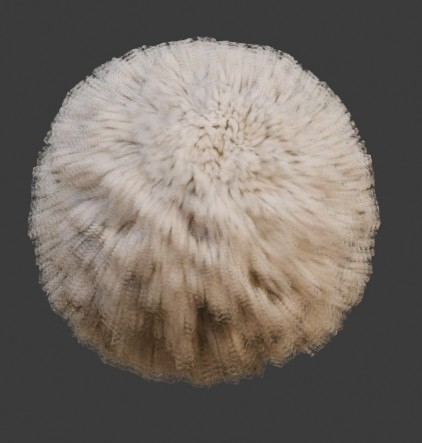 Tiny update. Still making progress on the cards, but in the meanwhile that fur breakdown thread got me having silly ideas. Many unknowns, I'll only be sure it works when I get it into an engine, but I'm wondering about what vertex color is normally used for in creatures and clothing, because I got some interesting and easy…
 -
Re: Superspecular soft edges tutorial chapter 1
 I haven't tried that script for maya yet, but Maya already has tools for this built in (at least in 2009). -Select all of the verticies you want to be on the same average plane -go to the Normals Menu> Vertex Normal Edit Tool -You'll have to at least nudge in one of the rotation axis to get the tool activate -Rotate the…
 -
Re: Geo-loop
 Hi guys, here it is: IC.GeoEdgeLoop! Get it from IllusionCatalyst website, under Script section in MaxScript Page. It works on closed edge loops in Editable Poly objects with two algorithms: refit by vertex and average.* Refit by vertex ask for a vertex as fixed starting point for calculation. Its position is preserved,…
 -
Re: Tiling, covering up?
 Might be you're multiplying one of the clouds texture samples by 4 and the inverse of that by 2 and then adding the vertex colors one more time to that result, just a guess though. EDIT: The more I think about it, just change the "Add" above the "Constant 20" to a Multiply, that way the vertex colors act as a mask.…
 -
Re: Changing direction of cage normals?
 I am not sure about Maya but usually cage normals are irrelevant . It's cage vertex position in relation to low poly vertex counterpart that defines rays vector i.e direction of projection . At least it was always that way before, not by cage normals. Sort of a reason why cages had to have same vertex order as the low poly…
 -
Re: Confusion with Normal baking issues around edges/borders

 Hi! Took a look at the files and at the lowpoly exported from Painter and wrote down some thoughts (some not on issue): I think big part of the issue your describing is that the difference of the curvatures between high and low of the gorget is too great - but the highpoly would be best improved as well (see below). Low…
 -
Re: Creating seamless and unique environments - My final university project
 ParoXum: Thanks mate :) I did use glue meshes before, but I found it to be not very flexible when used to cover the seams on terrain. It works great for unique meshes though and I used that method for the broken walls and roof. Yeah, I was quite surprised myself to see that multiple UVW channels would cause such issues. I…
 -
Re: Cinema 4d tips and tricks thread
 As promised above, this post is my tips about Cinema 4D's "Normal Tag"... In Cinema 4D, Vertex Normals (and thus, the 'smooth-shading' aspect of mesh objects) are normally generated and maintained by the "Phong Tag". The Phong Tag has options for setting a "Phong Angle" (smoothing angle) as well as an option to honor phong…
>9915 results