Search
-
Re: Happy late birthday to me.
 Weeeeeee yet another! <font color="red">H</font><font color="green">A</font><font color="blue">P</font><font color="white">P</font><font color="orange">Y</font> <font color="yellow">B</font><font color="purple">I</font><font color="pink">R</font><font color="brown">T</font><font color="red">H</font>D<font…
 -
Re: pfff my arse there's no birthdays
<font color="red">H</font><font color="purple">A</font><font color="green">P</font><font color="blue">P</font><font color="orange">Y</font> <font color="yellow">B</font><font color="pink">I</font><font color="red">R</font><font color="purple">T</font><font color="green">H</font><font color="blue">D</font><font… -
Seams only in Substance Painter

 it's 8 hours i am trying to fix this. The mesh is perfectly smoothed (edges) if i import the Xnormal-baked map in Marmoset, it works completely fine (first image. it get seams on 3DS MAX tangent space. if i obviouslt invert Y, it works). If i import the same thing in Substance Painter, the seams appear and he bakes them if…
 -
Stylized 3D mage
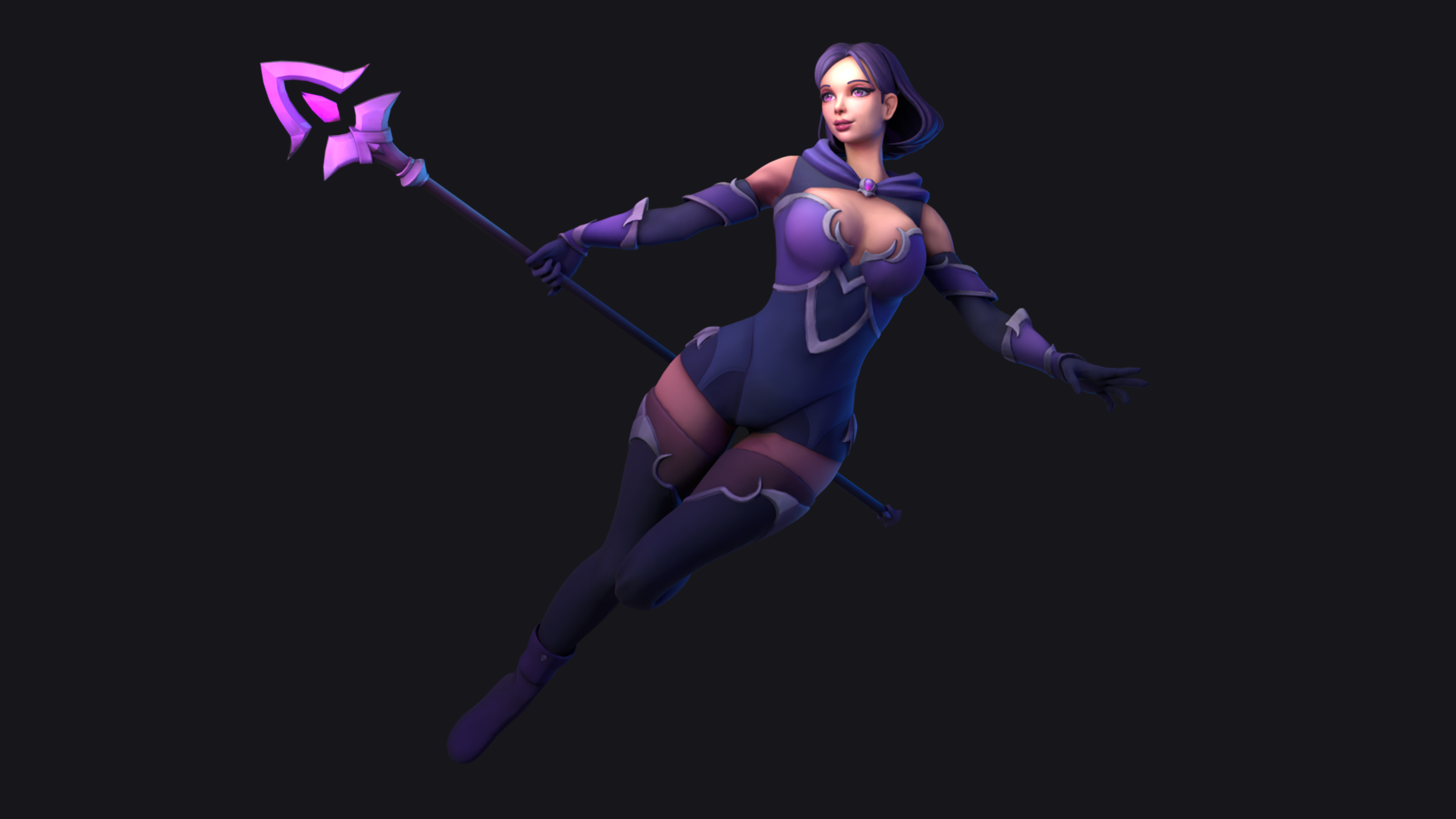 Hi! Here is the last model, a full stylized character mage.Take a look in Artstation and if you can give me a like i'll be grateful. Thanks! https://www.artstation.com/artwork/y4dYVx
 -
Re: Collateral Damage Studios - Professional 2D anime illustration studio

 Even more key visuals that we've done for videogames! We are always looking out for more work for our artists. If you need anything 2D done (concept art, key visuals, animation or even merch), just get in touch with us at ohayo@collateralds.com Character artworks for Hiragana: Forbidden Speech Key visual for Kitty Cat…
 -
Re: I need some clarifications on normal maps and tangent spaces
You should always ask your client whether their pipeline allows custom normals or not. They may want you to avoid custom normals even if their pipeline allows it, because it's easy to destroy custom normals in Max if you're not careful, making it more difficult for them to make changes to your deliverables if they need to.… -
Re: The Programming/Scripting MASTER THREAD
 Wanted to tile out an image in PS using save for web but max image size is 8100px or so. This script will cut the image up into how ever many tiles you want on the x and y. Feel free to modify this and make it presentable. I just need it for terrain database work. Uses flattened image. As always save your work before doing…
 -
Re: REQUEST: Great big Blender thread
In Xnormal, have you got the normal map swizzle set to X+Y+Z+ and the 'compute binormal in the pixel shader' box checked for the MikkTSpace tangent space calculator plugin? (You also need to check this box for UE4 and Marmoset MikkTSpace.) You can use normal maps that have a X+Y-Z+ swizzle if you pop in an RGB curves node… -
Re: Ground fog.
 That's what you use screendepthdistance for. More specifically, Depth Difference (look for this, too). Make sure your fog plane does NOT write to depth. Then your fog shader should compare the fog pixel's position away from the camera, and the (object behind it's) pixel position away from the camera. So if a pixel of fog…
 -
Re: dDo...new tool from Quixel
 I'm having issues with a lot. My mouse thinks it is on a button when it is a good centimeter below the button in question. Makes clicking things near the bottoms of windows near impossible. Also, I have to shut the model viewer to get it to load my models. Another thing, how do you switch the rendering of normal maps to…
>147192 results