Search
-
Link 317S Transportation

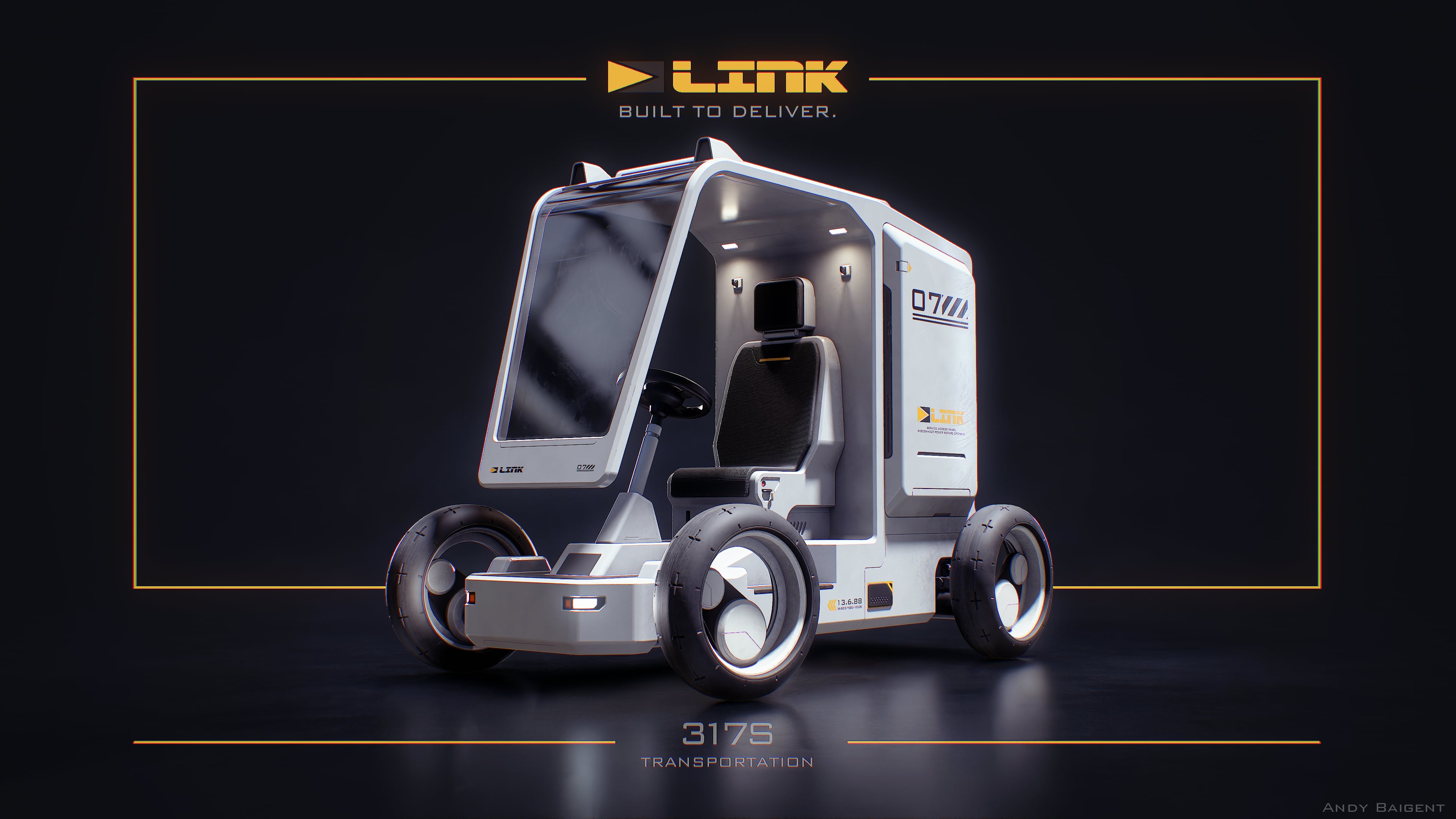 Hey everyone, it's been a while! Here's my latest work, based on a concept by Dancheng YE. The goal was to stay true to the original design while making small grounded adjustments to sell it as a practical transport vehicle. More final renders, highpoly shots and a turntable up on my ArtStation and Instagram.
 -
Re: Issues Exporting Animation Into Marmoset
-
Re: Pinching after displacement
 Are the textures seamless? You can use the Offset filter in Photoshop (or Photopea) to check.
 -
Menuitem color #MAYA #MEL
 Hi I'm working on script where I want to give the color to the menuitem. Suppose it it is x it should be in Red color, Y in green color like that Any idea How? symbolButton -w 35 -h 35 -image "plane.png" -c "ct"; //Right click on the button popupMenu; menuItem -l "X" -c "gh"; menuItem -l "Y" -c "gh"; menuItem -l "Z" -c…
 -
3Ds max Move tool issue
 Hey Guys, im trying to learn 3Ds max at the moment but i just hit a minor error. What i'm trying to do: Aligning a mesh edge with a vertex. How: By selecting the edge with "snapping to vertex" turned on, i drag the edge in the Y-axis (the axis i want to move it). The Problem: Even though i drag it by the Y axis, the Move…
 -
UDK Normal Map seam issue from Xnormal
 Hi, I am exporting normal maps to UDK via Xnormal and am getting really bad seams, I've searched around but can't find a solution. The UV layout is shown as is the model in maya. I have set +Y to be -Y in Xnormal which should help shouldn't it? Is it because parts of the UV layout have been rotated? I have checked they are…
 -
Re: UV based Eye Rig - UDK
 Found this: http://stevenwalther.blogspot.com.au/2013/01/udk-tutorial-swapping-texture.html I think I've made some good progress, I can animate the eyes now but I can only control the X,Y coordinates with one value, so the eyes move diagonally. Is there anyway I can split the X,Y coordinates in the material editor and give…
 -
Re: GDC 2015: Next Gen Pipelines Presentation
 Just wanted to give you guys here a heads up; I didn't want to flood this more "technical talk" thread with a bunch of images, but I did JUST that on the ZBrush central forums; if you're looking for more technique-y sculpt-y stuff (or just more renders of things) check out the ZBrush central forum post:…
 -
Re: 3ds Max 2011 snap-to-grid ratation question
 @reecpj - Seems that snapping to grids/vertices/etc only works for move transform, and as for rotation transform, only angle-snap is possible. I want to preserve the shape/volume of my object so selecting those vertices I want to line up in local y-axis of the object then move/snapping them to grid aligned with that y-axis…
 -
Re: blender questions
 Press s to scale on all axis. (if you then press x/y/z you can constrain to those axis, or shift+x/y/z to block scaling on that axis) For free rotation, just press r twice Edit: you can also use mouse gestures for transforming. Draw a v shape for scale, a circle for rotation and a line for moving. You can also use middle…

>147192 results