Search
-
Re: I'm having problems with baking high poly to low poly in Marmoset Toolbag

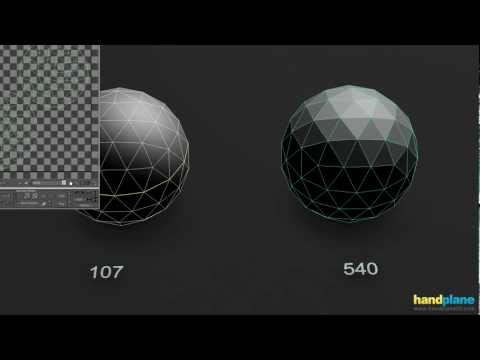 Hard edges that aren't pared with UV splits can generate extreme normal values on either side of the edge and this creates a visible seam in the baked normal. If the hard edges are necessary for controlling the mesh smoothing behavior then the issue can be resolved by adding UV splits along the hard edges and adjusting the…
 -
"Hard Edge" on UV Seam.
 [FONT="]Hi there. I am having what seems to be a lighting issue with my house model in UE4. At the two corners of my building I have my UVs cut. On these seam lines is where the issue resides. The corners of the house are rounded with 5 subdivisions (I believe that is the correct terminology). The cuts would be on the…
 -
Willing to provide xNormal tech support for free (limited time)
 Hello everyone. I'm willing to help anyone having issues with xNormal over Skype. I'm also not joking about the aspect of this being free. Why? First, I would not consider myself an expert. I'd consider myself knowledgeable, but I don't know close to everything. The reason I'm doing this is that the community has provided…
 -
[PAID] [REMOTE] Technical Animator | R16 Interactive / Tale's Edge (Unreal Engine 5)

 Studio: R16 Interactive Project: Tale's Edge Role: Technical Animator Type: Contract (hourly or day rate) with opportunity for full-time if deemed a good fit for both sides Location: Fully remote, global applicants accepted Rate: Competitive based on experience, engine understanding and location. Please share your…
 -
Re: Texture Practice
 Im not sure if you're presenting this in Maya,Max, or UDK? but your final result would benefit greatly from a 2nd set of normals....One normal for the height (like you have above) and another normal for your dirt and scratches.(The detail normal map) That way once you combine the 2 either in photoshop or in UDK, your…
 -
Re: URGENT Marmoset Rendering error
 AH- thats your problem right there. get rid of those seams on your UV`s. Whats happening is because its a broken UV- its also a break in the normal tangency. get rid of all those UV seams and you *should* be golden. Sadly- you might have to re-bake your normals, as normal tangency is a pretty big deal when baking out a…
 -
Re: [UE4] [3ds Max] Lowpoly Birch Tree - Abstract or Detailed?

 Thank you for the feedback! Funny, I felt like the leaves could use more details... I tried turning off the normal map and it's actually not much of a difference. Guess that means the diffuse is too detailed. Tried to smooth the trunk, and turn off normals: left smooth + normals, right smooth - normals. Sadly the seams are…
 -
Re: [UDK] Assault Bot
 Was able to do some more work on the texture tonight, i feel its progressing fairly well still a long road ahead :) Let me know what you think. Still need to make a normal map......but i dont have xnormal on this pc yet.... :) Spec
 -
Re: Green Lantern hard surface test ( help appreciated XD )
 having some normal map problems, im using my high poly sculpt from zbrush and the low poly from 3ds max using XNormals, it seems the arms are projected onto the side of the mesh and i cant seem to figure out why , any idead ? :S
 -
Re: Best practices for baking different maps?
I'm asking for help to make maps such as curvature, object normal tangent and such in order to make better use of Dynamask and smart materials in order to create and adjust the textures of hard surface objects such as trains. Throttlekitty, xNormal looks interesting for some of the maps I need. I'll check it out.
>37664 results