Search
-
Re: Looking for help/pointers on achieving a certain style via rendering...
 ^^ Agreed I got pretty close with duplicating the layer applying a highpass filter doing an auto contrast and setting the blend mode to overlay, it's kinda like doing a sharpen. You have to tweak the highpass settings to get what you want.
 -
Re: UDK 3 Scrolling Material Issue
 You're almost there. You're adding your mask to the colored monitor background. The straight add is resulting in the blended color. You'll need to mask off the scrolling text from the monitor, then add the masked monitor to the colorized text. Like this photoshop mockup.
 -
Re: Uncharted: Golden Abyss Environment Art
 So how does content development for Vita differ from other platforms? Do you strill use Uncharted's cool blend shaders? Is that truck the same in in-game resolution? Lead environment artist and only props? Post some environemnets!
 -
Re: Substance Brick Wall (Crits needed)
 Blending a gradient 1 with your basic shape, and then adding Random Fixed Rotation on your tile generator will really help pop up some variation. It will tilt a small bit every brick, grealy increasing variation. Just be carefull not to overdo it!
 -
Re: Sky abode
 Hahah, that's awesome, man. I love that rock texture, the normals are fantastic. My only real crit is that the scene sort of blends into the backdrop in some of the shots (rocks are a similar shade to the dark bits of the sky and the windmill is a similar shade to the light parts).
 -
Re: Fancy collar girl
 not sure about the hair colour, blends in with the colar/outfit alot. Other than that it looks solid Q:if this character walked near a wall would the cloth of the dress deform? I guess I just find it hard to imagine how it will work
 -
Re: Skaven Watchtower
 Some debris, more distorted wooden beams and planes on the ground to blend with a scene would add a lot of mileage. Personally, I'd like see the whole wooden support structure fatter around the rocks, and the base of the bell thicker as in the reference image.
 -
Need help, ID map and Texture aren't being applied correctly.

 Need some help, having some issues with 2 parts, materials are applied correctly. UV's seem to be layed out correctly (no overlapping), but the textures seem to bleed into each other, anyone have any pointers to why this is happening? Thanks. Software used: Maya. Substance Painter
 -
[WIP] Horse Game Res

 Working on making a versatile horse model for work. Still figuring out hair cards, but this is probably my best attempt yet. The model will have multiple blend shapes and textures to suit various horse types. It will ultimately be used in an iOS app for horse fitness/health. I'd appreciate any critiques/advice!
 -
Modular Building with customizable materials in Unreal engine 4

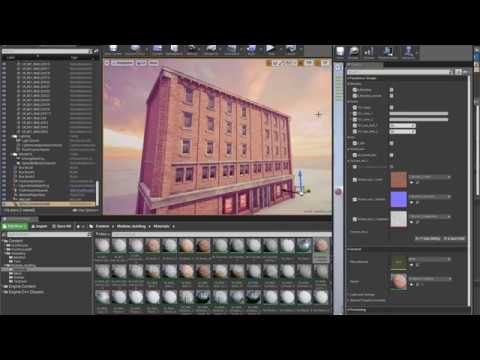 Hi. I want to share my latest progress on new small package on ue4 marketplace. I'm working on customizable material. Here are shots from progress. Blending two texture sets: https://www.youtube.com/watch?v=KhwltRI1pHE Changing color: https://www.youtube.com/watch?v=iCaxsu75Y1Y
>11469 results