Search
-
Re: Breaking up Texture Atlas files and corresponding FBX to individual geometry + maps
 If you're using all the models then why would you want to break up the atlas? It sort of defeats the purpose. But yes, you could break the atlas apart and resave as separate smaller textures. You could layer all the textures as a psd, crop, and save each layer as the individual textures.
 -
Re: ceebee's portfolio development
 WIP image of the fire golem after 6 hours or so from a bunch of spheres. Just blocking it out right now so I can retopo later and get a ton of seperate pieces to later put emissives underneath horahh. Gonna make it less clay tubey of course :)
 -
Re: [WIP] XD45c
 Looking good. Some issues are the edges seem way to white and it just doesn't make sense. It could be the lighting. Try to add an under layer of metal and slowly remove the upper layer with brush. Also the lower receiver seems to have too much noise, so tone it down a bit.
 -
Re: Note to Self - Sajeet's Improvement thread (Environment & assets)

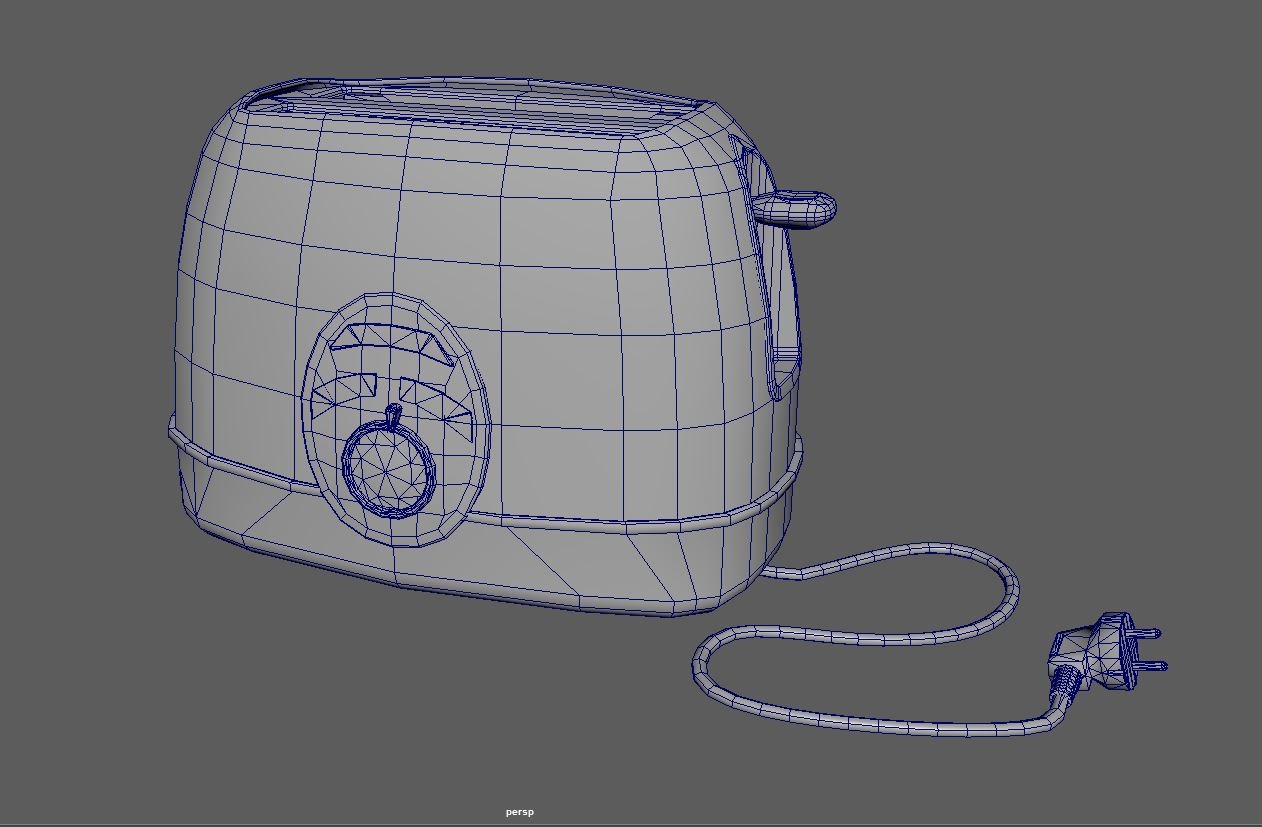 Looked over the mesh... smoothed out the shell with some more geo and reduced the amount of geo on the cable. Also going to start over with the texturing as i need to be more clever with the amount of layers im using, because my old computer doesnt handle to many layers in SP well.
 -
Re: Suggestions/tips on Zbrush practising routines
 What might be a specific avenue is setting out to make difficult bits with weird shapes that you have a feeling you're gonna want later. So every single item you make ends up in a bitz box you can access later through IMM Brush, etc.
 -
Re: [ZBrush] Unremovable mask on polypaint?
 i can sometimes get this if i change the polypaint on a new layer- only sure way to get rid of it i've found is to collapse the layers you could try painting the existing material over it again, or fill object (again material only or you'll delete your polypaint of course)
 -
Re: i <3 healing brush
 cs2 is still garbage. there is a cool redeming feature... where with the move tool, you can hold control, and drag select a box around layers to select multiples. such a time saver. The only downside is that it is still retarded, and does not know how to go inside layer groups. cs2 is still trash.
 -
Mudbox Texture Error
 Hi guys, ran into a strange issue that I can't seem to figure out and find any references on. Little back ground, I took a 2d plane I made in my 3d program and exported it to Mudbox, I then sub divided it and upped the polys to around 4 million so I could sculpt out my terrain. After I finished that I exported the height…
 -
Re: ANSWERED: DDO - How to paint unique decals ?
 Perhaps I am misunderstanding your question so forgive me if this is the case. It's really quite straight forward making a decal. Just create a new layer either in Photoshop or open the folder in dDo and create a new layer there...then do what you normally would do inside of Photoshop.
 -
Re: UTMC - The Oculism
 Figured out what I thought was off, contrast and saturation was too uniform, it didn't feel like it had enough depth and visual interest. Corrected it a bit with adjustment layers and a bit of layer mode color painting, very subtle things but I think it reads a bit better now.
>27696 results