Search
-
I've been having all sorts of problems with normal mapping lately, and have been look
 I'm a maya user. I've been having all sorts of problems with normal mapping lately, and have been looking for some help. I can get scratches and stuff on my models no problem with mudbox or PS. Its with high poly to low transfers that I'm at a loss. its usually fine except for the edges. If I have simple box primitive and…
 -
Re: [WIP] Feedback on my first modular wall prototype (ProBuilder) + anime-style ground texture attempt

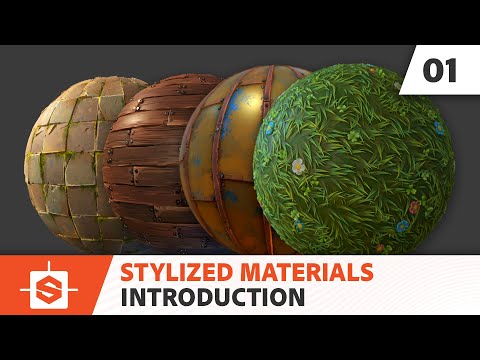 As for stylized textures, you could search around on the forum here, lots of resources on how to paint textures, for example https://polycount.com/discussion/117119/a-pack-of-textures-painted-using-hand A fairly common strategy (and quite successful) is to use Substance 3D Designer to craft a height map, then alter that to…
 -
Does anybody know why, when I import my normal into substance and apply it, I get the blue UV lines
 instead of my actual normals? I've exported 3 items at the same time, is that an issue? https://imgur.com/a/6zySGoS ^^for some reason I can't import the picture directly?
 -
Re: Having weard hard edge problems after normal bake in Substance painter
 One thing to keep in mind is exaggerating the roundness of edges in the highpoly so that detail is captured easier by the normal map, and so that edges still appear somewhat smooth at greater distances when there object is smaller on the screen. The age old example of this is here. How much you should exaggerate is pretty…
 -
Re: Xnormal seams...
I'm not sur if this will work but if you haven't done this give it a go: Select the mesh and soften the normals for it(Normals>SoftenEdge), rebake. If that fixed it the vertex normals running along the loops that you cut the uv's where the seam is are not aligned. Softening the normals aligns the vertex normals of each… -
3ds Max 2011: Normal maps won't show up in viewports!
 (Utter newbie. Just joined after being told about this site at school. *wave*) Between my home PC and the many comps at school I've used Max 11 on numerous computers. I've found that on some of them normal maps won't show up in the viewports, even if diffuse maps will. They still show up just fine in the renders, but…
 -
IN PROGRESS: why is Photoshop saving Ndo normals under AppData file location?
So I had a mini heart attack before as I came to continue to work on my normals. I thought I had completely lost all my work, fortunately after searching the whole PC I managed to find the location where the pesky file was hiding. anyway my question is, after setting up the file location in Ndo, why is Photoshop saving the… -
Re: xNormal Hi-Poly to Lo-poly Baking in UDK - Lighting Seams
 I'm 90% sure that it's because you mirrored your uvs. For whatever reason, mirroring the UVs in channel 0 creates lighting seams in static meshes. If this is a character then that's not a problem, since characters are skeletal meshes, not static meshes. The seams will appear whether or not you're using a normal map, if I…
 -
Re: Normal map seam along mirrored UV's

 Hi guys, thanks for help. Issue still didn't solved, but another workaround was founded due to you. @christopheduron I've downloaded FBX exporter 2013 for my 3ds Max 2012 and there appear option for preserve edge orientation. After export with this option seam became less visible, but was still there. Other setting that…
 -
Re: Normal Baking on Linux
You're not hallucinating; Blender's baker is actually as bad as you think. It supports cage baking in Cycles, but it doesn't have antialiasing and it's pretty slow. Maya and Modo both have bakers with antialiasing, round corners, and cage projection. Mudbox has antialiasing but doesn't have cage projection, so you'll get…
>37657 results