Search
-
Re: [UE4] Desert Environment
 Here. It generates two UVs for the vertical parts. Projecting the textures from xz and yz planes (using rb and gb nodes) then it combines them using a mask (previewing the mask in the screenshot). Then, using a similar technique it blends a rubble texture projected vertically (from the xy plane) with the first setup.
 -
Re: My Cavity Map Notes:
 i'd guess that the cavity map takes care of the conCAVE areas and the convexity map gives you a mask for the exposed areas. i'm not sure though if cavity bakes in xnormal take intersecting geometry into account so a tweaked AO bake might give you better results for a deposit mask.
 -
Re: fungi forest wip
 http://forums.cgsociety.org/showthread.php?t=441407 its because of the logarithmic expore control and the daylight - in Max2009 it´s supposed to better handle such issues. Also check that you use the alpha mask as specular mask so that the planes dont get shaded as a flat rectangular mesh but instead get filtered.
 -
Re: Image on plane with transparency
 what software are you using? Your question is pretty vague. You need an alpha mask which is just a greyscale mask where white is shown and black is invisible. For a feather you'll want to use alpha blend so it should have different gradations of grey. http://wiki.polycount.com/wiki/Transparency_map
 -
Re: Brumbleton's Forest
 To get the layered rocks I mask off an area, invert the mask, and then pull that area out in move mode(not using a move brush). I do this at the very start of the rock sculpt and use dynamesh to make sure it has enough geo everywhere. TODAY I SHALL MAKE TEXTUREEESESS:poly142::poly142:
 -
Re: Butcher Character
 the mask on #2 is cool, but i prefer the mask of #7/#8 or #9 for the theme of the character no matter what you go with i think the belt from #5 will be the best bet and for apron i say #9 would be a good fit, nothing over the top and it suits the fatter character better imo
 -
Re: PBR texturing practice, looking for advice/critique.
 I used CrazyBump for generating the normal map from photoshop masks and images. I have little to no experience with the software, I'm sorry if it looks like crap :) I'll try better next time. Any tips on how to properly generate normals from images/masks like in my case?
 -
Re: SCI FI scene in unreal
 i ran into a problem with shadows dissapearing or fading out when zooming out..how do you fix that? another issue is i created foliage and the opacity part shows as black.. i set the material as a blended mask and i plugged in my textures in diffuse and opacity mask.. thanks in advance..
 -
Re: [WIP] Barry Wheeler - Alan Wake fan art

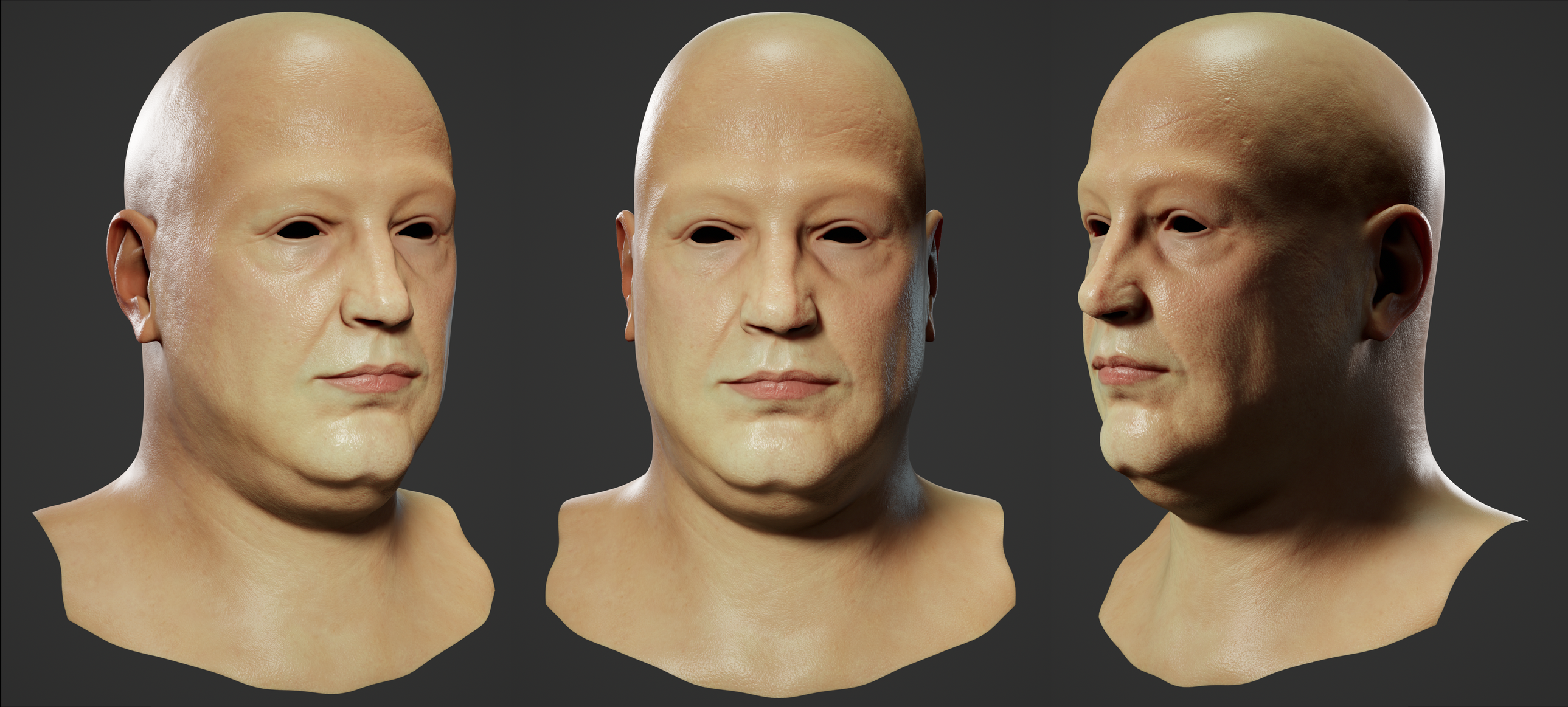 I fix some texture issues of the head and import them in UE to see what it looks like. As I can see - it's really cool! It's important that I didn't create mask textures for the head, there is no roughness or ambient occlusion in the shader. Also, I rendered new versions in marmoset to you can see the difference and also…
 -
Is there a "darken cracks" feature/workflow in Substance Painter?
Hi... I'm new to Substance Painter and am looking for the equivalent of "mask by cavity" in Z-Brush where you can mask out all the little cracks and details and then darken them. Sort of like ambient occlusion but getting right into all the normal map cracks and making them stand out. Thanks for any help with this and…
>40567 results