Search
-
Re: Max Hotbox
 You can add sublayer to buttons, just add a layer to the action of a button, then you can attach buttons to that sublayer. That way you can open different layers, by clicking on different buttons.
 -
Re: Sketchbook: David A Clifton
 its in the quick reply box too- theres a series of font style buttons (bold, italic, underline), a font color button, next to that a insert link button, and right next to that the image button.
 -
Re: Vinyl Jukebox
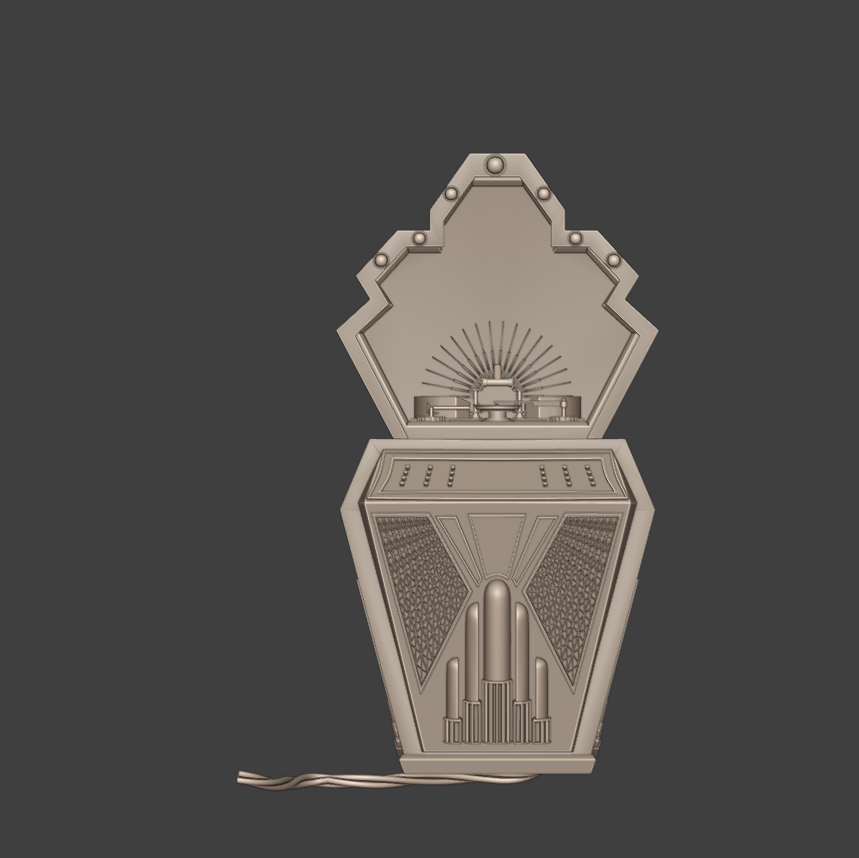 I refined the jukebox's overall shape. I added more details and art deco shapes. I also modeled some basic vinyl record player mechanisms. I kept it quite simple, as there is going to be a glass window, and I am not quite sure how visible or transparent I am going to keep it. I am about to finish modeling the control…
 -
Re: 3DS Max unwrap
 down the bottom of the UV unwrap window there's a button with a triangle on it. It's next to the lock selection button. This is the filter selected faces button. If you select some faces in the viewport, and then hit this button, it will hide the other faces.
 -
Re: suggestions for a new mouse?
I just got the Steelseries Kana v2. I think I'll return it, but I'll give it some time. I like the form, but the left and right click need a bit more pressure than what I'm used to. (Used an old worn out mouse until now, so that's why I'll wait a while in order to get used to the new one.) The middle button/wheel needs too… -
Re: [portfolio] Time to update
 Well. That's the thing, I have lightbox on my website too (ugh) and tried wheel-button clicking it, and it wouldn't open. I know some plugins work with middle-button, but I have lightbox on my site and it doesn't (unless it's an old version and I didn't update, which could be..). That's why I said you had to right-button…
 -
Re: WIP - Arcade Machine
 Are you basing this on reference of any specific arcade cabinet? A bunch of components don't seem accurate and you're completely missing a coin slot. Take a closer look at each component to try and understand how they work and then model them. The buttons for example, you're missing some of the main components. Buttons…
 -
Re: Journey into Zbrush
 You have the solo button on. Go to the transform menu at the top > click the solo button (should be orange right now, you want it to be grey). Or, press the orange button that's half obscured at the bottom of the toolbar to the right, under the PolyF button.
 -
Re: Maya Material Interface Tool
 Hey guys, glad to hear you're liking the changes. I've made some further adjustments. I also realized I was saving my updated file to the wrong folder haha. Re-download now for significant modifications. I shifted some elements around to accommodate this. I don't think button highlighting is possible so I went with the…
 -
Re: 3DS Max - Can't 'deselect' edges or verts
 Probably the same guy that decided to make modifier buttons, heh. You might want to enable them and see how you like em. Under the modifier stack, click the boxy icon button on the far right and choose "Turn on buttons" this will make some buttons appear above the modifier stack. Then click the same button and pick…
>10223 results