Search
-
Re: Art Stuff! (2D/painting tutorial series)
 Art Stuff episode 16 is up! About reflection, and I also added a exercise for people to use, check it out! Lots of fun and great practice. [ame=" https://www.youtube.com/watch?v=3snzTTEphFA"]Art Stuff! Ep. 16: Lighting 3 - Reflection - YouTube[/ame]
 -
Re: 3ds max 2015 vs 2016 vs 2017
 From what I've experienced, both 16 and 17 appear to be more unstable than 15. From my experience, I also know that the UVW tools in 17 are significantly more buggy than 15 and 16. If I were you, I'd get a copy of 15.
 -
Re: Allods Online Art Book! Teased by Paul Richards, let's track it down
 Inside source on IRC says : [16:46] <Vondur> well it's still beta version of the book, there was no proper edition issued, so we gift these to our foreign guests [16:47] <Vondur> and ofc non from the studio have it So no it's not findable anywhere online, not sure if it ever will be, looks great though!
 -
Re: [Mudbox] Displacement Maps only extractable in 8 bit?
 I have no idea what's going wrong. Selectin tif 16 bit automatically changes the displayed text to 16 bit as well and bakes the maps just fine. Try deleting your settings folders and restart mudbox. C:\Users\---name---\Documents\Mudbox\2011\settings
 -
Re: New Macbook Pro.
 ^ idk, it's $ 200 for 16 gb upgrade (in the US), apple used to go really batshit on ram pricing before. given the overall price of this monster, two hundred is reasonable. (and having 16 gb is really sweet I'd imagine. I'm running out of my 8 quite often even, need to upgrade it sometime.)
 -
Re: Texture sizes - calls
 This is highly dependent on your engine. Some engines will pack all of your tiny textures into a sheet for you before sending it to the graphics card. Also AFAIK the fact that they're small textures occupying little GPU memory doesn't help the texture calls. 16 texture calls is still going to be 16 texture calls.
 -
File Format Compressing Faces?

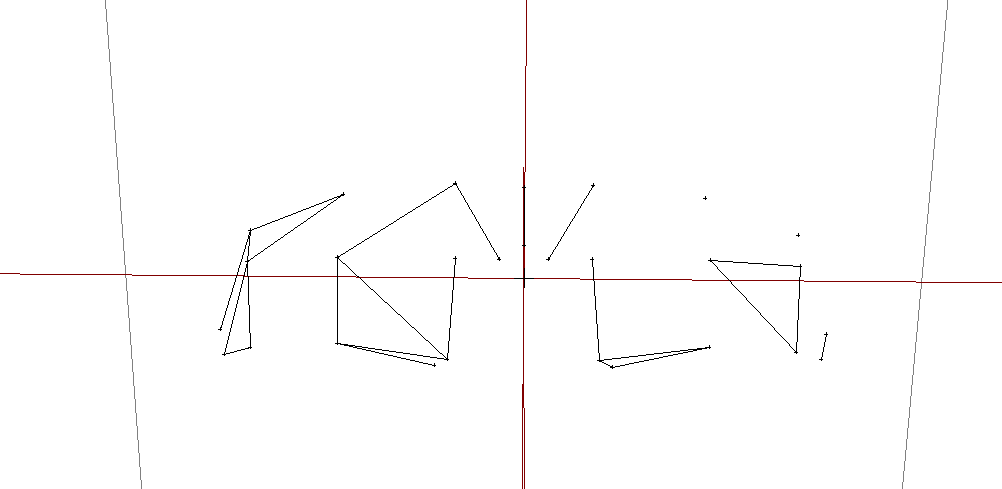 Hey all! so I'm making a set of mod tools for a couple of video games as the tools are either non existent or outdated and no longer work on modern systems. I'm starting off with a simple converter for the game's model files that will convert them to Wavefront OBJ and then back again. These are proprietary file formats…
 -
Re: (Help) 3D High Poly Baking - Trouble with Simplicity
 Heres an image: You could go up to 16 sides if you really want to, but keep in mind how the asset will actually be viewed. Even at 16 sides with a more logical topology you would be using way less geometry than your model above. TLDR; less is more
 -
Re: Answered: Export to Unity / Export in general not quite doing... anything. (2.1)
 Hey Vonpixel - your project was set up as 16-bit? You've checked 16-bit on export as well? Regardless, please try these steps: Close Photoshop if it's running. Right-click on Photoshop, run as adminstrator. Close Photoshop after it loads. Run the Suite, and try exporting again. Let me know if this assists at all. :smile:
 -
Re: creating displacement maps for trim sheets
 Show a screenshot of how it was looking like. Also show the material setup. The reason for the tif working better is because of bit depth. Displacement usually requires 16 bits per channel and tga can only have 8. But sometimes that can be enough too. Personally I rarely end up with a 16 bits displacement map.
>7628 results