Search
-
Maya Invincible Edges

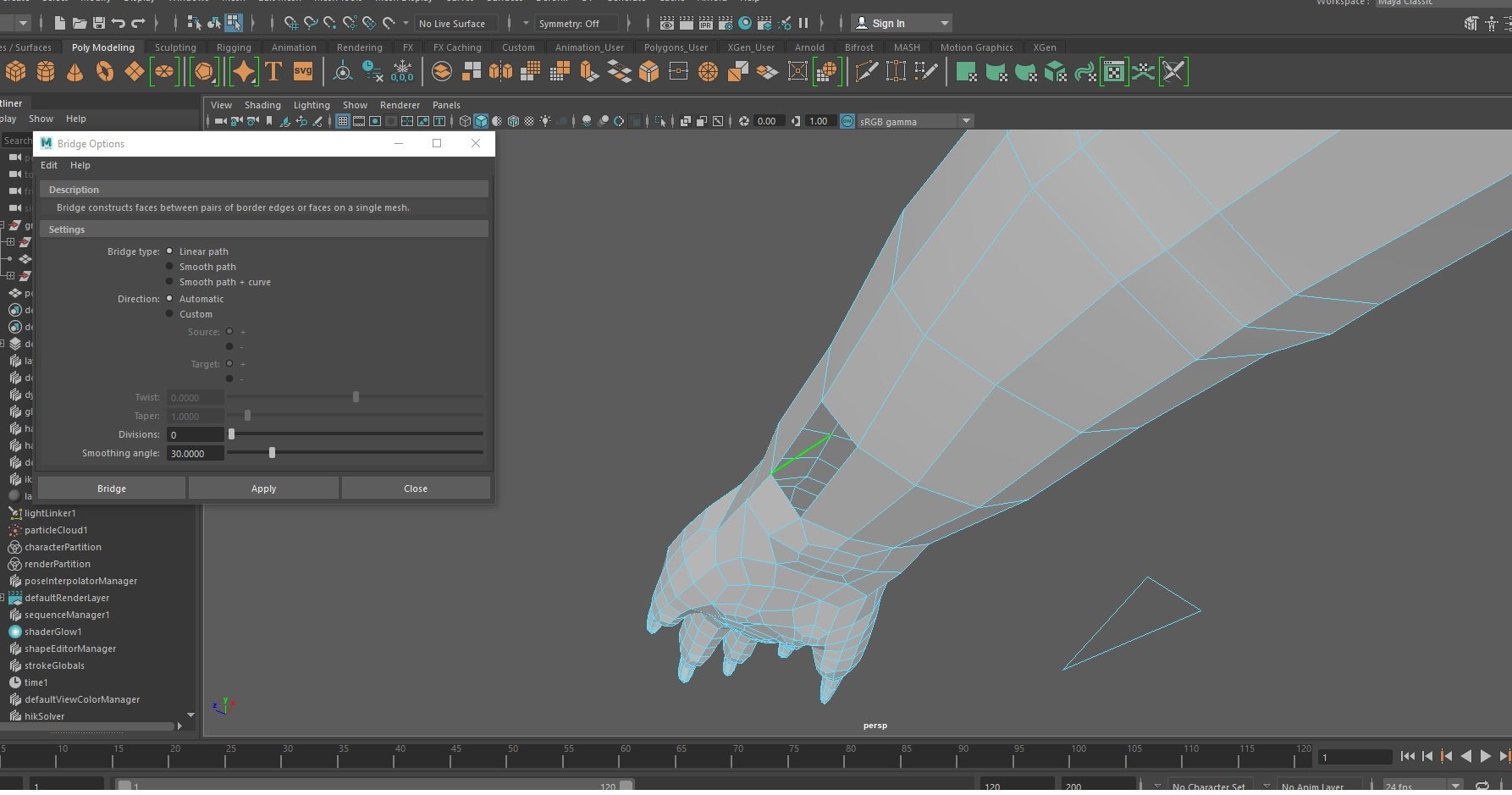 Alright Maya is driving me nuts to do the most simple actions. Not going to rant but in an attempt to not throw my pc into the wall... All I wanted to do was bridge between two edge loops that's all. THAT'S IT HOW MANY BUGS COME FROM SUCH A... no no.. calm.. It was the first action on my model in Maya so no need to worry…
 -
Re: Baking problem (or understanding-problem?)
 The baking is mostly for adding an illusion of extra small details . Like those dents on the edges . If you hope to make low res silhouettes look less angular it works only in certain cases and will work only within certain view sector . Will have "waves" from another point of view. In your case you could transfer…
 -
Re: Roman game assets based on scan

 These assets will be in an interactive learning program, wich will have a roman level, Aquincum. The deadline was very close, and there were more than 30 assests wich I had to deliver. So I had to make assets as fast as I can, and worked out relativley fast ways to do it. Please let me know if i did anything dumb!…
 -
Re: handplane - new tangent space tool in public beta
 I'm having trouble with displaying normal map in Ce3. I modelled in Modo. Baked in xNormal. Converted normal map in Handplane to 3ds max (since from what I know it's synced with ce3... ?). I used converter fbx => cfg for ce3 to import mesh. Used Photoshops crytiff plugin to export normal map into tiff. And that's what I…
 -
Re: Exporting FBX to UE4 error flipped normals
 The obvious answer is to flip the face normals then export again. The why of it is likely that the normals are flipped in max to begin with due to some quirk of the creation. Max doesn't default to enabling backface culling. select an object and right click, go to object properties, and select "backface cull" and see if…
 -
Re: [UE4] Hand drawn 3D Art
 Try and excuse the irritation here, but fuck me dude. Seriously, you are in no position right now to be worrying about slight tonal shifts, whether you can control them or not. That's SO far beyond the fundamemtals I can barely describe it. And let's be clear, you are still building up to the fundamentals. You are. And…
 -
Re: [Maya] Vertices displaced when smoothing [Solved]
The later issue pictured is two edges sharing the same vertices - that is what that non-manifold complaint is referring to. It's surprising that cleanup hasn't identified the issue but such is life.. You can fix the open (dual) edges by selecting them and choosing merge border edges. Much quicker than deleting faces and… -
Re: 3d Studio Max to Substance Painter - The Emperor Throne - bakingand color problems

 The texture looks weird because it is actually rendered in realtime (same as the 3d model), meaning that it is reacting to the light. That's why there is dark/lighter tones. You can bake an ID map in multiple ways. I usually do via material colors. Since you chose to bake a vertex color and you don't have a high poly with…
 -
Re: Stephanie's game props
 Heh thanks yeah well these aren't the actual resolutions of my textures, I guess i should have stated that. The Fence material has a transparency and an emissive that's just the diffuse there. I'm missing some normals on my plants but not on the bricks, hah... I expected some one to comment on the bricks. Well this place…
 -
Re: Pirate Lamp Post
 * With your object selected. In the polygon menu color-create empty color set. * In color menu again select batch bake (Mental ray) Option Box. * "Bake to" should be set to vertices, check bake set override and set color mode to occlusion, click convert and close. * You model should now look black and white, to make the…
>9921 results