Search
-
Photorealistic lamppost scene

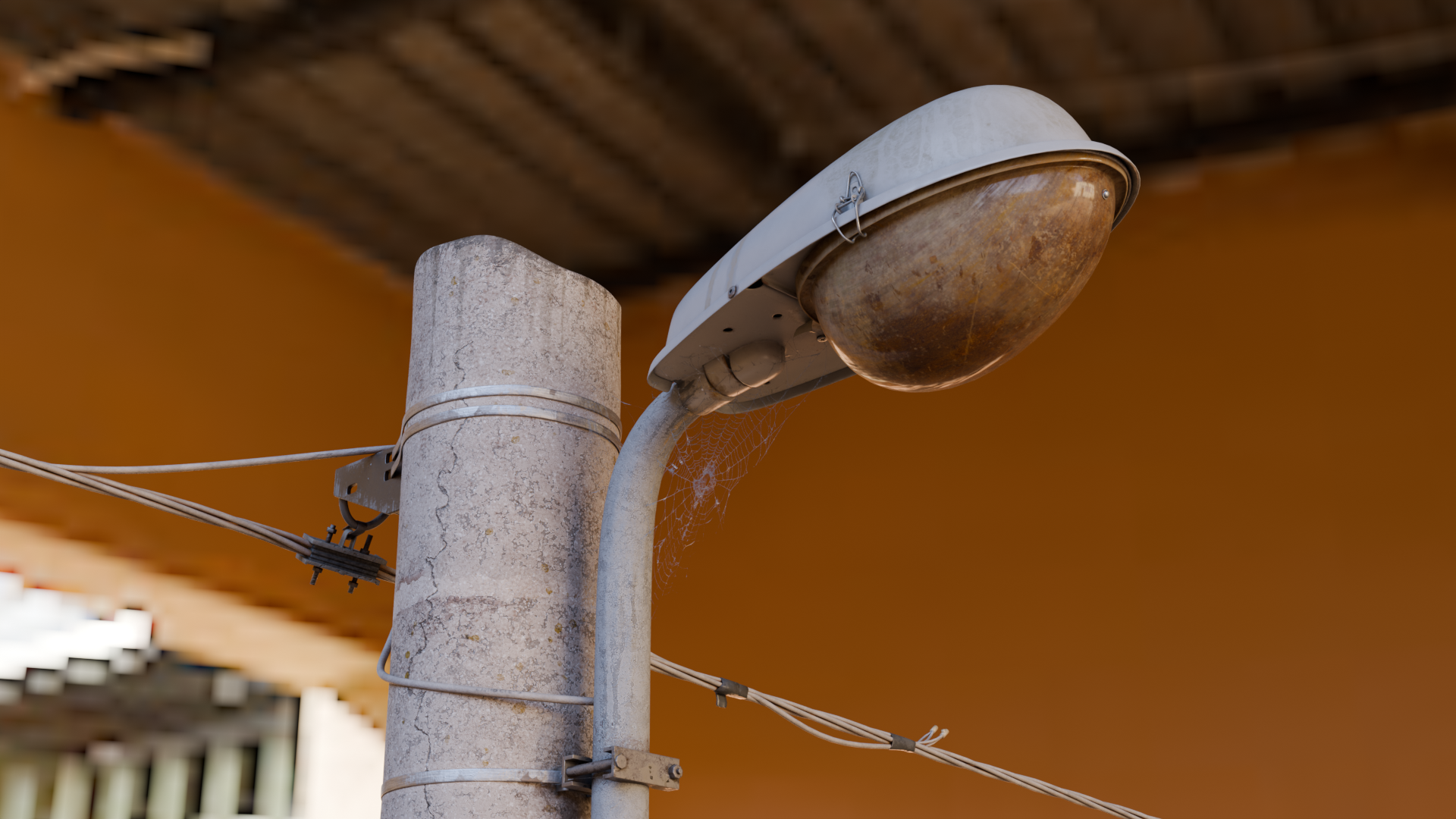 The objective of this project is to seriously improve my photorealistic skills. As of now i've only touched the modeling and texturing part, meaning that all that comes with post-production is yet to be seen (but if you have any suggestion it would be greatly appreciated.) Needless to say the scene should ideally reach a…
 -
Re: maya scales as i rotate.
 You've got a hierarchical node above the object which has an awkward scale? For instance a group? It's very easy to recreate this dilemma. Make any new object in Maya, group it, scale the group along one axis. Now select the object and rotate it. Skeeeeeweeeeed.
 -
Re: [MAYA] How can I translate and scale a curve without screwing up the geometry on it?
 sounds like double transformation! curve controls surface and parenting both to a controller results in: parent scales curve which scales object (as long as it has history) AND parent scales object created by the curve again. solution: parent only the curve to the control but not the object.
 -
Re: Stitched UVs and Edges
 Ok, here are the screenshots of a very simple sample object. The engine i used for testing in the cryengine. On the HP Object is a turbosmooth modifier applied. As i wrote if there are not stitched together, it works fine. @earthQuake i tried both ways, before and after triangulating the objects.
 -
Re: Webley Revolver
 Your low poly objects are not capturing the high poly object. That simple. You stated it yourself. Add more geo to match the low closer to the high and you will see your blackness go away. Otherwise, deal with it! Will the camera view ever be that close to the object?
 -
Re: Max bug..
When you say that your textures are changed, do you mean uv's? Replaced/exchanged filenames ? Does it happen with collapsed objects? Very big objects? Objects that have a topology-changing modifier in the stack? Also, what version of Max are you using? -
Re: Temple and Chair and Table Set
 Check the Hypergraph or Outliner to see if your objects are still there. Sometimes re-assigning a shader to an object that appears to have gone fixes the problem. Also try a quick planar projection to make sure the objects have UVs. Weird, I know, but it sometimes works.
 -
Re: Getting a particle to stop
If you need particles to take the shape of an object, you can use the Position By Object operator. Make a box, assign that box as the position object, and then change it from surface to volume. I think that might get you closer to what you want, maybe. -
Re: Asset Pack Textures
A mix. Simply using a tiling texture for each mat type would work, but it's low effort and kind of meh looking a lot of the time. For a load of props, unique/atlased RGB masks might be worth considering. So a mix of generic tiling materials, with a mask to blend them with context to the object. an example for metal it… -
Re: [Technique Showcase] Unreal 4.13 Mesh Normal Map Decals
 Also consider object scale. You could have very large objects (like vehicles) which use tiling textures (and fwvn where it makes sense to do so) broken up with decals. So you get the benefit of super-efficient texture use while not being limited when it comes to adding unique details wherever you like. However — I've just…
>26401 results