Search
-
Re: weird mudbox issue
 I would try rebooting, deleting your Mudbox config folder and give it a try again. Additionally try subdiving a different mesh through mudbox and see if your current mudbox file isn't corrupt or something.
 -
Re: Sketchbook: Frank Polygon
 @FrankPolygon oh sweet, thank you so much for all this knowledge share. I literally have saved as pdf all your posts as reading part is very crucial instead of just images in ref folder :)
 -
The Heart Game

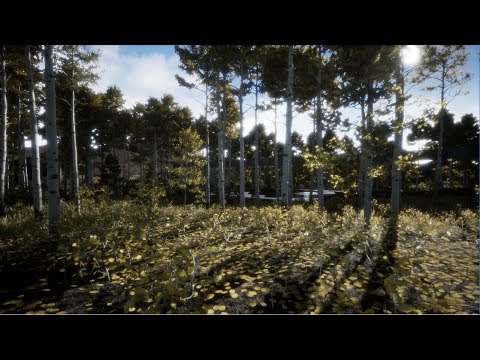 It's a bit difficult to explain what this project is all about. For many years I’ve been doing mostly still image artwork, and during the time of creating one of those still images, I had an idea that it would really be cool to actually be able to experience what was taking place in the image instead of only having the…
 -
Re: Affinity Photo - decent replacement for photoshop?

 It´s probably the method with adding procedural textures on a Group/Folder and 0 out the channles you do not want. An Example file is attached. There is sadly no explanation given regarding the handling of the Alpha texture or how to export it so it works.
 -
Re: Photoshop is it possible to copy file path of image from inside Photoshop?
 Thanks I also just realized my fetal flaw in my workflow was duplicating the file first technically making it a temp file, if I open the document and do a save as it will actually take me to the right folder.
 -
Re: A Rock! In Zbrush! Woo!
 Almost forgot, look into mallet fast, which is hidden in the lightbox folder in zbrush. You can create rough gouges in rock surface that you can then go back over with the surface smoothing brushes I mentioned.
 -
Re: Max renders saving with odd colours
 Nope, nothing to do with photo viewer. The difference is clear just in the windows explorer folder and in any program. It's like Max is saving images with the contrast altered but for no reason. edit: how do i check/alter the gamma?
 -
Re: Baroque Mini-Env
 That is beautiful! I've got to say though, the camera lens smudging and super-bright haze really detracts from the environment quite a lot. It just feels unnatural. Great job, though. Straight to my inspiration folder!
 -
Re: cryengine 3.5.8 exporter, 3ds max 2015 issue
Yes. It doesn't come with 3.5.8 but I found it and put it in max's plugin folder. crytools installer said everything was ok. It added itself to max's interface. I exported the materials with it. I don't know what to do. -
Re: SOLVED: DDO not showin texture on Model
 Did you change the name of the mesh? If that's the case, you'll either have to rename it back to what it was, start from scratch, or change the name of the mesh inside the project.xml file and rename all the .psd files in the project folder.
>11637 results