Search
-
Re: Sketchbook: ikruz98

 Currently learning how to improve my renders. Been fiddling with Mental Ray and also trying out the new Maya 2017 Arnold Renderer.. Still figuring out the shaders but here's a quick piece i did trying to get the PBR look Inspiration came from the recent build that Man At Arms Reforge did of Trunks Z-Sword
 -
Re: Meet the Animators - Introduce Yourself

 Hi everyone! My names Jonathan Agueda, currently in Orlando, FL. I'm enrolled to The DAVE School located inside Universal Studios and have been doing this work since March 2017. I'm also doing freelance work for Pixel Perfect Polygons on "Our Ghosts of War" and for Monkey Punch Studios on "The Government Experiment"…
 -
Re: How can i U shape ramp with vertics position control in 3ds max ?
 Hey! Glad my tip helped. Another way to make the smooth curved ramp shape... start with a Helix instead of an Arc. http://help.autodesk.com/view/3DSMAX/2017/ENU/?guid=GUID-3720DC32-7B9E-4C4C-A709-B3EF12C1112D And you can use the Rendering rollout in the Helix to make it into a rectangular-shaped mesh. Less modifiers the…
 -
Re: Mini Cooper
 Well, I have to apologize for this one. I only remember to post here today, I really suck at environment. I guess I'll just create another project. I finished this last October 2017. I will create a new one, to show my improvements! cheers! Here is the link of the finished product: https://www.artstation.com/artwork/vPryx
 -
Re: [WIP] The Swift Scout
 Reply by Kairosmith · · Home› Contests & Challenges Archives› Riot Creative Contest 2017› Riot Creative Contest 2017 - NarrativeUnfortunately, I've run out of time to complete this narrative submission, so my thoughts on Teemo will have to wait for another time! I did manage to finish my environment piece though, which you can check out here: http://polycount.com/discussion/193937/riot-creative-contest-2017-environment-art-peter-burroughs#latest
 -
how to convert normal map from Tangent Space to Object Space?
 Hi) Does anyone know how to convert normal map from Tangent Space to Object Space? (or vice versa). I know that «Handplane» can convert. But I couldn't find a description of the conversion process. Where is this magic button? + It hasn't been updated since 2017. Maybe there is another way to do this in 3Ds max or Marmoset?…
 -
MODO | Polystein Kit Receives Another Free Update

 MODO | Polystein Kit Receives Another Free Update I'm excited to announce that the Polsytein Kit has received another free update! This update introduces some amazing new features, workflows and enhancements to the Kit that I advance the tool far beyond previous versions.…
 -
MODO | Topology Pen Tool Shortcuts
The Topology Pen tool can be found in the Polygon tools menu in the Model Layout, and the Tools menu in the Topology Layout. Whether you're using the Topology Pen tool for retopology or other modeling tasks, you'll want to take advantage of the shortcuts that are available. This quick video shows the various shortcuts… -
FPS Animated Short: Behind the Scenes - Part 1
 This is my new FPS Animated short which I'm working on and will be released in January 2017. I will also be releasing the entire video of how it was animated from start to finish on WatchMeAnimate. https://www.youtube.com/watch?v=6Ktm7nv1VkA I would like to wish everyone at Polycount & and to its loyal readers a very Happy…
 -
New Wall Worm Basics Video

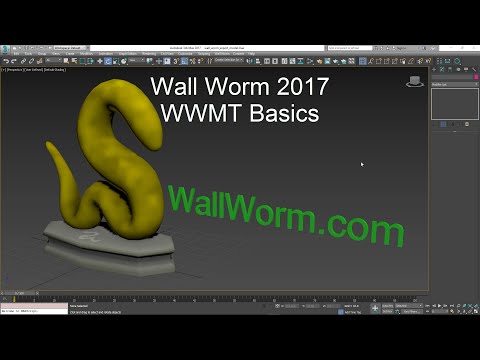 New video showing overview of model export basics in Wall Worm. Video shows use in 3ds Max 2017. Covers some topics not covered in older videos/docs, such as accessing the QC/QCI files from UI. https://www.youtube.com/watch?v=4jIGEidR7R0 Also started updating some old docs on the UI to reflect current version. Main Model…
>3098 results