Search
-
Re: Modo move tool in upward mirrored
 I think the problem I tried to mirrored in a maya way, to type -100% to the Y scale. I cut the problematic polygon to another mesh, and paste back, now it works. Sorry
 -
Re: How to animate dirt being dug form a surface
 Yea, definitely depends on if you are looking to do offline rendering or real time..but what monster said would be y our best bet. Globs of dirt and some particle effects.
 -
Re: Roger Ebert On Why Video Games Can Never Be Art
 "Is X art?" is up there with "I disagree with your obviously incorrect political opinion" and "music genre X is better than music genre Y" for The Most Pointless Argument Ever Award
 -
Steampunk Bike
Hi people, first post here! Im a 17 y/o student at the Grafisch Lyceum Utrecht in the Netherlands, and im in my second year now. here's a high poly bike a made not long ago, wire's still to come. -
Re: [WIP] BlackSmith Girl Character

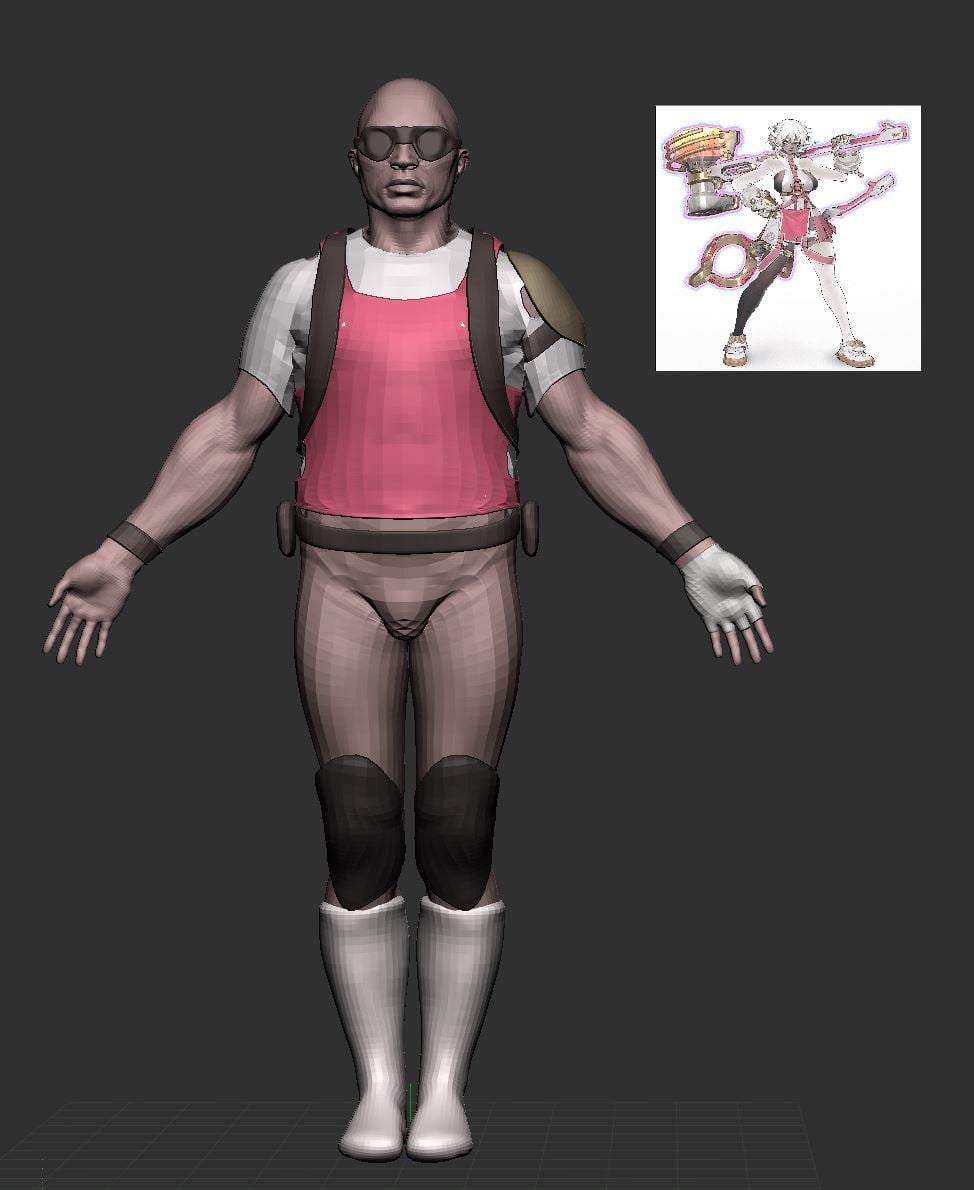 at this stage i would recommend blocking in colour; it'll help with grouping details and getting proportions right; you can drag your concept in as a texture, apply it to a plane, then colour sample the texture (shortcut c) and go from subtool to subtool, rbg > fill
 -
Re: DDO v5.3 is now free
 This left me speechless! Quixel doing it again! [ame=" https://www.youtube.com/watch?v=YyJJAp17K-Y"]DDO & 3DO Workflow Primer - YouTube[/ame]
 -
Re: Modo: Steam Edition
Well. There is still issue with axis conversion. When you change modo up axis to Z, fbx exported still have Y-axis as up. -
Re: Tyranid Fleshborer WIP - When bullets don't get the job done, fire beetles!
 I dont know what your using to preview but try flipping your Y channel in your normal map - it looks totally inverted at the moment.
 -
Re: Answered: Object Space Direction in DDO Dynamask setting is wrong
 The directions are determined by your model's orientation in world space - if your model is aligned to Y or Z, you'll see a different up direction in your OSNM. :)
 -
Re: Dota 2 importing models to 3Ds max
 Could this have anything to do with what you have 'up' set as? "Z" vs "Y" I mean. Change your settings and see if that helps.
>147271 results