Search
-
Re: Having trouble to remesh and bake normals to a .OBJ mesh

 Hey again, To update on this case, I managed to get this bake done properly with a custom cage: Now everything seems to be working just fine! Thanks again to all of you, you rock! B)
 -
Little Dana & Friends - Park Bench

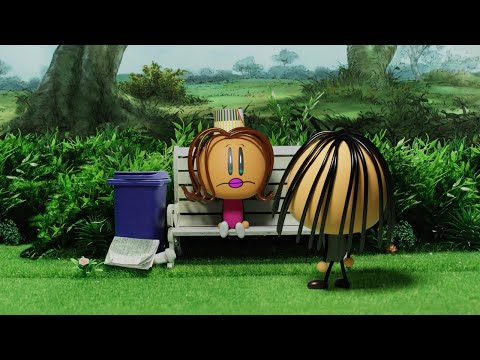 https://www.youtube.com/watch?v=OyZQNlz7hAw
 -
Re: Sketchbook: bredmonster
Some sketches while I get used to Krita: And a few studies of B/W photos: This one I only had ~30 min to do And here I spent about 45 min -
Re: Harvestable Plant Blueprint - UE4
 Use 2 components. By default, show the intact mesh. On picking up, "set visibility" of that to hidden, and set visibility of the harversted one to visible. Or better, use one, and just "set static mesh". B)
 -
Re: Blizzard Internships 2010
 Fail! Sorry, yeah, because I'm not enrolled in an education. AFAIK you can only get an internship if you're A): A student and B) : US based, right? Will keep an eye out for associate positions then, thanks:)
 -
Re: Tree billboard problem
 If I'm not mistaken you'd need to add something to the opacity channel to say where you want see through. In this case you could just turn your rendered texture into a B&W version and use that
 -
[Riot 2017 Art Contest] - Braum-executioner
 Topic by Roman_Tishenin · · Home› Contests & Challenges Archives› Riot Creative Contest 2017› Riot Creative Contest 2017 - IllustrationHi everyone! I'm Roman. I'm here to draw stuff and chew bubblegum, and I'm all out of gum! B) Soon you'll be able to see my first sketches, refs and wips in this thread. Stay tuned. Peace!
 -
8 bit songs that aren't only 8 bit?
Does anyone know of any songs that have 8 bit elements in it, but are not just 8 bit songs? An example of what I mean: https://m.soundcloud.com/planned_obsolescence/bit-rate-variations-in-b-flat Thank you. -
Re: Colour Mixing Help
You don't have to do or paint actual grayscale image. Sorry I used the word "grayscale" meaning actually that you can paint in a few shades of gray initially ( in RGB document). Or not in shades of gray at all. Gradient map works over color layers too . It's just a way to apply color schemes on anything . Try to apply… -
Maya problem - snapping brushes when sculpting
 Hi, i have this issue where everything snaps in maya while im sculpting , even when im trying to resize brush holding B i can see snappings. My snappings are turned off. I tryed to reach discreet mode, but i dont know where is it in maya 2022 ? why is this happening ?
>154800 results