Search
-
Re: Beware of tripled charges of Lastpass Premium
 I don't think you have checked Bitwarden - https://bitwarden.com/#organizations 36USD is too much for password manager. For India it's about 46USD, i have bought several softwares and subscriptions never i have seen any extra tax deducted from me.
 -
Re: 3DS Max + Vray - render text and finished images

 Okay, here is how i got it working A few notes to whoever may need it: Image resolution is 360 x 240 Despite this, image took 40 minutes to render The golden parts took insanely large ammount of time to render Textures used are in 4k quality I did expect my laptop to burn at somepoint but it did well... I used substance…
 -
Re: The Quarterly CHARACTER ART Challenge | January - March

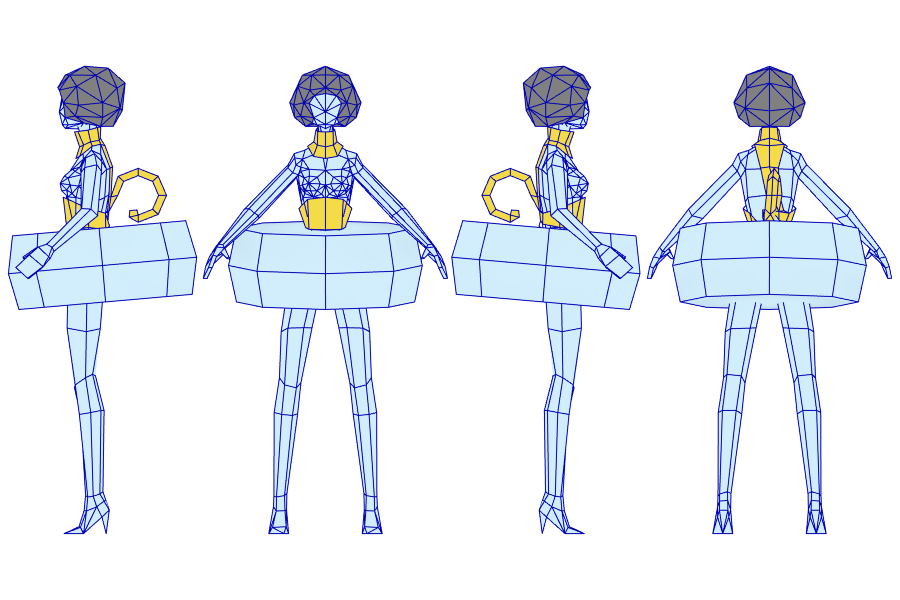 Wanted to relearn Quake 3 shaders and mess around with morph targets for death anims before trying a PPM I'm planning so I'm going to chuck Candle into Q3. Planning on 800 polys and I'm going to change at least one of the hands for bare wick so the change weapon anim is a 360 spin. There's going to be a wick skeleton…
 -
Re: Still Trying to Finish ArtStation's T.L.O.K.A. Challenge

 For the hero prop close ups, I thought it would be fun to build little dioramas in Marmoset for them. I also captured some 360 HDRI's of my cave scene to use in Marmoset's IBL system. It was surprisingly easy too. (If anyone's curious this is how https://www.youtube.com/watch?v=sCaeXK1mx48 )
 -
Re: Unreal Blueprints for Rotation
 Unreal 4 Timeline Documentation: https://docs.unrealengine.com/en-US/Engine/Blueprints/UserGuide/Timelines/index.html (Which nodes to use for rotating will depend on how you have your actor/meshes set up. But you had that figured out already I believe) You could use a timeline to drive the rotation like so like so; Inside…
 -
Re: Virtual Reality
 Ah sorry to hear that, i figured it might have been an older dev kit or a 3dof system. A few things might be causing that if you ever try one again: * Incorrect IPD settings on the headset or you have an IPD that exceeds the range of the hardware * Astigmatism * Farsightedness * Photo sensitivity * Garbage content…
 -
Re: little muddy rhino
 And here is a turntable video: https://vimeo.com/369165089
 -
Re: dodge
pria mouth some facial motion https://vimeo.com/369738237 -
Re: [Maxscript] Reset Pose All
 @dg3duy If this is for an animation rig, just use Freeze Transforms command to define the base pose. Then you can use the Transform to Zero, Position to Zero, or Rotation to Zero commands to go back to the base pose. Alternatively use Set As Skin Pose, then you can use Assume Skin Pose to return to the base pose. I use…
 -
Re: Photo Reference Packs from Nomad Photo Reference

 PNG Photo Pack: Shinobi Download on Artstation In this PNG Photo Pack you will get dozens of shinobi movements & poses from many view angles (360° round table). Some of these cutouts are inspired by Jin Sakaï's postures from Ghost of Tsushima ;)
>3799 results