Search
-
Re: Expanding DBuffer Decals

 Optimization There are 3 areas of optimization I want to talk about. 1. Material pins: There are now two pins that deal with decal opacity: Opacity & MultiOpacity. How do they interact with each other? I decided to make it like this: If MultiOpacity is connected, the opacity will be read from this attribute, otherwise the…
 -
Re: Need Maya 2008 workflow advice urgently
 I created some user marking menus for some of the functions that I use on a regular basis (and also made some very simple scripts for things like mirroring and instancing etc) Just stick em in your 'My Documents\maya\x.x\prefs\markingMenus' then goto Window > Settings/Preferences > Marking Menu Editor. You should see…
 -
Re: UT2004 players...wanna get together at.......
Sorry, Tim...that was a bust. I was trying to get my router set up with my new 'puter and flubbed the dub. I still can't get the pc's working on the router. The will both work fine by themselves on the cable modem.......sheesh -
Re: Cyberpunk 2077 inspired Game Environment, Third-Year Uni Project

 It's been a while since I posted. Things have been getting busy! But without getting into too much detail, here's what I've been up to. So I figured out what was causing the weird lighting. It was because of how the normal map was being calculated in my triplanar projection material, because triplanar projection naturally…
 -
Hot to get the Toolbag Look in Unreal?
 Hi Guys! Im working on a prop for school. Its a massivly stone table with some small ornaments. All done in zBrush and baked down with xNormal. My Problem is that i dont get the nice Marmoset Toolbag 2 Look in Unreal Engine 4. I already tweaked the scene a bit, but i think there is a lot to tweak. I like the style in…
 -
Re: Interior Environment with Hero Assets WIP Log: 1960s Apartment Crime Scene
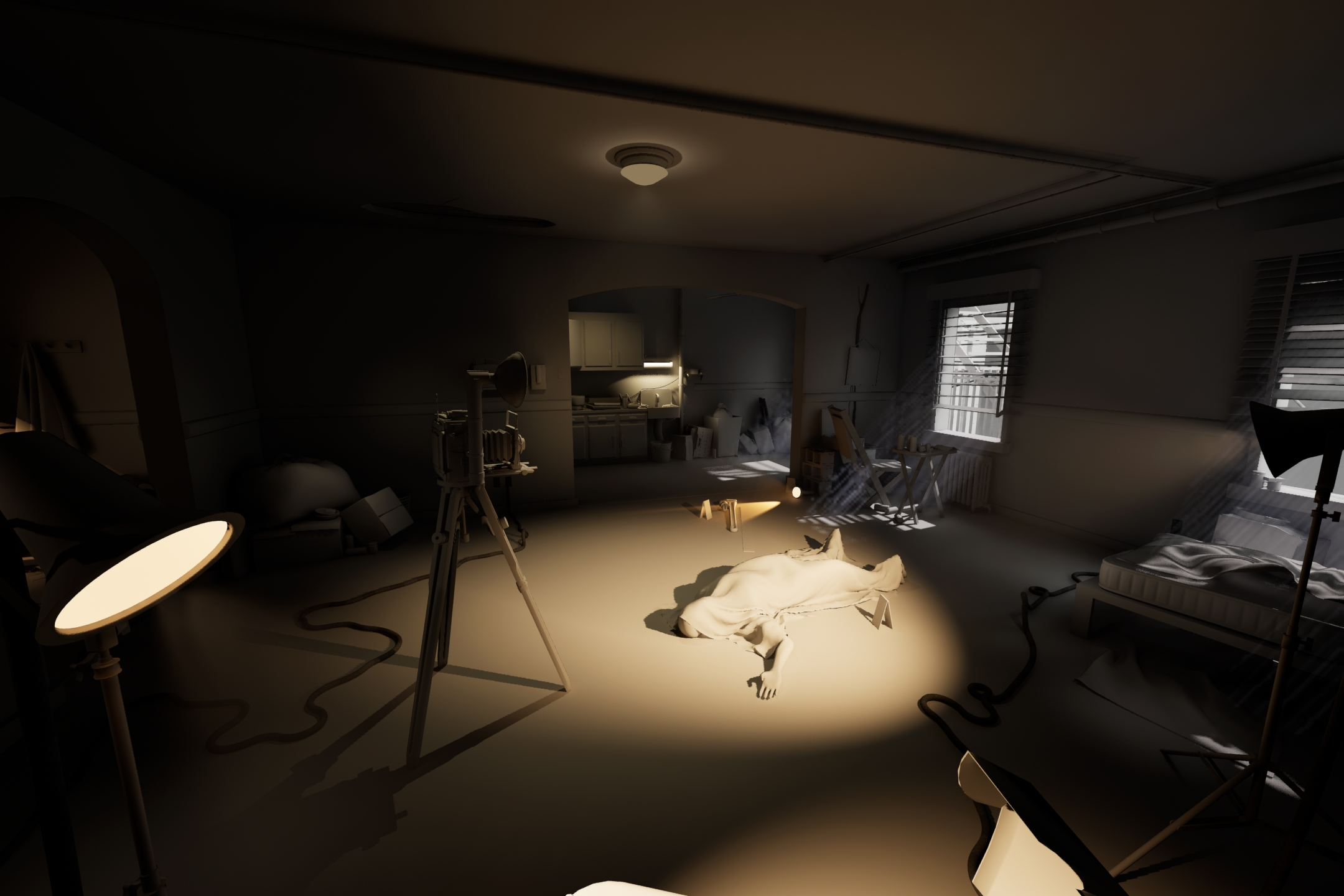 Past couple weeks I tightened up the cameras based on feedback (especially my Establishing shot) + added more supporting shots while also setting up a Movie Render Queue and render settings therein to quickly output renders as the environment progresses (you'll also see some more play with shadows/lighting/and general…
 -
Re: Can I get some 3ds max to Modo tips?
 Re: tools most tools are by default click to activate. You can change tools to auto-activate though, so simply selecting the tool will make it active. This can be done from the tool pipeline, which by default layout is on the right hand side under the "lists" tab. That's also a good way to check what tools / constraints…
 -
Re: How do you join a textured and retopologised head to a body mesh?
 Well ... to some extent you've pretty much answered your own question already : you get the output from Wrap, then attach it to whatever body you need it to be attached to (either by actually welding verts, or by just manipulating normals at the edges to make things visually seamless). Wrap3 doesn't "autoretopo" anything…
 -
Re: Advice for Beginner Artist
 Before you dive into all the myriad of software and techniques out there, learn the fundamentals. Its way too easy to get overwhelmed with the amount of software out there. If you decided you wanted to be a pilot, would you start by flying fighter jets from an aircraft carrier - worrying about which one to use first? No,…
 -
USD updates in Maya and 3ds Max
 The USD team at Autodesk is happy to share the updates to our USD plugins in Maya and 3ds Max. Maya: * Use native camera viewport controls with USD cameras * See USD Light shapes and pick in viewport * Exporter now has option to Export a ProxyShape as an Xform with Reference to root layer * Outliner now allows reloading…
>122314 results