Search
-
Re: mudbox import as layer problem.. help!
 I remember having the same problem with Zbrush. First off, try unticking all the options for OBJ export before exporting (maybe with the exception of "normals"). If that fails, try exporting the .obj from maya, re-importing it, then re-exporting it again. That used to be the fix for Zbrush. Maya seems to flip the vertex…
 -
Please Help me,i need some information
 I'm here for some information about this model format,its extension is YOBJ.I'm providing a sample model file and textures below. http://www.datafilehost.com/d/7638c65f also here is a blender script which opens the model in blender 2.49 https://mega.co.nz/#!1llHUb5a!14iCHUtlmFL_aPvICWaeoYXcRNffzfFuFzagDCTwriE Unfortunately…
 -
Re: Zbrush - creating normals is giving weird results
 I've manged to fix it. Seems like this is a problem some call broken UV's. To fix it I went to my lowest sub division, eported as OBJ, opened in 3DS Max and went to unwrap it. Simply select all verticies and put your weld value at something low like 0.01 and hit weld all. Then export back out and import into the lowest sub…
 -
Re: ANSWERED: Issue with 3DO and Toolbag 2.
 This looks like a problem I have seen before on a friends project, in his case it had something to do with the .OBJ file he exported from 3DS max. If I exported the file from Maya with the correct edges soft and/or hard it worked fine in 3DO. I do however not know why it occurs in the first place. I have also had problems…
 -
Re: Mudbox 2009
 Some obj problems in Max 2009 are still the same, the scale problem is still present (always tweaking with numbers), and ngons seems not to work too when exporting. Fbx export does not work properly within Modo, you put Y or Z axis on the exporter to FBX, and you always need to rotate all the scene. Attach all geometry to…
 -
Re: Sketchbook: Celosia

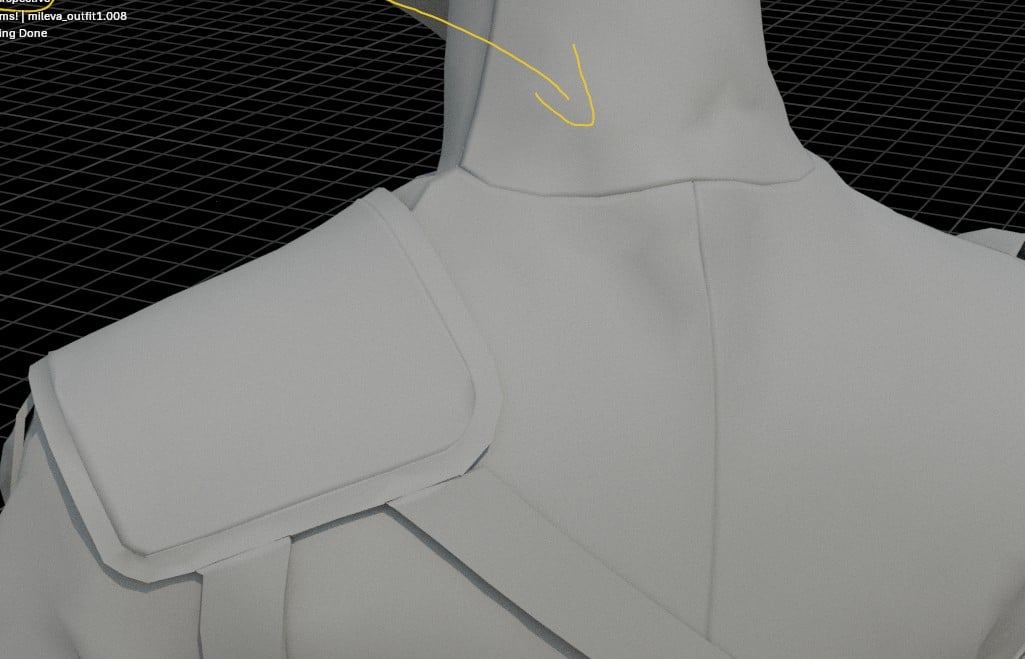 I had a sudden thought this weekend and solved three unrelated workflow annoyances. 😄 First one: Sometimes I sink edge loops of clothing to create the appearance of invisible seams. My usual approach involved manually prepping the mesh in Marvelous Designer with extra edge loops, exporting an unwelded mesh and manually…
 -
Re: Support
 Ok, I figured out another error and the reason for it. Glowing Edges not currently available. 16bit images don't have access to the filter gallery where the glowing edges filter is located. I occasionally get the error cause Crytiff exporter tells me if I don't use 16bit images on export then my maps will look like crap…
 -
Re: Importing .fbx sets model back to T-Pose. Why?
 To export a rigged, posed model via FBX you will generally need to export it as an animated file and include the skeletal data - even if there is no animation. If you don't include the skeletal data, Toolbag will not be able to deform the mesh into the pose you've set up. As you've found, you can bake down or apply the…
 -
Re: MightyBake Tool Announce
 He decimated into quads to get around the bug then imported into Maya. But working the other way around would actually save you an export step because MightyBake can accept zbrush .obj as well as .fbx so importing the decimated file into Maya is just another step and yet another export to then bake it. I would recommend…
 -
[solved] Speedtree: How to increase size of the trunk in final atlas.

 Hi! I am combining bark and leaves texture in a single atlas to reduce draw calls. I am having trouble finding out how to increase size of the tree trunk compared to leaves in the final atlas texture, basically change size ratios between trunk and leaves. If I use export mesh and VFX setup tree trunk takes too little space…
>17864 results