Search
-
Re: How to use quad draw to create clean low poly shells for baking
 Ok so the question is "how do I stop my models from having broken textures like the model on the right of the top picture and what exactly is causing this to happen", as well as also looking for any tips on how to me my retopology cleaner as its a complete mess.
 -
Re: Help me understand the photoshop blur tool.
 While you've got the layer you're working on selected, click the lock transparent pixels button up top of the layer pallete. That'll stop it bleeding transparency out. But be careful because it'll still blur to a whitish colour if you use the tool too much around the edge.
 -
Re: Polycount Minecraft Server
 I've extended the megabridge though the spawn point (and rerouted it from my mines) and I've started laying out rails along the entire length. I've added a few stops with buttons to start your journey, if you want a stop outside your house that's attached to the track, either add a stop yourself or just dig up the track…
 -
Re: [3D] How to unwrap spherical Visor so texture doesn't distort?
 Just my initial thoughts- Try different relaxing methods if your software supports it. Try having the middle seam be a straight line on the UVs and see if you like that look, Like do a sphere projection for the top and a cylinder for a bottom and try to line up the seams and merge them.
 -
Re: Motivation and Frustration with Progressing
 While I do agree with a lot of what Hazardous said, I also disagree to an extent. He comes across as an extremist every time he posts on one of these threads, and I absolutely do NOT mean that as a bad thing. I just dont think what works for him will work for most. Haz, you also advocate putting aside everything else in…
 -
Re: Concept Station Terminal
 More revisions Alex thanks for the tutorial and your crits. The entire thing is going to be made up of metal so thats pretty much that. When I find a solid piece of plastic to work on, I will definitely remember all that was brought up here. As for this terminal I finally it a place and purpose. From hence forward it will…
 -
Re: UE5 project low poly asssets

 What does a texture sheet and UVs look like for these assets? Curious how much UV reuse. And what about the bottom? Are these going to be rigged with physics, and thus tumble-able in-game? The bottom could conceivably use lower texel density, or reuse the same texture as the top, etc. Also, are you baking an ambient…
 -
[WIP] [UE4] Top of The World

 Hey guys, I've been working on this terrain environment for studying and portfolio work. Here are some screenshot progress that I took from World Machine and UE4.16.
 -
[Completed] The Staircase - Environment

 Hello! Unfortunately, I did not had enough time to finish the project in time during the monthly challenge, so instead of stopping and abandoning it I've decided to keep on working on it at my own pace. So far I've made the floor material in SD and been working on the props (the textures are still WIP though) And as of…
 -
Photogrammetry alignment issue

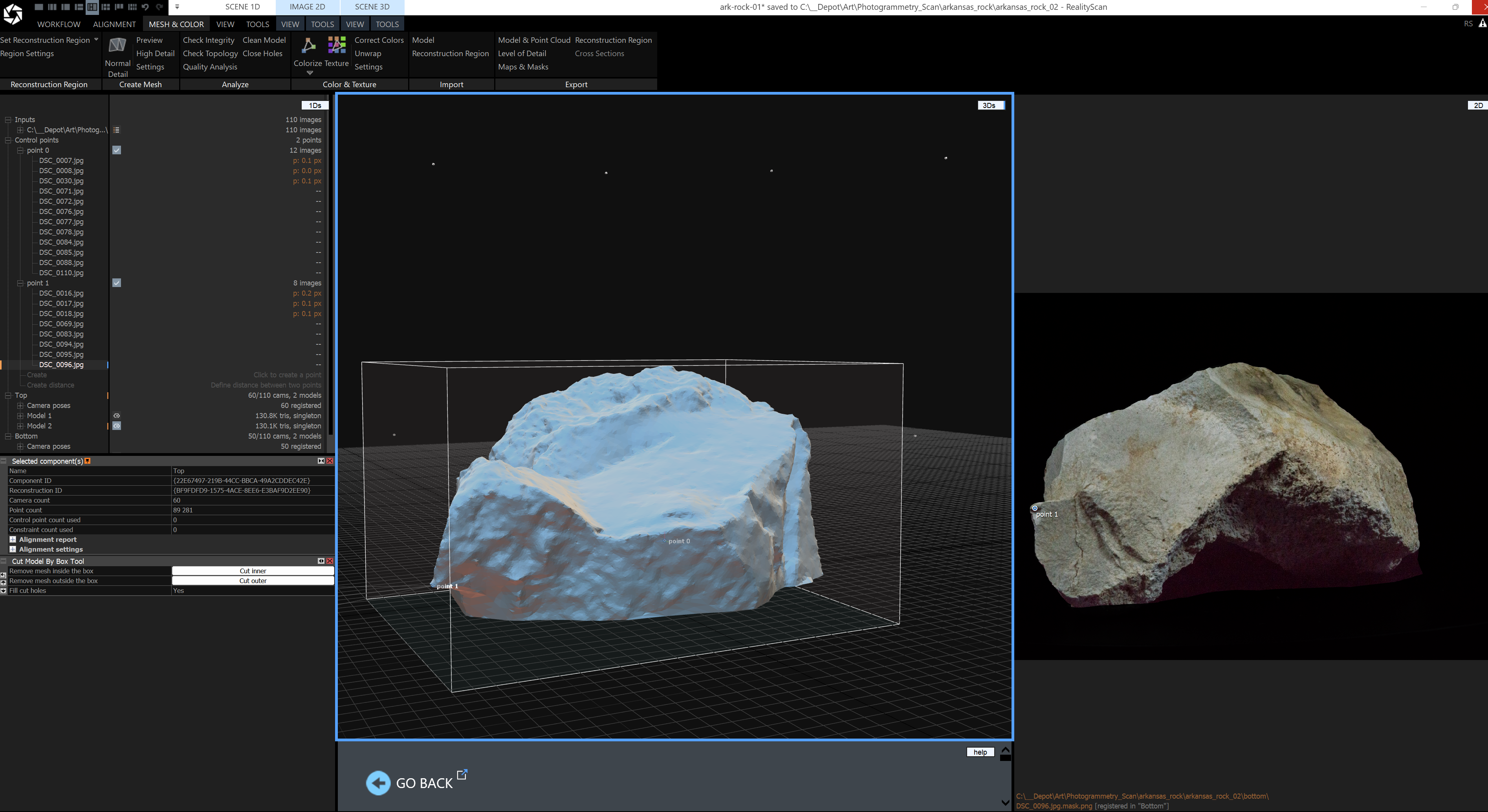 Hey everyone! Thanks in advance for your help. Doing my first photogrammetry scan of a rock. What if my control points do not capture all camera angles? Do I have to keep adding more control points until it encapsulates every jpg and mask? I have a total of 110 images for top and bottom. Only about 20 of the images are…
>44678 results