Search
-
Using a modeling technique from Blender in Maya

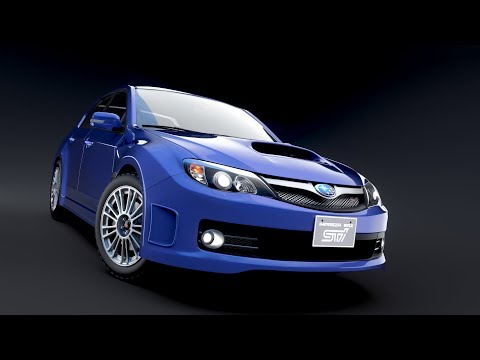 On CG Masters there is this tutorial: Complete Vehicle Production in Blender https://cgmasters.net/training-courses/complete-vehicle-production-in-blender/ in which the tutor uses this technique alot: https://www.youtube.com/watch?v=3rlMzsBWtPY In a nutshell, the tutor creates a guidemesh, and shrinkwraps everything onto…
 -
Baking hair & fur from max using Projection
 Hi guys,I have a little problem,I'm driving the hair & fur modifier using some splines but I cannot bake it down using the projection modifier since in the "Reference Geometry" tab it asks for a mesh. Problem is,if I turn the hair & fur into mesh I get a different look from the hair & fur render,so that's not an option...…
 -
Re: How to make my subd topology more low-poly for real-time rendering?
Use decimate modifiers in Blender and vertex groups to set priorities and keep some loops necessary for animation intact . or multi res in MAx or simplygon . They will try to keep shading up to certain percentage but to get best result use Blenders data transfer modifier to project vertex normals from original mesh to… -
Re: Normal Map Distortion: Zbrush Generating bad normal map
 I had this problem whenever baking normal maps in ZB. Tried everything and ended up going with XNormal. Nowdays its Substance painter so I don't need a cage. But with XNormal and an external app (where you make and uv your lowpoly) your ZB hi and lopoly have to be exactly the same 3d space. Goz a decimated version of your…
 -
Re: Game-ready Lowpoly asset from Fusion 360 Workflow Guide
 @dastagir Absolutely nothing wrong with your English. I wish I could write as well as you in a second language. :) Just a few things I'd like to pick up on: 1 - there is no need to create a 2nd version of the mesh for the highpoly. When I'm building the lowpoly I will always put enough segments on my curves to ensure the…
 -
New normal and specular map generator - Mr Normal
We've just released a new normal and specular map generator for windows. Mr Normal creates maps from diffuse textures, functions and normal map painting to produce unique assets for your projects. As most of the artists on the forum will tell you normal maps can be created by hand in photoshop, or generated from a detailed… -
Re: [3DS Max] Chamfering Thin Edges - Problem
Hack method would be to have a non uniform scaling on the mesh then add the chamfer modifier. That will add a bias to the chamfers on the long side of your rectangle so the edge distances aren't equal on either side of the chamfer. Not a good solution because it would be faffy and not really greatly controllable or… -
Re: Cinema 4d anyone?
 Just chiming in on Edge Cut (M~F) if you activate the tool, turn off the Create N-gons check box on the attributes manager (dumb default). Then if you hold the LMB when you cut you can use the CTRL modifier and slide your mouse to move your cut along the edges. If you LMB hold and just move the mouse, you can add addition…
 -
Re: Is there a "Preserve UV" option in Max like Maya?
 It's not exposed in the customize UI menu as far as I know. What you end up doing is creating a simple macroscript and bind that to a key. First you turn on the listener, then you toggle preserveUV on/off to see what the commands are then you include those commands in a "if then else" statement and wrap it all in a macro…
 -
Re: Modeling Women...
 For belts and stuff in Max I always use the Shell modifier. That way you just need to model a plane really, wrap it around the body or whatever, then use Shell to control the thickness/outline of the resulting mesh. I use it on all my straps and it's awesome :) A sneaky detail trick you can do after that to add some trims,…
>11676 results