Search
-
Re: I suck at figure modeling
 did that take you a few hours? at least it's good to know your persistent ;) . i always edge-extrude my foot out of the leg.
 -
Why are all my faces overlapping?

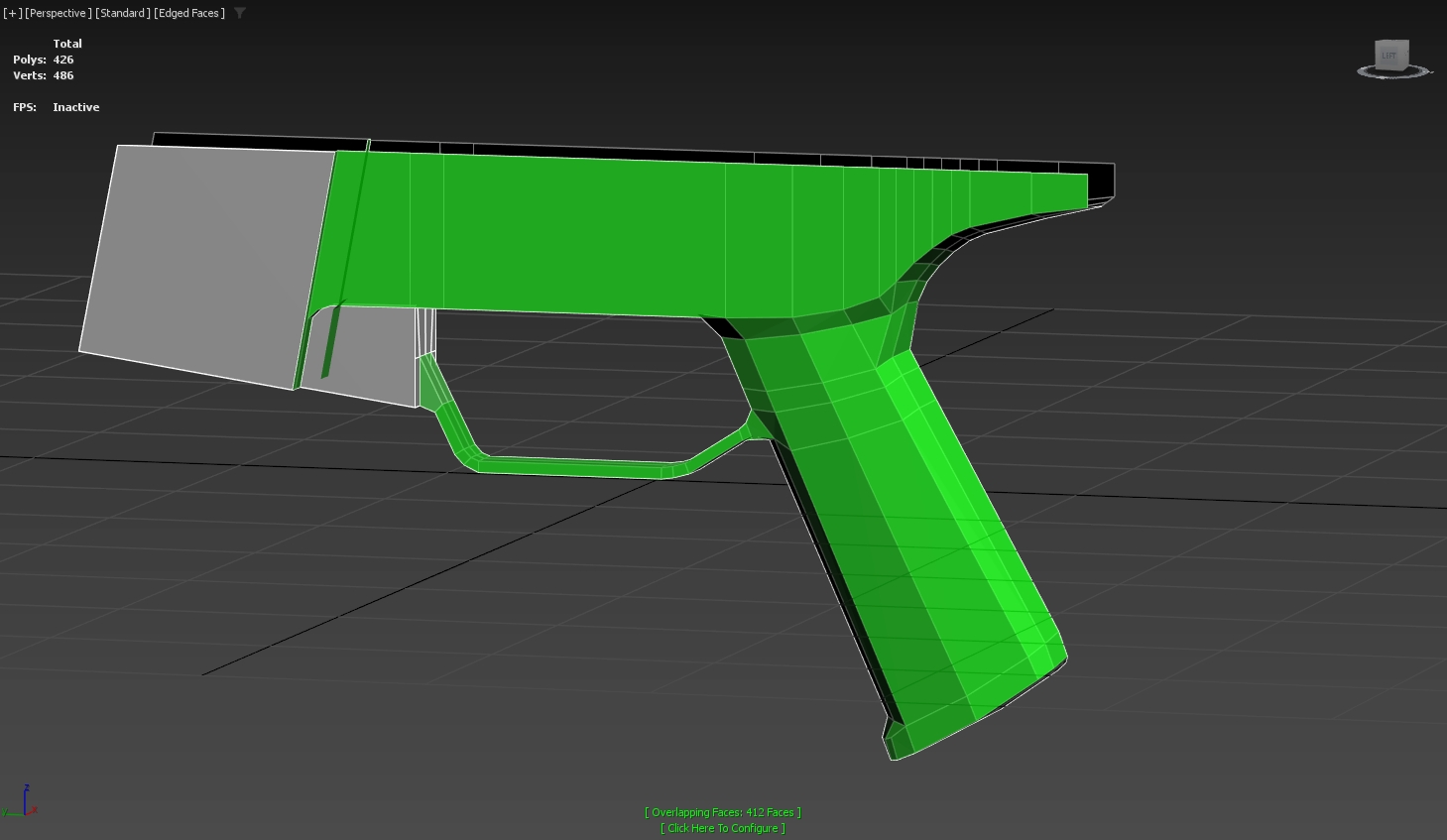 I've never had this issue before, but I've recently started using shift extrude on edges and faces. Why has this happened? Is there an easy way to fix this? All done in 3ds max btw
 -
[3DS Max] Persistent settings for Edit Poly modifier?
 Is there an easy way in Max to set up Edit Poly and it's various tools (extrude, bevel, etc) with the settings I want to use by default and have it remember those between sessions? Or is this "write a script" time?
 -
Added Thickness To A Building's Walls
 What's the proper way to go about this? Do I block it out like so, cut all of my holes, then add thickness by extruding the faces? I would just like to adopt the best method early on. Thanks!
 -
Re: 3DS Max edge loop system
 I found a solution. You can select the edge you want to add holding edges to and extrude it with 0 height. Use the width to adjust the offset. Bam, done. No messing with the add edges tool!
 -
Re: Tileable stone wall, zbrush
 This is sculpted? Can we see the sculpt? Also, I wouldn't extrude the mesh...it just looks bad that way. There is also way too much black so figure out a way to kill that a bit.
 -
Re: WIP Warehouse
 Kinda feels like you were inspired by this tutorial am I right? Seems like you approached it the same way. Which was starting with your textures first and extruding the models from the textures.
 -
Re: PP-2000 gun
Thanks! I just did that the simplest way - I created a plane, evenly divided it with segments, extruded, beveled and then used bend modifier to wrap it cylindrically, then I just fit it over top of the handle :) -
Re: Fixing portfolio
 i dint mean small of the back i meant the bit highlighted the way the muscle falls of so sharply to a flat area makes everything around it seem extruded. and sorry about the slow reply.
 -
Re: Crossbow for School
Is everything part of the same object? When you create more geometry from the existing model(beveling, extruding and etc) instead of create "new geometry" (create panel)? Thanks, and nice work btw
>3549 results