Search
-
Re: How The F*#% Do I Model This? - Reply for help with specific shapes - (Post attempt before asking)

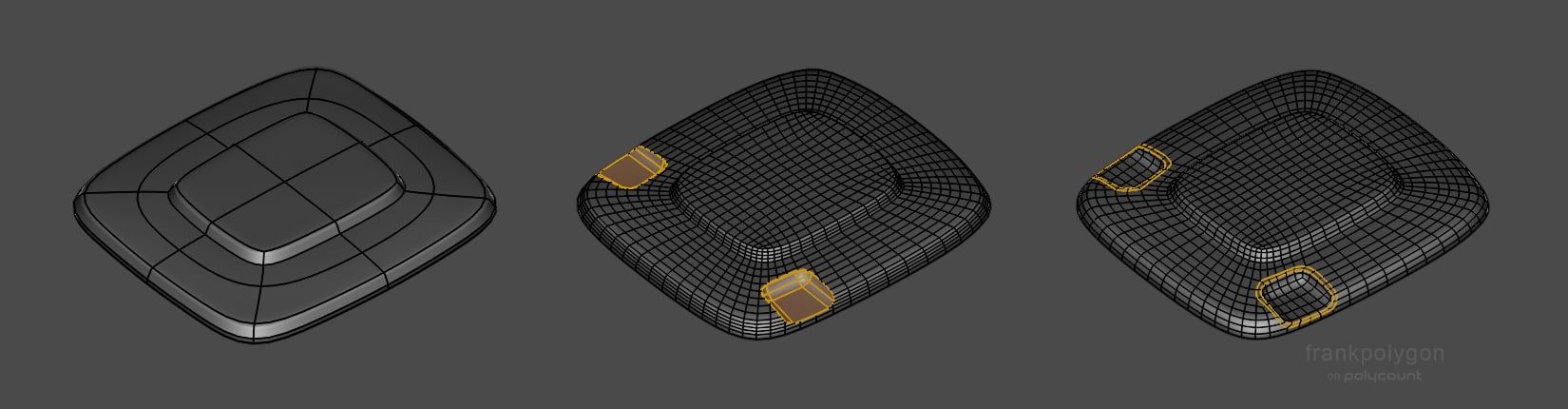 @christrom It looks like you're headed in the right direction. Like Eric already mentioned, what you have would be fine for baking in most high to low game art workflows. As far as a light technical critique of the model and topology: if the goal is to create accurate, detailed high poly assets with a relatively even…
 -
Re: How The F*#% Do I Model This? - Reply for help with specific shapes - (Post attempt before asking)
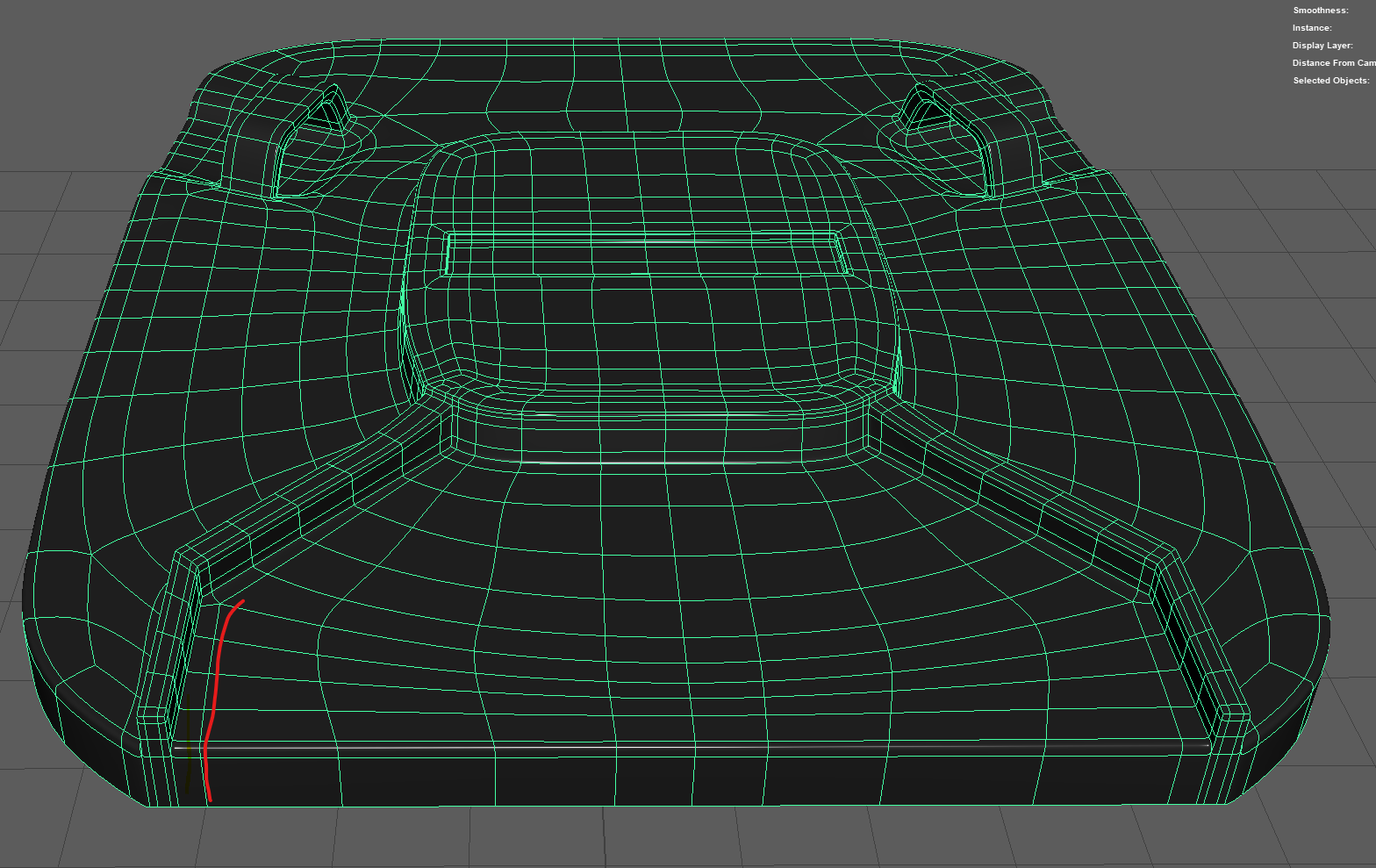 Hi everyone. I wanted to do a practice piece so I'm trying to model a wheely bin. It isn't glamourous in the slightest, but as it is moulded out of one piece I figured it would make for a challenge. I recently learned about sub-D corner topology so wanted to practice this too. I would imagine this as a film asset, but…
 -
Re: How The F*#% Do I Model This? - Reply for help with specific shapes - (Post attempt before asking)
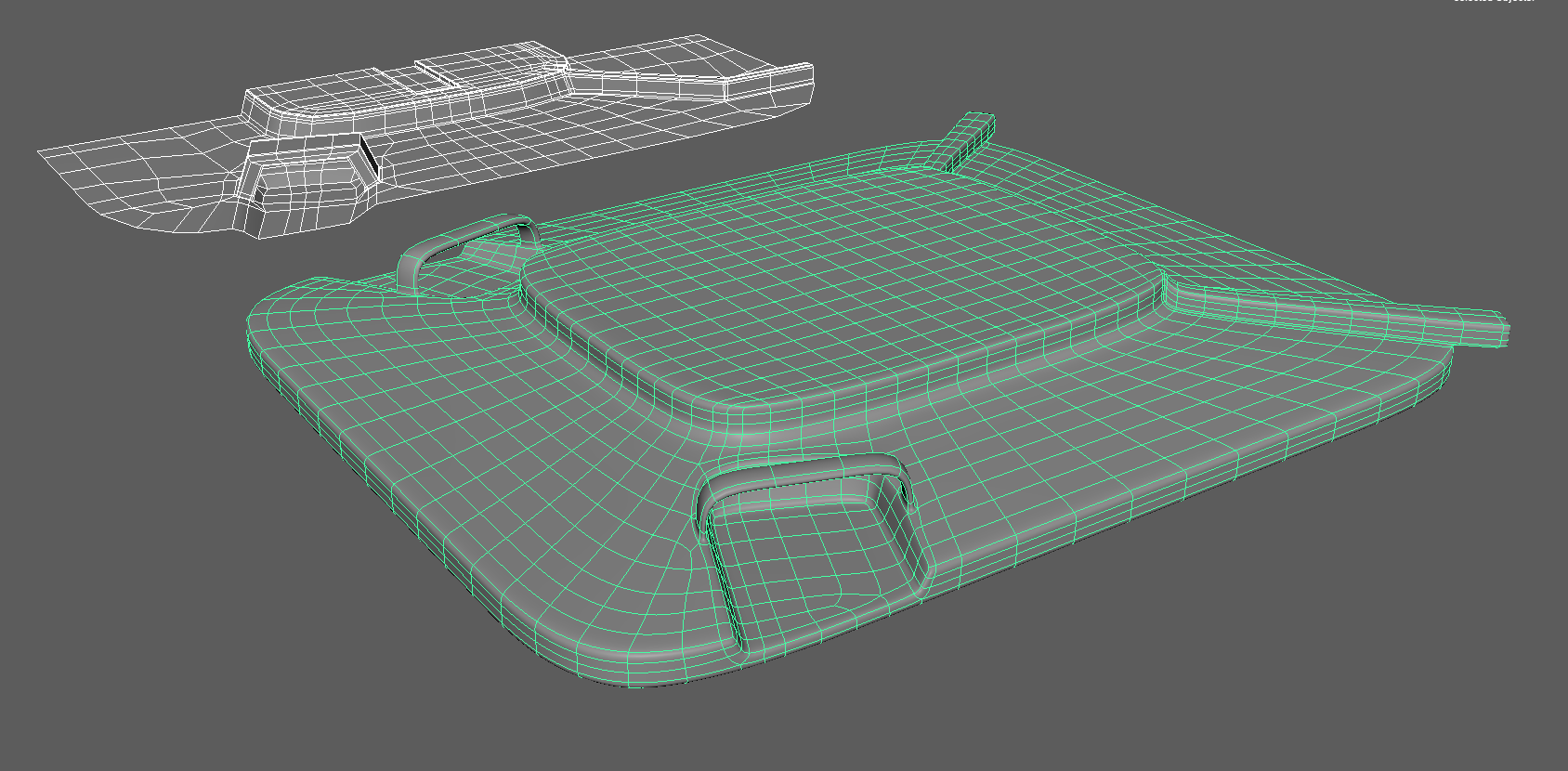 Right, I had another go. I stopped near the end as I was experiencing a weird bug with the multi cut tool (Maya) where it would only select the opposite side of the mesh. The old mesh is in white and the new in green. The top extrusion isn't there, and I simplified the hinges as I ran out of gusto. I made the main form as…
 -
Re: How The F*#% Do I Model This? - Reply for help with specific shapes - (Post attempt before asking)
 Check out FrankPolygon's sketchbook. He has a ton of great step-by-steps posts, for example here's one dealing with how to merge two cylinders: https://polycount.com/discussion/comment/2746328/#Comment_2746328
 -
Re: How The F*#% Do I Model This? - Reply for help with specific shapes - (Post attempt before asking)

 I'm not sure why you have to subdiv this.. anyway i started with a simple grid; made all the tips; experiemented a bit and added a bevel; made this "arrayable"; then made my way through this to "quadrify it".. except two small triangle at the tips, which could be quaded too.. but this may not even be needed ? Here the…
 -
Re: How The F*#% Do I Model This? - Reply for help with specific shapes - (Post attempt before asking)
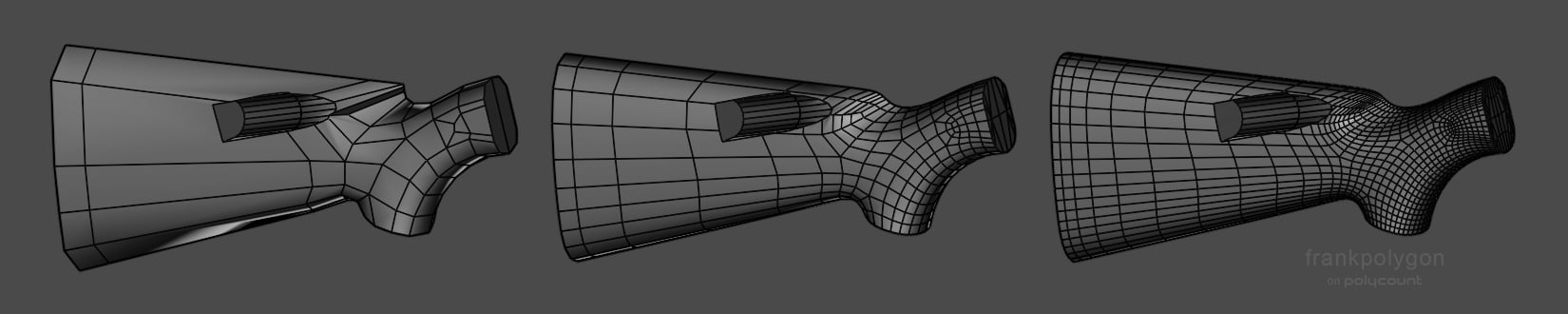 @Lemenus Without seeing the results of each model or workflow it's difficult to provide specific feedback but in general: The subdivision block out should progress in stages. Keeping things fairly simple at the start makes it easier to edit the primary forms. Once those larger shapes are established it's fine to lock them…
 -
Re: How The F*#% Do I Model This? - Reply for help with specific shapes - (Post attempt before asking)
 I think you are projecting a bit. I know you talk generally but certainly that is aimed at me aswell. The truth is i messed around with this shape for two hours last night after work. Not because i'm lazy but because i want to get better. Likewise i post here not out of entitlement but for the same reason that i want to…
 -
Re: How The F*#% Do I Model This? - Reply for help with specific shapes - (Post attempt before asking)
 Some programs support locking normals which makes merging two sections like that while keeping the shading much easier. Some also support copying normals from one mesh to another, which can be used similarly with just duplicating the mesh first. I prefer not to edit normals manually if possible.
 -
Re: How The F*#% Do I Model This? - Reply for help with specific shapes - (Post attempt before asking)
This doesn't help at all. I've been trying to figure this out for two days already. I need to get this done before next Wednesday. -
Re: How The F*#% Do I Model This? - Reply for help with specific shapes - (Post attempt before asking)

 how to go about transition two beveled corners of a form into a third beveled corner? This is a topology issue I have been running into a lot lately and each time I just barely manage to solve it, with inadequate results. Below is an image illustrating the corners in question, thank you for any help.
>1095 results