Search
-
Don’t use gamma on normal maps

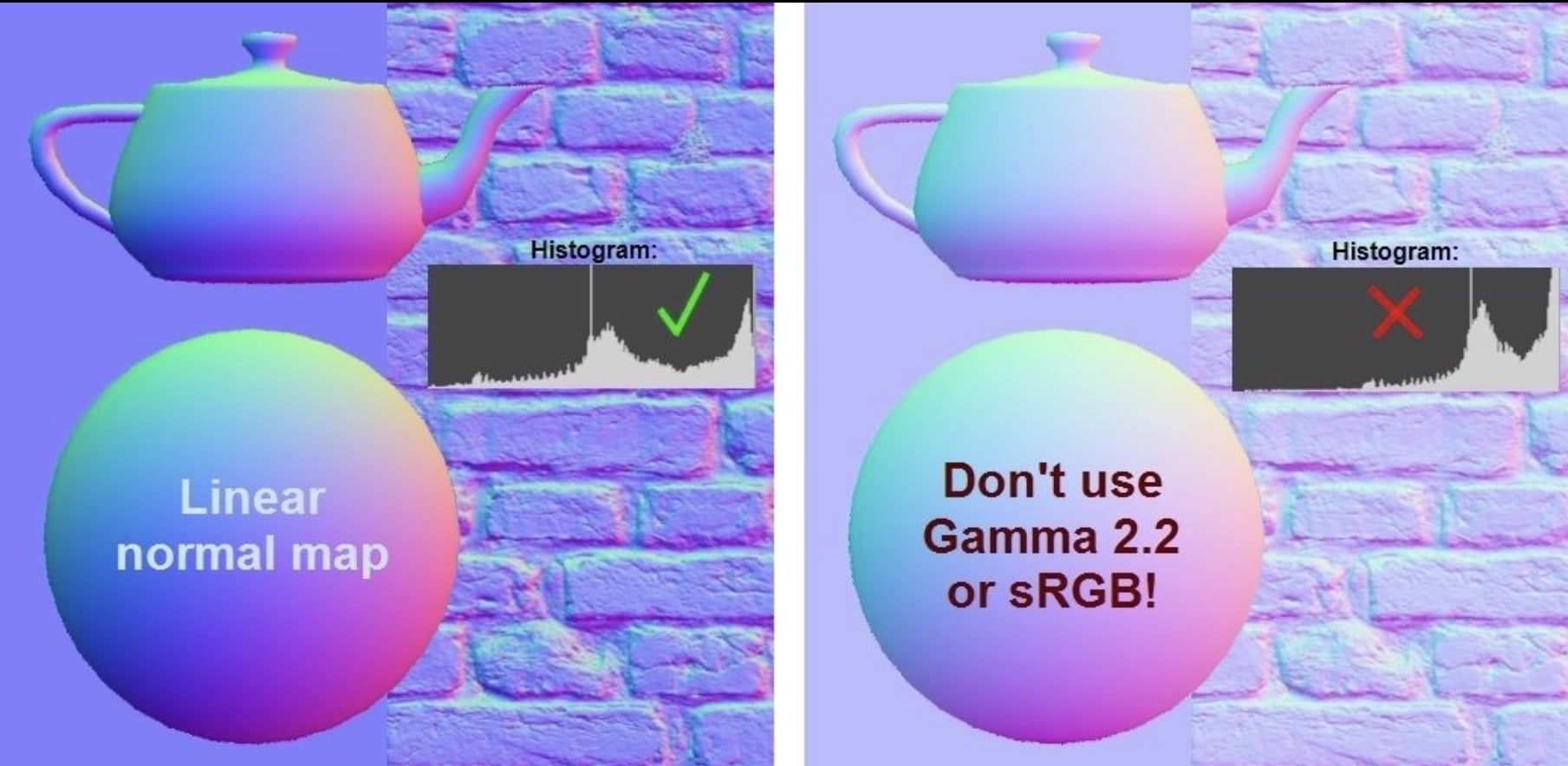 I shared this on LinkedIn, might help some people here too. Don’t use Gamma on normal maps Normal maps should be saved in linear color space, without color correction from Gamma or sRGB. A lot of game PBR texture pipelines use sRGB color space, which is fundamentally very similar to Gamma 2.2. It’s so close, they’re pretty…
 -
Re: Don’t use gamma on normal maps

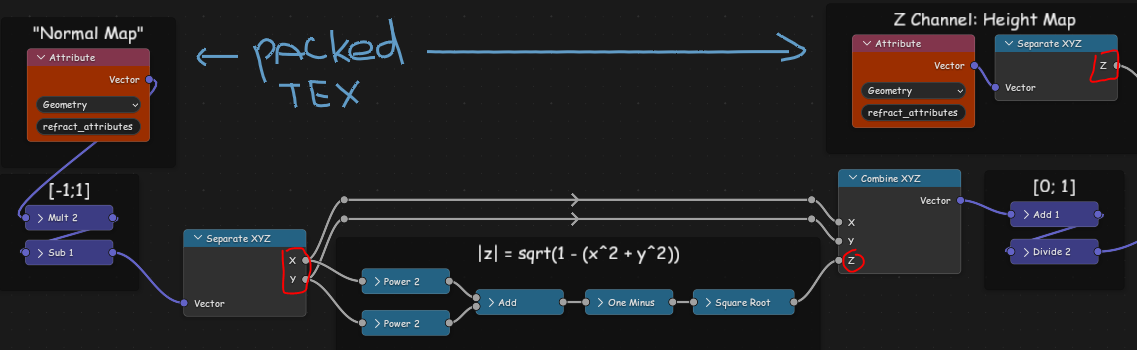 Okay, so "normalized" means normalized when in range [-1;1]... I've read there is a packing method where blue channel is discarded, some other map stuffed in, then normal map is reconstructed in material. So if I'm understanding this correctly, this method is rooted in the fact that the map only describes unit vectors, all…
 -
Re: Don’t use gamma on normal maps
+1 ^^ A great read if people want to dive deeper: Self Shadow: Blending in Detail by Colin Barré-Brisebois and Stephen Hill. And a free tool to combine normal maps, by James @Farfarer O’Hare: RNM Normal Map Combiner "A little Python/OpenGL app for combining tangent space normal maps together. Uses the Reoriented Normal Map… -
Re: Don’t use gamma on normal maps
 there's some interesting maths regarding combining normal maps..... you can add the normals together and normalize the result but this does not give the correct result as it generates a kind of blended/average result. To do the math correctly you create a transform matrix from the base normal and then transform the…
 -
Re: Don’t use gamma on normal maps
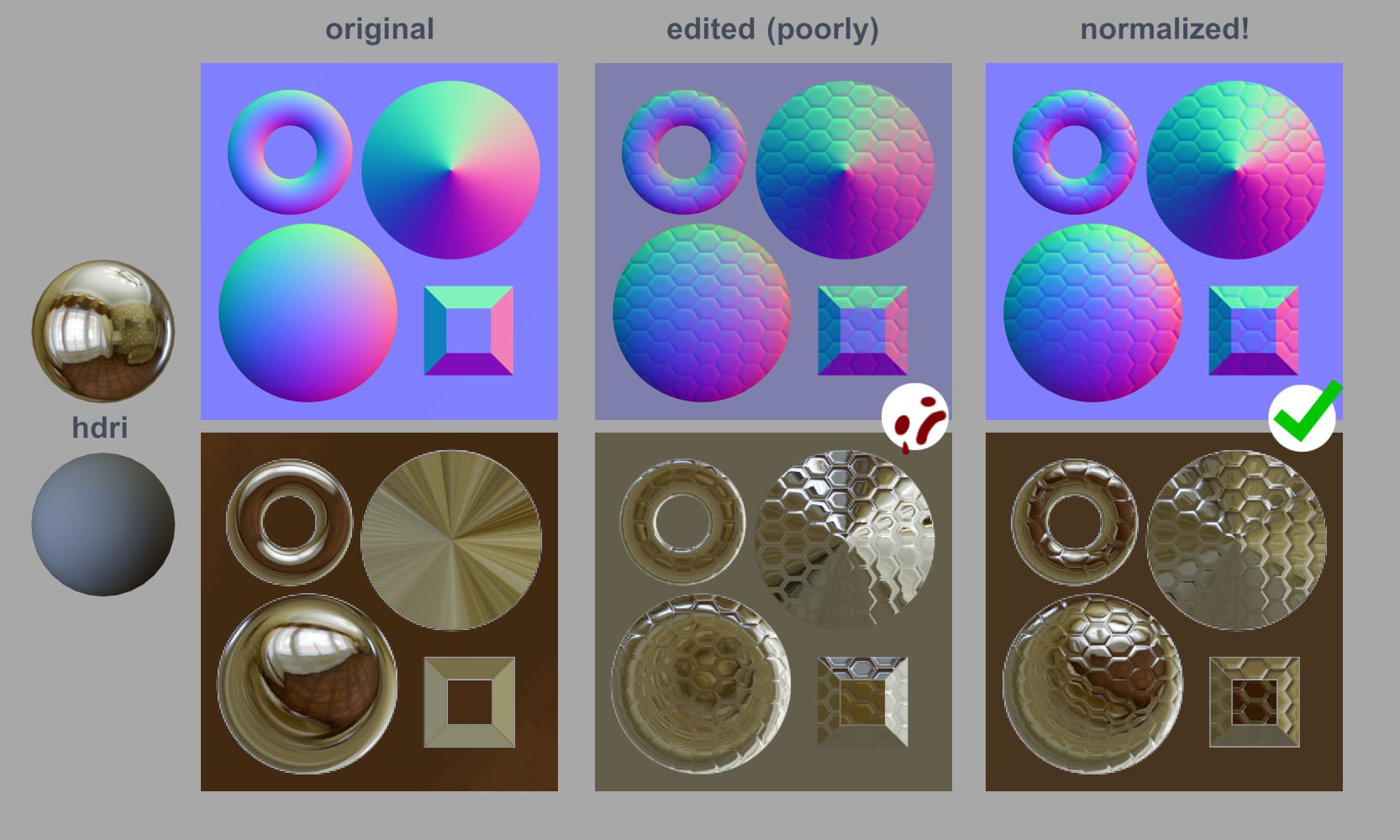 Why do we have to "normalize" our normal maps? Here's an example that hopefully helps illustrate it! Notice how the lighting is messed up in the edited normal map. You can't see the windows anymore on the dome and donut, and even the flat background is reflecting the wrong colors. This came up in my last post; I shared…
 -
Re: Don’t use gamma on normal maps
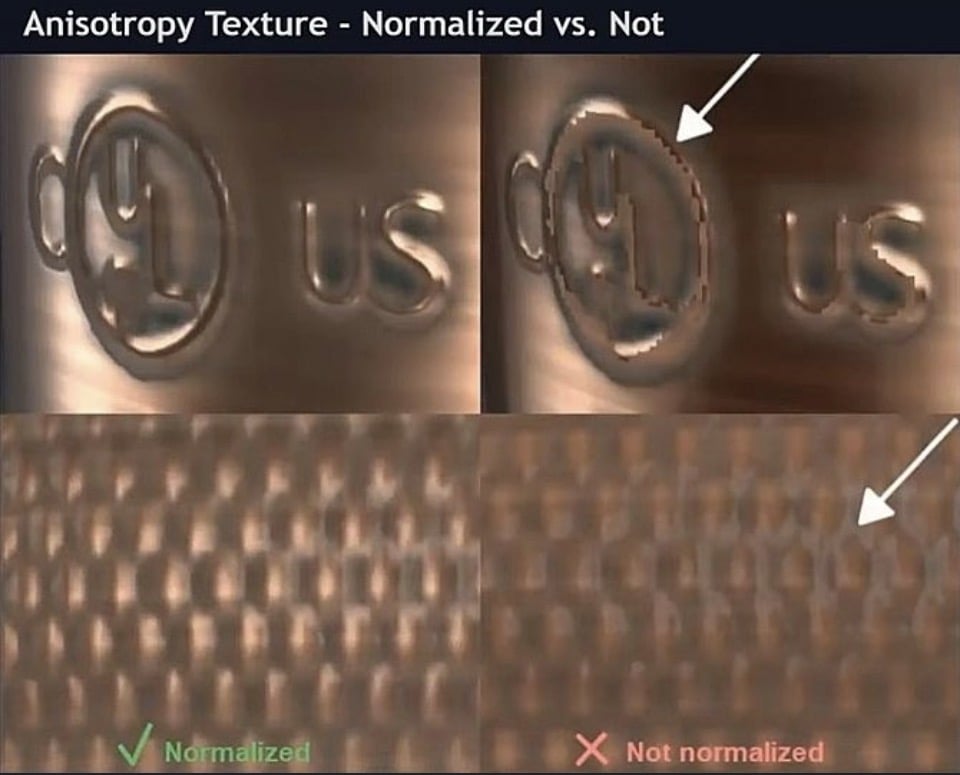 Ugh, yeah lots of tools don’t display normal maps the right way in their thumbnails/viewers. Here’s another tip: Normalize your textures! I made a couple SBSAR procedural filters for normalizing textures, since I couldn't find reliable tools for this. Maybe these filters can help you! Normal maps should always be…
 -
Re: Don’t use gamma on normal maps
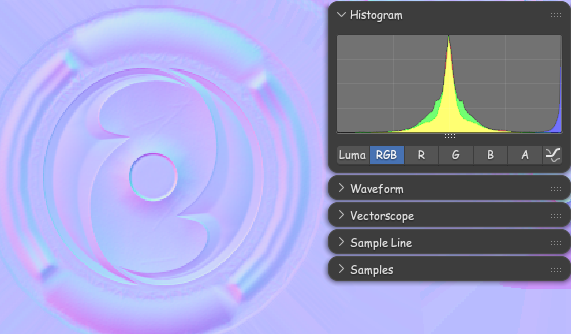 In context of what was brought up in other thread it should be noted: Blender in particular makes the texture look pale when the image Color Space is set to "Non-color", but it will read correctly by the Normal Map node. It can get a little confusing because of that.
 -
Re: Don’t use gamma on normal maps
I made it as a standalone filter, you load it in your software (I usually use Substance Player) then input your un-normalized texture, set the parameters you want (output resolution, bit depth, and file format) and save the normalized file. -
Re: Don’t use gamma on normal maps
 Noob question, but how do I use the Normalize3D inside of Substance Painter? I assume that it's a filter that should be placed at the end of the layer stack before exporting? Should there be an input here?
 -
Re: Don’t use gamma on normal maps
The shader can be designed to normalize for you, but it does make it a tad bit slower. It’s a tradeoff.
10 results