Search
-
Re: Toolbag 4 - Ray Traced Shadow Artefacts
 @Sidney Eliot Generally speaking, these shadow issues are fundamental to all renderers, not specific to Toolbag. There are some tricks that can be done in raster rendering engines to soften shadow faceting somewhat, but as you note in the last part of your post it's a problem there too. The software can only render shadows…
 -
Re: Toolbag 4 - Ray Traced Shadow Artefacts
 Now, let's say you can't edit the topology for whatever reason. You're not necessarily out of luck. Here's an example: From left to right: - Base lighting. - The Diameter setting in the Area/Shape panel for the lights has been increased, this converts the light into an area light which softens the shadows and makes them…
 -
Re: Toolbag 4 - Ray Traced Shadow Artefacts

 Just going to add my experience,i feel either the lights have to have an added power "numeric" so example, currently its 0.000 i think an additional space + 0 to lighting so that we can get 0.0000 spaces values to play with will fix a lot of the "issues" or patch it till another more accurate solution can be "found". If…
 -
Re: Toolbag 4 - Ray Traced Shadow Artefacts
 @EarthQuake Thanks a lot for this detailed answer with great images. When I get around to it, I'll try this stuff out. I'm also looking forward to TB 5 (love the new UI direction). Any rough estimate on when it will leave beta testing? Also, I'm happy that both PCs and consoles are getting stronger and stronger over the…
 -
Re: Toolbag 4 - Ray Traced Shadow Artefacts

 Bump. Im having the same issue and I can confirm I dont need further subdivision for it to look good because its happening only on a specific part of my model, by that logic everything in my model should look faceted but it doesnt, its only on a specific part, this bug is annoying
 -
Toolbag 4 - Ray Traced Shadow Artefacts

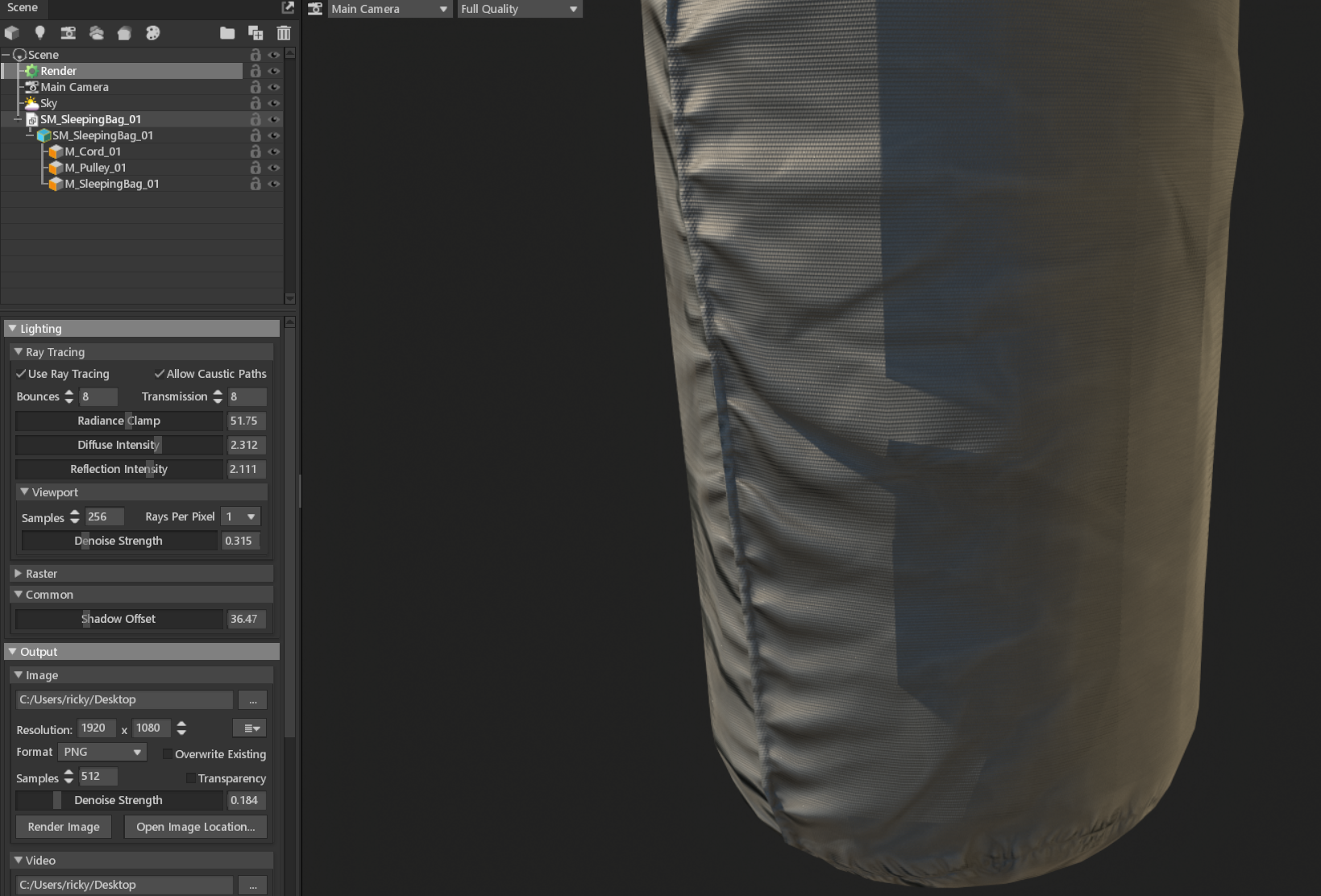 Hi, I've recently moved up to Toolbag 4 and love the ray tracing capabilities, but keep getting these horrible shadow artefacts only when ray tracing is enabled. It's as if the lighting is looking at a hard-edged version of the model to light rather than taking into account the normals properly with the textures. With ray…
6 results