Search
-
Stair-stepping on baked cut on corners? Even with skewing function.

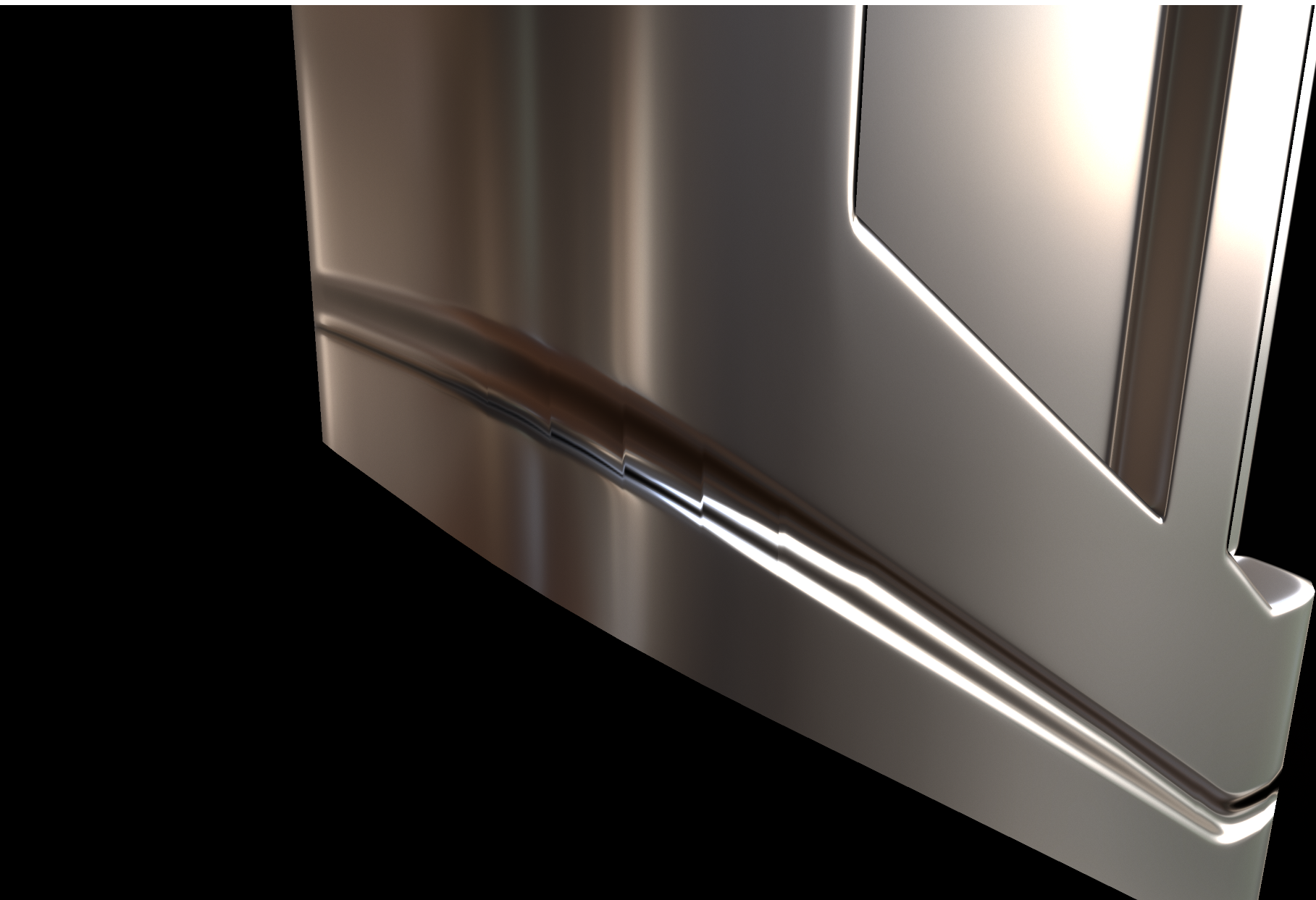 I tried baking a cut detail from a high poly source onto the low poly and around the corner of the object I got this stair-stepping effect when I tried to fix the skewing through Toolbags Skew feature. This is the geometry: Now I am thinking that the vertical edges are messing up the vertex normals? I managed to solve most…
 -
Re: Stair-stepping on baked cut on corners? Even with skewing function.
I did use a heavy brush. Using a softer brush gives the same error, just not as bad. Joe said that this is a limitation of the skew function and mentioned adding a loop on the low poly where the cut is but advised against removing the loop after the bake to avoid shading errors. -
Re: Stair-stepping on baked cut on corners? Even with skewing function.
 So the normalmap looks totally .. normal? If so I would check out the low + normal here myself
 -
Re: Stair-stepping on baked cut on corners? Even with skewing function.
 Ok thats weird =) I think if you post the fbxes, someone will be glad to help figuring this out.
 -
Re: Stair-stepping on baked cut on corners? Even with skewing function.
 Not really. However I just discovered this... This should definitely not be happening. I am thinking it is my hardware settings now?
 -
Re: Stair-stepping on baked cut on corners? Even with skewing function.
Unfortunately not, I just tried with a fully triangulated mesh just now, same problem :( -
Re: Stair-stepping on baked cut on corners? Even with skewing function.
 Looks to me you made it super hard crease for baking it down in the first place. I am referring to Earthquake's post where he shows acceptable view distances vs sharpness of edges for baking. Basically you make em a bit rounder (soft) than usual for good results. Have this area more UV space, large 2k bake with AA stuff…
 -
Re: Stair-stepping on baked cut on corners? Even with skewing function.
Interesting take actually. Would a client really care about a loop that contains maybe 18 verts though? -
Re: Stair-stepping on baked cut on corners? Even with skewing function.
Assuming it's not tria gulation related (which it looks like it is).... It looks like crap precision in the uv interpolation. It'll happen more with long thin faces, if uvs are far from the origin, things are massive/tiny etc. Why its happening in toolbag is a mystery to me though. I can't see a single asset of reasonable… -
Re: Stair-stepping on baked cut on corners? Even with skewing function.
 What does the flat 2D normal map look like?
17 results