Search
-
Re: Problematic baking of hard edges (how to do it without adding supporting loops?)
 Easiest way to do such things properly now is something like Bevel (rounded edge) shader in Blender2.8. Or similar thing in other soft. Also those support loops along hard/split edges representing beveled/ rounded ones, you need them only for doing initial normal map bake. For the final model you could remove most of such…
 -
Problematic baking of hard edges (how to do it without adding supporting loops?)
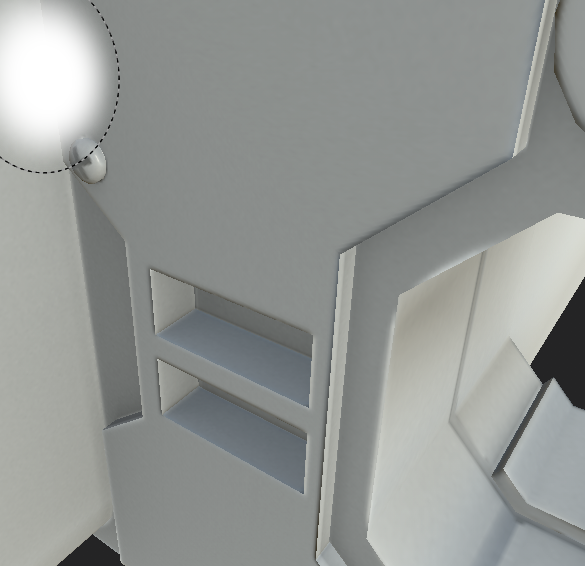 Can't make proper bake of hard edges for low poly game model I read posts with same problem, and all have the same answer - uv seams on hard edges and more support geometry. My model correspond to the first one, but the second one - i'm not going to do this, this is a game model, if i add it, it will be more than 22k tris!…
 -
Re: Problematic baking of hard edges (how to do it without adding supporting loops?)
 @gnoop you said you're baking object space maps so the 'skewmesh' method is used to remove all the support loops before conversion to tangent space. And yes, I've often removed geo post bake. 😁
 -
Re: Problematic baking of hard edges (how to do it without adding supporting loops?)
 It's just one of dogmas people have been taught sometimes. I mean that you couldn't touch your geometry after the normal map is baked. Generally you couldn't but in some specific cases you perfectly can. in a word you can remove support loops where they fall onto flat 127,127,255 normal color or where is zero difference…
 -
Re: Problematic baking of hard edges (how to do it without adding supporting loops?)
 Yes, before conversion of course. The only matter is to set right axis order , Y or Z up etc and directions. Xnormal , SD,Mari etc assume it differently For Cycles in Blender 2.7 and Xnormal I set +X +Z -Y for example. SD seems does it just same way as any Y up kind of soft. In fact for such a simple geometry OP sowed you…
 -
Re: Problematic baking of hard edges (how to do it without adding supporting loops?)

 This entire thing looks like mismatch of expected Y+- direction. Flip your green channel either on the normalmap, baker, or renderer. These little rebois tho, look like a too big disparity between your highpoly and lowpoly. Read the thread on wavyness in normalmaps
 -
Re: Problematic baking of hard edges (how to do it without adding supporting loops?)
 Looks like an inverted red channel though.
 -
Re: Problematic baking of hard edges (how to do it without adding supporting loops?)
Alright, now this is a much more correct explanation. :) Thanks. -
Re: Problematic baking of hard edges (how to do it without adding supporting loops?)
This is wrong. -
Re: Problematic baking of hard edges (how to do it without adding supporting loops?)
I'm curious to see the UVs
11 results