Search
-
Hard surface. Normal map issue after export into another programm....

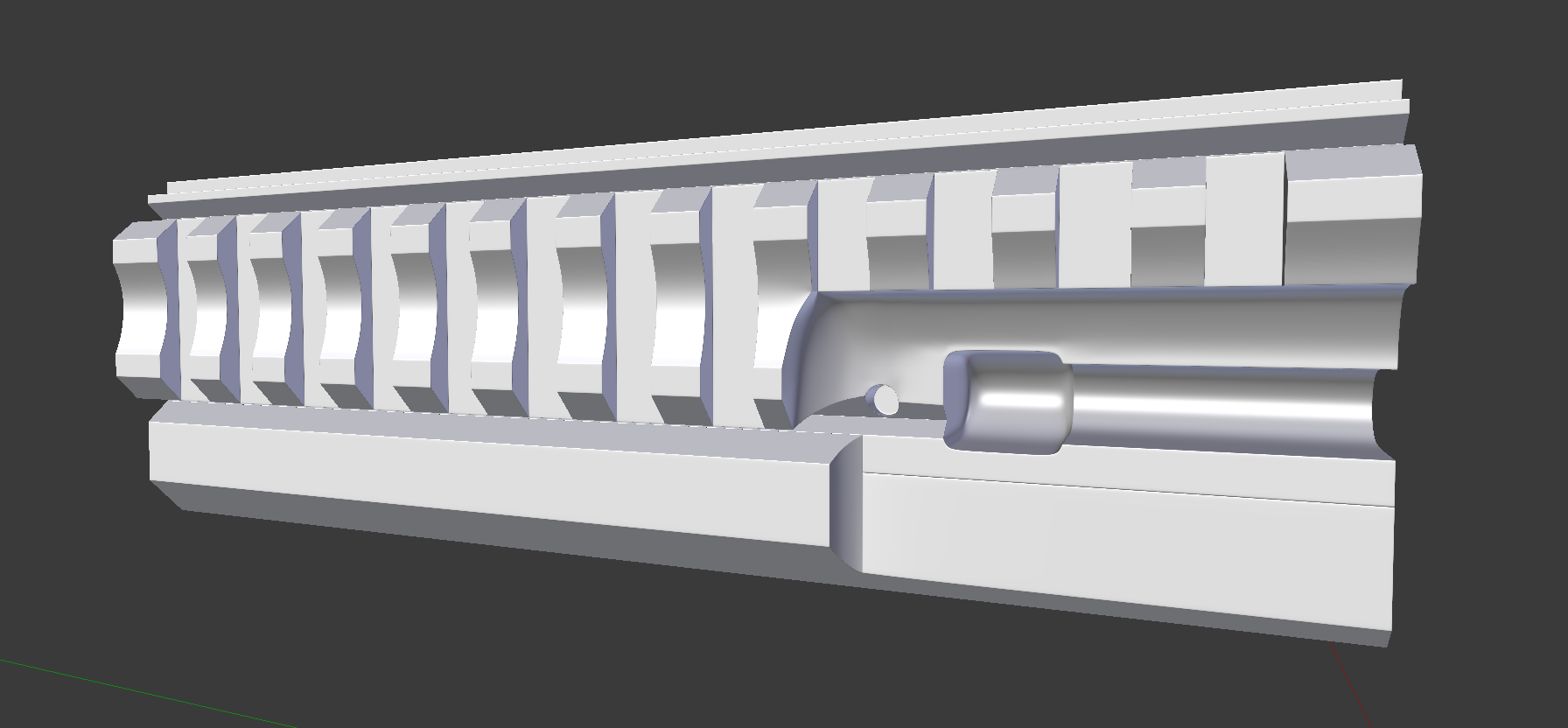 Hi guys! I got problem with my normal map after exporting it from substance painter to another programm (Blender, marmoset toolbag 3 and even substance painter itself). I have high-poly done with subdivision surface modifier (like turbosmooth in 3ds max), zero creased edges used, smooth shading applied to whole mesh.…
 -
Re: Hard surface. Normal map issue after export into another programm....
 Just set your hard edges by angle for the low poly. While also cutting UV seams at those hard edges, give some space between these new shells. Shading-wise, it should look like your high poly in this case. It impossibly tight bevels on it- I would have thought that was your low poly if you didn't say so. You may want to…
 -
Re: Hard surface. Normal map issue after export into another programm....
So baked normal map isn't creating artifacts until its saved.... This is sadly because it means that i should add a LOT of geometry to fix all gradations on low poly.... Previosly I thought that gradations on normal map is opposite to gradations on model, so normal map fixes incorrect model shading. The only solution is to… -
Re: Hard surface. Normal map issue after export into another programm....
 The gradations in the normal map are the problem. You will see pixel artifacts and some warping in the specular. An additional fix to split UV and hard edges, is to add support edges much like you would with support lopps in SubD modeling to the problem areas. The the extra edges will reduce the length of the gradations.
4 results