Search
-
Animated tank track Teeth.

 Hi everyone, Has anyone seen this video tutorial on Marmoset animation? https://www.youtube.com/watch?v=PFHQwxDP-RM Notice that the tank track teeth are animated by animating the scrolling track texture. How is this done? Displacement? Are there also other methods? thanks for your time. GIS3000
 -
Re: Animated tank track Teeth.
 At 6:20 or so you can see his maps on the right and that he's using Marmosets Height for displacement. As for the animation part, he also talks about how it's done- by setting keyframes on the UV offset. The texture itself doesn't move, the UVs do (well, the offset does, but that's a minor point).
 -
Re: Animated tank track Teeth.
Thanks for the input. That's the strange thing to me. The teeth look like simple alpha mapped poly billboards. But they animate according to the texture scrolling! Weird. I understand the parallax map part. It is after all a texture. Could it be possible that the poly billboard is attached to the texture? Sounds rather… -
Re: Animated tank track Teeth.

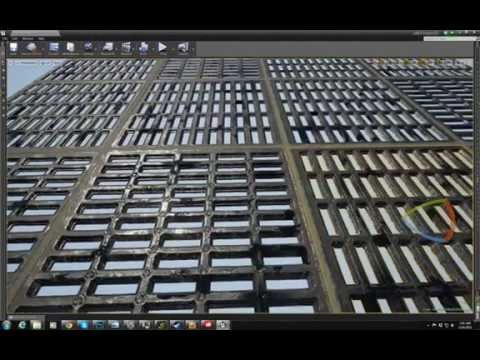 Without paying too much attention to the video, it looks like it is using a simple alpha mapped poly strip, that gets animated along with the tracks. It looks pretty thin, so that is why I think it isn't actual geometry. They could have used a parallax occlusion shader as well, as I noticed they have a height map in there.…
 -
Re: Animated tank track Teeth.
thanks for the input everyone. BTW, Isn't displacement a little on the expensive side? Thanks. -
Re: Animated tank track Teeth.
It can be, there are two ways to do it. One is a simple height map moving the existing vertices, terrain in games is commonly done this way. The second method/half of this is to tessellate or subdivide the model as well, which is where it gets expensive. This is why most games use parallax maps instead, since it's cheaper… -
Re: Animated tank track Teeth.
 As throttlekitty already mentioned it was done with displacement inside toolbag. Here´s another approach which does not use displacement, but alpha-test instead: https://wiki.warthunder.com/index.php?title=Creating_a_3D_tank_model#Tracks
7 results