Search
-
Blender-color sample picker selects wrong color in vertex paint mode.
 So I have been experimenting with Blender for texture painting workflow. Just noticed that when I right click to sample color, the color selected is a darker color. This happens when I try to paint in vertex mode. Texture mode painting samples color fine. Is this a bug or is there something I am doing wrong? I am using…
 -
Re: Blender-color sample picker selects wrong color in vertex paint mode.
I think I figured it out. Set viewport to material mode and in the material window, tick shadeless and vertex color paint, that way, the colour picker samples only the color information. I seem to be getting a lot of lag from vertex painting the default cube to which I have subdivided to get high res texture. I am looking… -
Re: Blender-color sample picker selects wrong color in vertex paint mode.

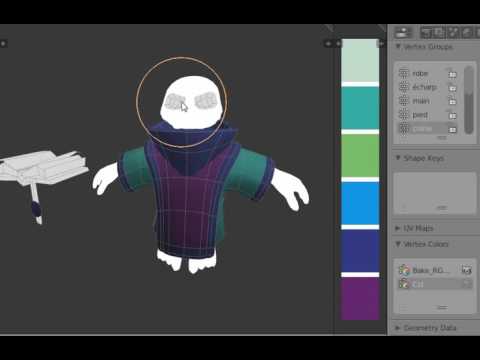 Yes, true, I like also the vertex painting but Blender has some limitation and not so much dev in that side. Maybe you will be interested in few tool I add for personal workflow such as vertex group selection : https://www.youtube.com/watch?v=D2yZJpOs6SA
 -
Re: Blender-color sample picker selects wrong color in vertex paint mode.
https://blenderartists.org/forum/showthread.php?405772-Polypaint-in-Blender!-Its-happening-D take a look here, it's still experimental but it seems to add lot of possibilities to vertex painting in Blender (mirror painting, performance etc.) -
Re: Blender-color sample picker selects wrong color in vertex paint mode.
Thanks yadoob :) Btw, is there a way one can sample color with shading on? I am beginning to suspect this might be a bug. I can only sample the true color with shadeless ticked in the material tab. -
Re: Blender-color sample picker selects wrong color in vertex paint mode.
 dunno, try to report it ;) https://developer.blender.org/
 -
Re: Blender-color sample picker selects wrong color in vertex paint mode.
Thanks for the link, yadoob :) Downloading it now. I feel vertex painting is quite a good workflow. You concentrate on the details resolution independently and bake to high res textures. Will see how it goes compared to using viewport canvas or photoshop.
7 results