Search
-
Re: UV problems and Xnormal

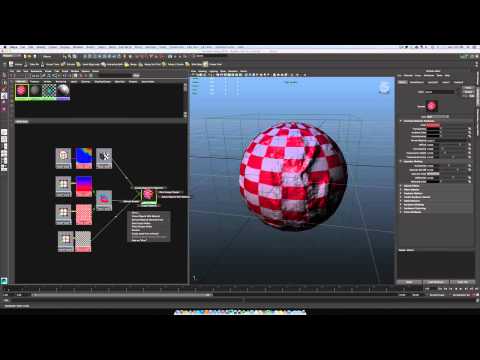 4, 5, 6 and 7 is the quick way to switch between viewport display modes, 6 for textured. Make sure you have the texture plugged into the color node of your material, you can check that in the hypershade (windows>rendering editors>hypershade) Also make sure the material is applied, it will show up in the Attribute editor…
 -
Re: UV problems and Xnormal
Leaving it all in the 0-1 range used to cause shading issues in UDK3, don't know about UDK4, but mirrored UV's outside the 0-1 range seems safer, (atleast on the new engines). I tend to leave everything in the 0-1 range unless I come across an issue with baking or exporting to engine. -
UV problems and Xnormal
 Hi, I'm new to this whole modeling thing, and I just recently resolved a problem about my edges coming out hard on my UV normal maps which people on this site have helped me solve. So I'm back with another issue where the UV normals for some of my model parts just aren't showing up on Xnormal at all when I generate the…
3 results