Search
-
Re: Assigning smooth groups to each UV island in Modo?
 Try inverting the green channel of the modo normal map for a start. You can tick Invert Green on the texture layer. To view the textures, just add them in as texture layers and change their effect (right click on the bit to the right where it says Diffuse Color and select the effect you want - modo doesn't have specific…
 -
Re: Assigning smooth groups to each UV island in Modo?

 Still no luck. I don't know what I'm doing wrong. "m" to create new material > named it normal test 2 > select material in shader tab > add layer > image map > load image > select image from explorer window > right click effect column > surface shading > normal (changed from diffuse color by default) > drag and drop…
 -
Re: Assigning smooth groups to each UV island in Modo?
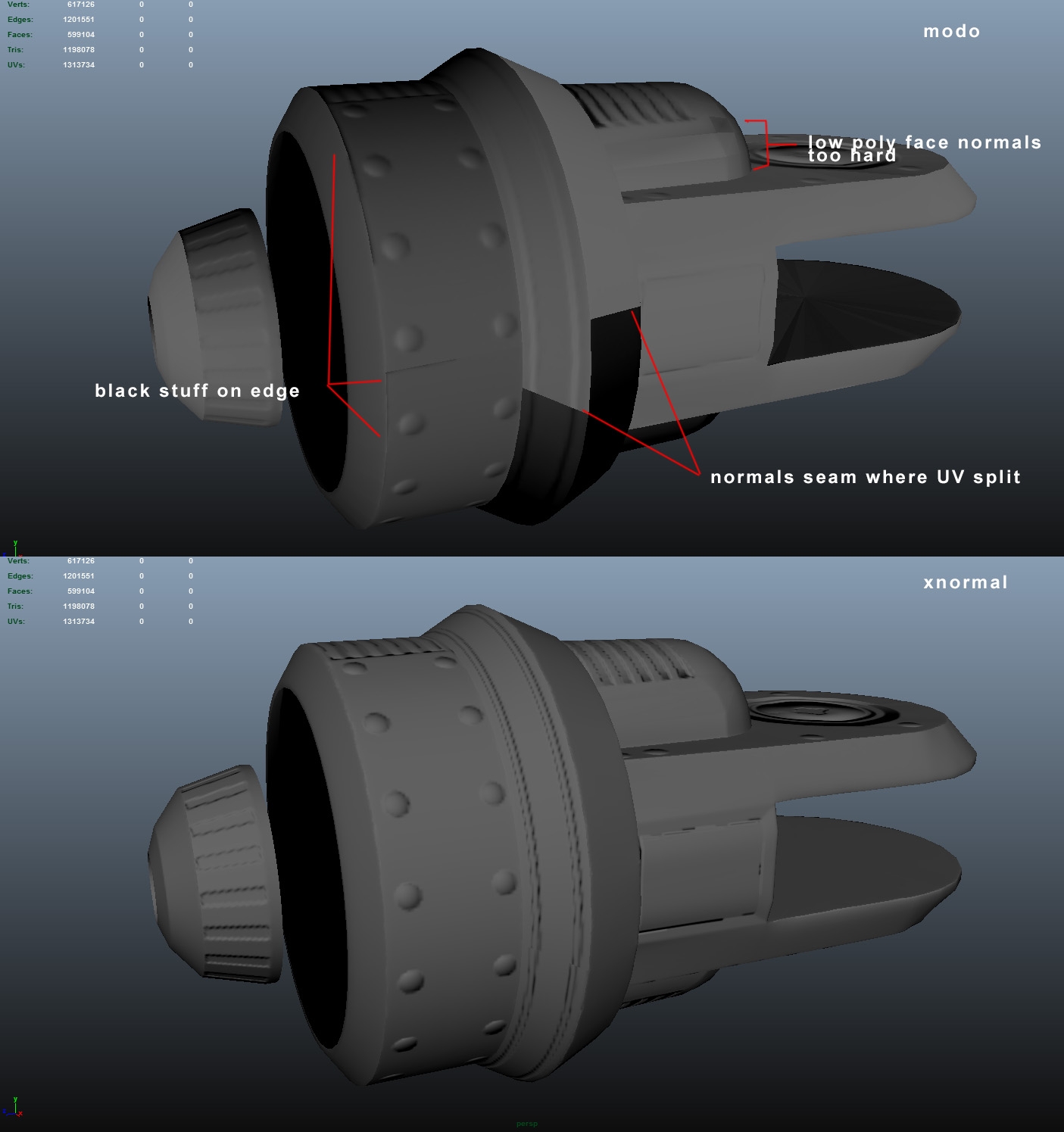 Top is an example of a modo bake with a cage. It looked worse without the cage. Bottom is an xnormal bake without a cage. Looks like I'll have to use Xnormal for baking, but splitting up my high res mesh into smaller pieces, then subdividing in another program like blender (because of the modo indie poly export limit)…
3 results