Search
-
Need help troubleshooting metal material issue in UE4

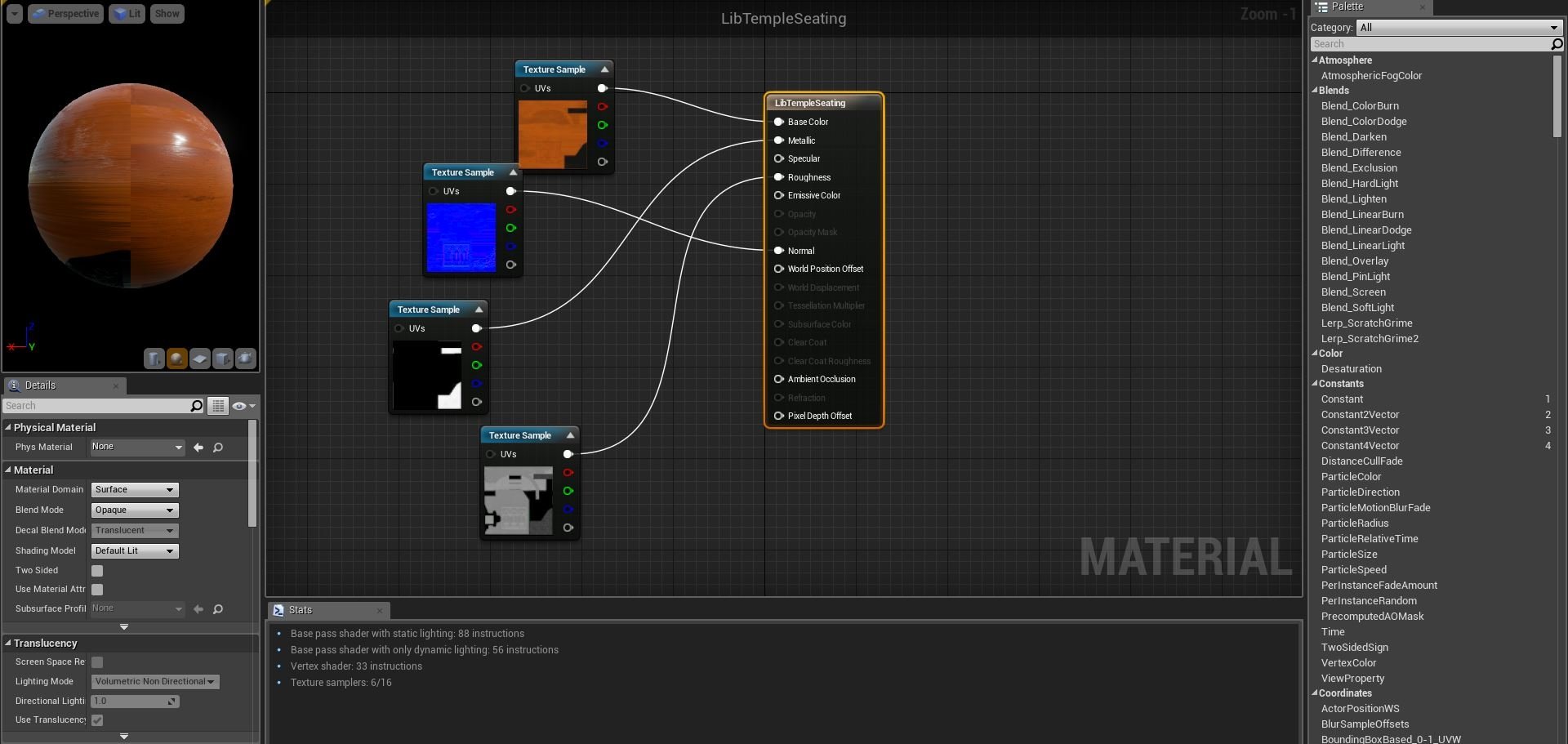 Hello, Need help troubleshooting metal material issue in UE4. Material does not look the same in UE4 as it does in Substance. Please take a look at the screenshots. The first two are from substance with the desired look and the rest are from UE4 where it is black and normal detail can only be seen from the side. I'd…
 -
Re: Need help troubleshooting metal material issue in UE4
What material is that area supposed to depict? If it's cast iron it shouldn't be metallic, and also should probably be a little bit brighter. Anything that's metal in UE4 is going to need to have a bright base color in order to look correct. -
Re: Need help troubleshooting metal material issue in UE4
 Also, when using PBR it's a good idea to keep your values in the range of 0.2-0.8 to prevent value multiplication issues in-engine. i.e: a fully red value in your albedo will multiply under a red light and blow out. Or what could be in your case: a fully black value will multiply in shadow and make the normal map invisible…
 -
Re: Need help troubleshooting metal material issue in UE4
 I'd say it's this as well. You can't have pure black and a metal, because metals are already set to black and use the original albedo color as the specular color. You're taking a black albedo and using a black specular color on it.
 -
Re: Need help troubleshooting metal material issue in UE4
 Hi! It's also important to disable the "sRGB" checkbox in the texture's properties. You need to do this with this kind of maps like roughness, metallic, etc, because the maps will generally be interpreted as darker otherwise. So materials will appear less rough and so on. I can't give a proper explanation since english…
 -
Re: Need help troubleshooting metal material issue in UE4
 You have to uncheck sRGB in the roughness and metallic maps
 -
Re: Need help troubleshooting metal material issue in UE4
 Greetings, I am not a professional by any means. So I will just give some thoughts on what I think that It might be: 1. Have you used a "Sphere reflection capture"? 2. Have you played around with your light settings? Keep in mind that what you see in Substance designer or any other software outside of Unreal might give you…
7 results