Search
-
Re: How to Rigging a Modular Character ?
 Yes, it's too relative and I think that's more a question of experimenting than anything. It's about liking nodes in a node graph aswell, setting driven keys (driver), etc. One thing to be sure: work everything so the hidden stuff need no computation consuming your PC.
 -
Re: Substance Designer + Input image Size -> Projection-Tool
If there's no exposed scaling parameters on the projection node you should be able to use a transform node to scale the input image to the right proportions within a square - youll have to give it the original resolution and do some mild sums to work out the correct scaling but it won't be too tricky. -
Re: MAXScript mesh intersections, tree data?
 1) physics systems probably handle this best (well better/way faster than any mxs implementation would). reactor/massfx or what ever the autodesk goto physics handler is these days :) 2) ? the "tree" is exposed via mxs rootnode && <node>.children && <node>.parent
 -
Re: Problem with Maya 2014 Help!
 After looking at the MEL for that script, my only hunch is that somehow you're selecting the transform node instead of the shape node somehow, but that's a shot in the dark. When in doubt with Maya, either delete or rename your prefs folder and restart. That will force Maya to re-create the default preferences.
 -
Re: Any tips on working on big Maya scenes with lots of objects ?
 Are you importing a lot? This can leave a ton of trash nodes which really slow everything down. Check the outliner and uncheck "dag objects only" to see all the other crap. Quite a lot of it is neccessary, but you might find loads of redundant camera nodes, for example.
 -
Re: I’m stuck. (topology for the cloth)

 Hello ! Always loving the JuniorSenior avatar :) Along the lines of the suggestions from the Great Eric, and considering that the goal is an actual game asset for UE, then simply start by modeling a first version of the final polygon game asset of the tent at rest. Garment making tools may be useful to an extent since they…
 -
[PAID] [REMOTE] Technical Animator | R16 Interactive / Tale's Edge (Unreal Engine 5)

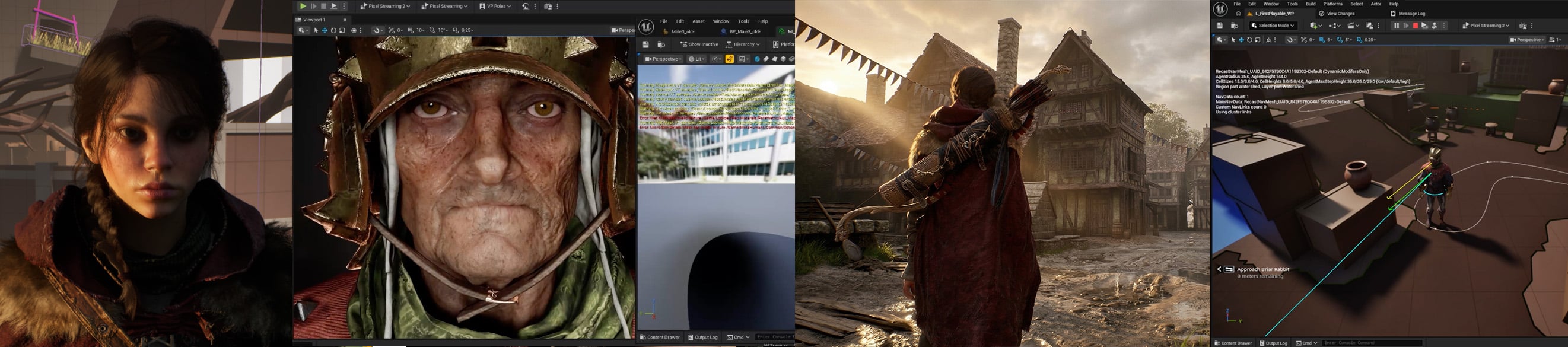 Studio: R16 Interactive Project: Tale's Edge Role: Technical Animator Type: Contract (hourly or day rate) with opportunity for full-time if deemed a good fit for both sides Location: Fully remote, global applicants accepted Rate: Competitive based on experience, engine understanding and location. Please share your…
 -
Re: Any suggested suite?
its a bit more than just a node based version of maya. its really more like a library of computational geometry and effects functions wrapped up in a node editor . I mean you can not use 99% of its capabilities and treat it like maya but it's not very good at that. -
Re: Multiple UV Tile Normal Map seams on Character Model Substance Painter textures
Finally figured things out, I didn't expect that mirroring and stacking UVs would also require inverting the orientation of the normal maps with a second shader node of each UV tile for the shells on one side with the use of aiNormalMap, I had just been using the bump2d node. -
Re: Max 2009 Isolation Script Error
 I had the same, its about your node (object in max). Just create a new poly object, get into the edit panel and attach your working object to the poly. This should create a clean node in max with the IsInstance property so that it works again on alt+q or isolate.
>37266 results