Search
-
Re: UDK Blur Shader
 Scene Depth is not normalized / non-linear with a range of 0 - 16,777,215. Opposed to this, the alpha output of the scene texture node returns the inverted scene depth within 0-1 range. It also requires less instructions.
 -
Re: [Riot Creative Contest 2017] - Travis

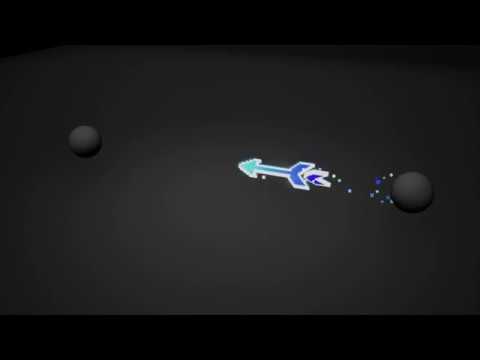 Reply by THendersonVFX · · Home› Contests & Challenges Archives› Riot Creative Contest 2017› Riot Creative Contest 2017 - VFXI didn't have much progress to upload, since my work was really sporadic and I was building random parts with no real linear workflow to update. Here's the submitted version https://youtu.be/vD0YV6UN-DA
 -
Re: About Animation Workflow!!
 For blocking in the key poses I use a little trick. In Maya I set my Animation preferences to Settings/Animation/Tangents to Linear and Stepped. This helps with blocking in the key poses without worrying about the transitions.
 -
Re: [Riot Art Contest] - Bruno Avila
 Reply by BrunoAvila · · Home› Contests & Challenges Archives› Riot Art Contest› Riot Art Contest - AnimationFrom stepped mode to linear. Refining the breakdowns and adding some more details. Still a lot to do with the arcs and pops. Haven't started to work on the spacing yet. I'll upload a test in LOL camera tomorrow.
 -
Re: UDK Underwater Scene (Large Images)
Not sure, to me the fog feels like it has a linear falloff while the underwater-photos give me the impression that it is more an exponential one. Pretty clear on near distance but drastically getting opaque at a certain distance. -
Re: RAGE
 COD is about 1024x640 with 2xAA and the levels are quite linear. Actual player freedom in Rage is still a question, but it definitely is a continuous open world (or two if they ship on two discs, but you get what I mean).
 -
Re: Affinity Photo, the better Photoshop?
The big question for me is around HDR support and whether it supports linear space alpha blending. I was all set to move to gimp til those two things got in the way. Does it do that? -
Re: Issues when importing rigged character from maya to unreal
Ok, already found the solution to the first part of the issue: If I set the interpolation in Unreal from "linear" to "step", it fixes the eyes popping issue. Still gotta figure out the missing poly issue... -
Re: What engine do I best render this in? [Shader/render/workflow help needed]
 What tool are you using for 3d modeling? If the end result is going to be a linear animation, then real-time is overkill, with all its workflow limits. Probably best to render directly in your modeling app.
 -
Maya - Blendshape along curve?
It is possible to make a blendshape not transform linearly, but instead attach it to a curve which it transforms along or something? Maybe a blendshape could be combined with a deformer to get the effect? I'm trying to simulate flower petals opening, but the linear transition isn't very great for it.
>2386 results