Search
-
Post Apocalyptic Classroom

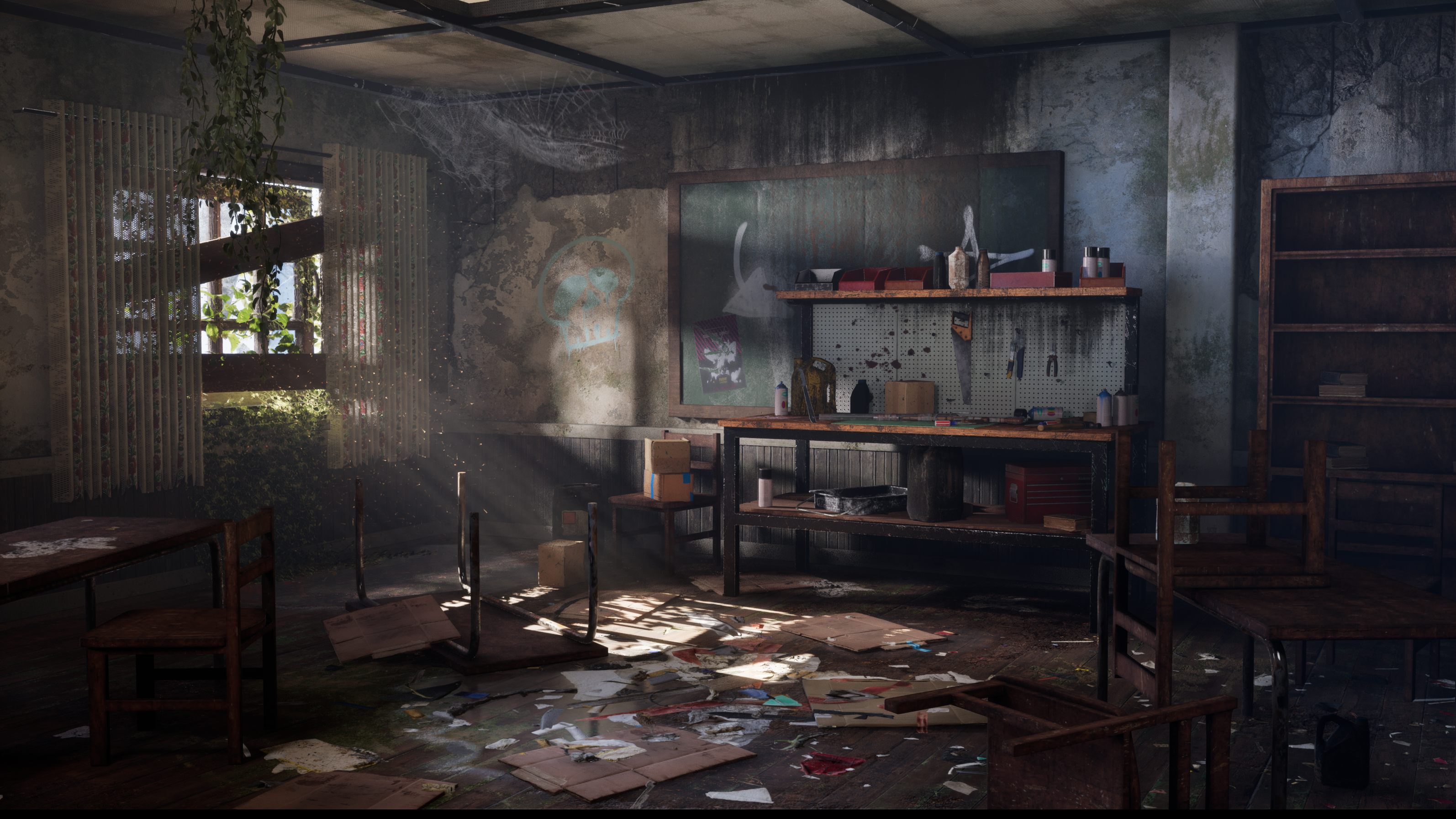 I’m excited to share my latest environment art project: a post-apocalyptic classroom workshop, created in Unreal Engine 5. Watch the Video: https://youtu.be/Uy470_QVEfc Breakdown: https://youtu.be/0OPbNM3nmbw Modeling was done in blender and texturing was done in Painter. I also used Quixel Mixer to blend materials.…
 -
Re: Looking for 2d practice Pals
 And so this is our current schedule, the study change based on day of the week: Environment -> Props 1 -> Human Gesture (full figure) -> Architecture -> Animal Anatomy -> Props 2 -> Human Closeup -> and then it loops back. I figured seeying the schedule would help you decide if you want to join our daily challenge :)
 -
[Rev-share] Team looking for 3d artists for props/environment
 Unreal engine 4. A coop online first-person puzzle game. Players need to collaborate in these situations to overcome the puzzles! Really exciting project with great capacity. We have a good scope and we are not one of those teams who have big goals and never finish because if unreasonable scope!! We are a very dedicated…
 -
Re: How to retypologise collectly

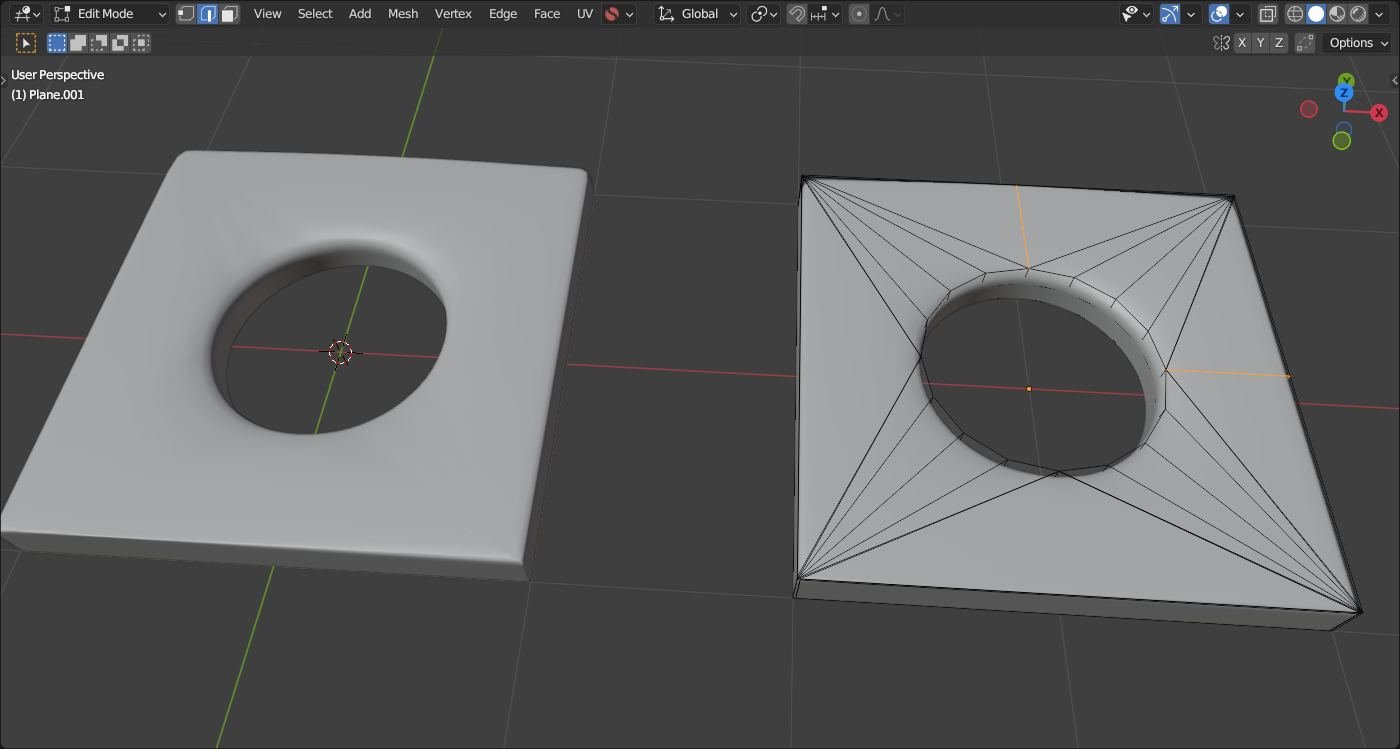 This may depend.. top and right with additional edges; inside bevel via control loops could be "sharper"..
 -
Looking for 3D Artist: Overcooked clone and other cooking games
 Hi everyone! I currently have a team (2 programmers including me, and 1 audio member) that is working on creating a clone of Overcooked to bolster our portfolios. We followed CodeMonkey's tutorials and pretty much have the code and audio done, but we would love to have a 3D artist on board that could reskin the graphics or…
 -
[PAID] [REMOTE] Technical Animator | R16 Interactive / Tale's Edge (Unreal Engine 5)

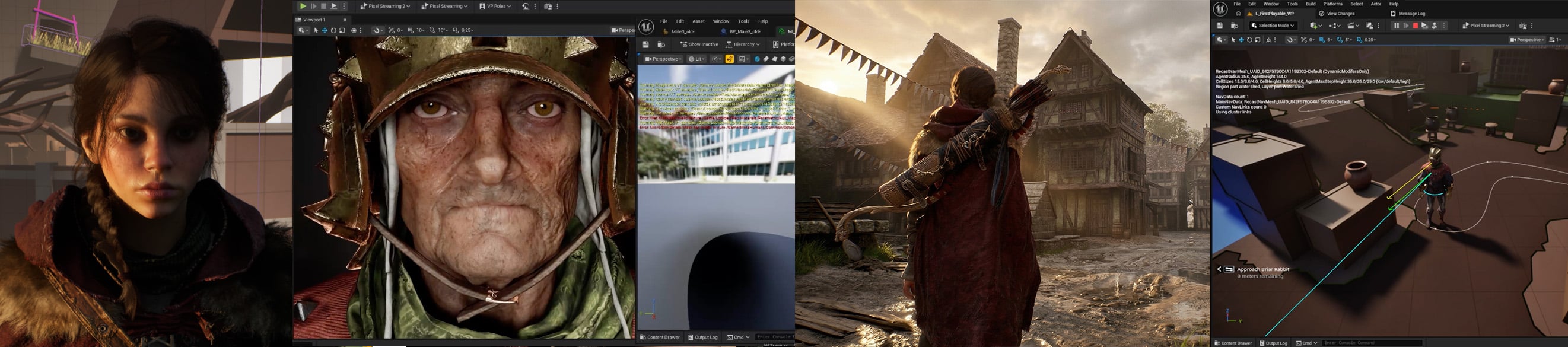 Studio: R16 Interactive Project: Tale's Edge Role: Technical Animator Type: Contract (hourly or day rate) with opportunity for full-time if deemed a good fit for both sides Location: Fully remote, global applicants accepted Rate: Competitive based on experience, engine understanding and location. Please share your…
 -
Re: Beginner Model: Looking for critiques and advice
 Teeth are too small. You have 2x as many teeth in the mouth as the concept. Needs more polygon loops in certain areas like the ankle cuff in the pants to get a nice thin crease. I suggest going into sculpt mode and adding wrinkles to the pants.
 -
Re: Spartans of Sport [looking for critique]
I'm still getting into the optimization of Normal maps, I might be stretching them too much, in design and/or in sculpting. Let me know what you think. I may post the Maya renders over the weekend. -my mesh separated on all of the edge-loops when last imported, so if you have EVER seen that before, let me know. Here are… -
Re: why does my uwv looks like that?
 I can see the edge loops on my end, barley though. Have you tried changing the colour of the background and/or the edges colour in Options> Preferences?
 -
Re: Smooth polygons look hard - 3DS Max
 Another thing that could help with those "seams" is to add an extra edge loop to make the really long quads half as long. normalmaps no likey long polygons.
>108977 results