Search
-
Re: Can you tell me what projection is this?
 It's pretty easy to bake in Max, if that's what you have or prefer. * Select the model with two UV channels on it (like my glTF example). * In the Material Editor, add a Bitmap node, and load your equirect map. * Set the map channel in the Bitmap node to the equirect UV layout (channel 2 in my example). * Add a Physical…
 -
Re: Character Practice – Personal Training Project
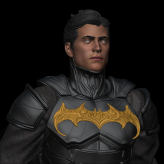 Thank you very much for the feedback and for sharing these resources, it really helped. The notes about anatomy and lighting were especially useful, and I’ll keep them in mind moving forward. This piece is still part of my learning process, so comments like this make a big difference. Thanks again for your time and help!
 -
Re: Sketchbook: leche

 Created a base model and applied texture using stencil painting. The texture is a Midjourney-generated image, enhanced with custom masks to control color and displacement mapping. By layering multiple displacement nodes, I added surface depth, blending the details for a realistic effect. The mask allows precise control…
 -
Re: Sketchbook: Squire
 jus a baldy head study figuring out planes for the average male. Note the ears,nose,mouth wernt part of this study, CC's pl0x
 -
Re: [HELP] TF2 Viewmodel model compiling
 Well, thanks :) I'll look into the sites you've posted My QC file:$cd ".\"$modelname "Weapons\v_models\v_shotgun_engineer.mdl"//$includemodel "weapons\v_models\v_shotgun.mdl"$model "v_shotgun" "v_shotgun_engineer.dmx.smd"$cdmaterials "models\Weapons\v_shotgun\"$cdmaterials "models\Weapons\"$cdmaterials ""//$texturegroup…
 -
Re: REQUEST: Great big Blender thread
In Xnormal, have you got the normal map swizzle set to X+Y+Z+ and the 'compute binormal in the pixel shader' box checked for the MikkTSpace tangent space calculator plugin? (You also need to check this box for UE4 and Marmoset MikkTSpace.) You can use normal maps that have a X+Y-Z+ swizzle if you pop in an RGB curves node… -
Re: Fabric Engine 2
 That was my first impression as well Grimwolf haha. From what I see FE seems to handle data by itself really efficiently. It has nodes that computes everything, even a real time shading node which displays models exactly the same in FE Canvas and in Maya viewport. Now I haven't tested both extensively but we have a few…
 -
Re: [Substance Designer] Multiple variations and switches?
 Probably not the best way, but you could specify a colour for each material and use the Multi-Material Blend node, feeding an exposed uniform colour node to the Colour ID input. Then you'd only have the one exposed parameter; but you'd need a key to know what colour enables what material, which isn't very intuitive. Using…
 -
Re: My work with substance.
 @Wasteland Melody Before making the tile materials I was playing around with it 2 days beforehand and had done a couple of test graphs. Once you get into the program and get to messing around with all the nodes and such you can see how the whole thing works, for me it came together pretty quickly. I only really watched…
 -
Re: Exporting additional mesh information to FBX -> G3DB
I don't know anything about the G3DB format, and it really depends on what things your converter will copy out of the FBX file, but you could try adding empty nodes to the FBX file and use those as attachment and/or orientation points. You could either name them using a specific naming convention, or embed some ascii data…
>37268 results